Hi everyone so I am not sure if this is the right location for this post.
for a little bit of background ive been having BSOD...a lot and thought it was either a bad internal SSD or bad memory. Well ive done a bunch of changes and updates and for the past couple of days the BSOD has seemed to dissappear. However, one of the changes required some registry keys to be changed because supposedly there is a power state thing that can make my particular SSD BSOD (this is from a guy that works for Intel)
Well since ive done that last change I have found a new problem. Windows will hang/freeze on the logo at startup. I troubleshooted and now have figured out if my external Seagate HD is attached it will cause the computer to hang there. if I dont disconnect it I need to restart like 50 times for it to boot. If I disconnect it the desktop boots right up. At the logo the external "whirrs" when i get to that point but its always done that before. Now it just freezes.
So I am not sure how to fix the problem. I dont want to connect my external everytime after boot.
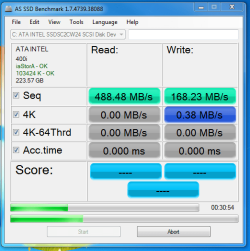
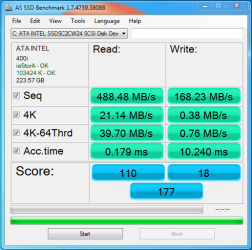
Also ive attached an image of my windows assessment. My primary disk score is very low and it drops down like this once in awhile. i re-test and it goes back to 7.9. Is this an SSD issue should I still look into replacing the SSD. Intels SSD Toolkit gives me an error "cannot communicate with SSD" and windows has it as a SCSI drive. But I am also told this is normal with my SSD.
Thanks for any help.
for a little bit of background ive been having BSOD...a lot and thought it was either a bad internal SSD or bad memory. Well ive done a bunch of changes and updates and for the past couple of days the BSOD has seemed to dissappear. However, one of the changes required some registry keys to be changed because supposedly there is a power state thing that can make my particular SSD BSOD (this is from a guy that works for Intel)
Well since ive done that last change I have found a new problem. Windows will hang/freeze on the logo at startup. I troubleshooted and now have figured out if my external Seagate HD is attached it will cause the computer to hang there. if I dont disconnect it I need to restart like 50 times for it to boot. If I disconnect it the desktop boots right up. At the logo the external "whirrs" when i get to that point but its always done that before. Now it just freezes.
So I am not sure how to fix the problem. I dont want to connect my external everytime after boot.
Also ive attached an image of my windows assessment. My primary disk score is very low and it drops down like this once in awhile. i re-test and it goes back to 7.9. Is this an SSD issue should I still look into replacing the SSD. Intels SSD Toolkit gives me an error "cannot communicate with SSD" and windows has it as a SCSI drive. But I am also told this is normal with my SSD.
Thanks for any help.
My Computer
- Computer Manufacturer/Model Number
- Self
- OS
- Windows 7 Professional x64
- CPU
- Intel Core i7 3960x
- Motherboard
- DX79SI
- Memory
- 16GB G-Skill
- Graphics Card(s)
- NVIDIA GeForce GTX 580
- Sound Card
- ...stock on MB... :)
- Monitor(s) Displays
- 2 ASUS LED 24" Widescreen
- Hard Drives
- 1 Intel 240GB 520 SSD
- PSU
- Corsair 1050
- Case
- Corsair 600T Special Addition
- Cooling
- Corsair H100
- Keyboard
- Microsoft ergonomic
- Mouse
- Logitech G500