Windows cannot copy files required for installation. Error 0x80070070

lidvic

New member
Local time
4:03 PM
Messages
1
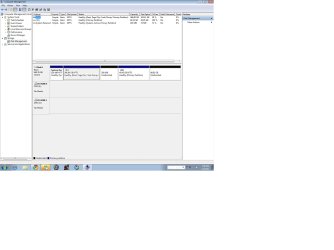
Hey guys, im trying to do this (i have windows 7 installed first) but when installing vista, at just 2% i get this Windows cannot copy files error. Im installing from a bootable USB and i've already tried using a different 4gb usb, a different vista iso file, different programs to make my usb bootable and different partition configurations. Has anyone come across this? For some reason i think it has something to do with the System Reserved partition but i am not sure and i dont have the option to expand the partition. Attached is what disk management looks like. Win 7 is installed in C:
Thanks for you help guys
 

Attachments

  • disk m.jpg
    disk m.jpg
    98.2 KB · Views: 340

My Computer

OS
Windows 7 Ultimate 32b
Where did you get Vista? Check the HASH against official HASH.

Perhaps you can borrow an external DVD drive to try install.

I'm assuming you don't have a DVD drive or you wouldn't have gone to all the effort to try different USB writing methods. The one which always works for me is UltraISO trial version: Open ISO on file tab, Write Disk Image on Bootable Tab, Format, Write. Then boot under USB or HD's.

If this fails, I'd reset the BIOS CMOS: Clear CMOS - 3 Ways to Clear the CMOS - Reset BIOS

If this is a PC do you have another HD to try install upon? If so unplug Win7 and wipe the target HD first. Then after install plug back in Win7, boot preferred first in BIOS, then boot the other using BIOS Boot Menu.
 
So I had Windows 7 64 bit on. I wanted Vista 64 because drivers for my computer weren't supported by 7. When It came installation time I had this same problem so I simply deleated my Windows 7 Partition and my system reserved partition than just installed Vista on the unoallacated space. But since you have amulti-boot idk... Hope I atleast helped someone with my Meager 3 inch FLoppy -My3inchFloppy
 

My Computer

Computer type
PC/Desktop
Computer Manufacturer/Model Number
Compaq Presario F700
OS
Windows Vista 64
Any size floppy is useless. :huh:

Win7 can use any Vista drivers, and it likely will deliver its own drivers if you run all rounds of Important and Optional Updates after enabling Automatically get recommended drivers and updates for your hardware (Step 3).

I've not found any drivers for Win7 that a Vista PC can't run or wont' be supplied by Win7 or found via searches of the OEM's SUpport Downloads webpage, if necessary in Device Manager - Finding Unknown Devices - Windows 7 Help Forums.

This concern about drivers is really old-school XPired thinking - all automated in Win7 or easily found.
 
Error 0x80070070

When you install windows there will be at least two drives. one is your primary and one is 100 mb. my second drive had about 50 mb free. click on it, and click advanced settings. delete the drive. it will become unallocated space. click add to reset it to the full 100mb. the installation worked for me after that
 

My Computer

Computer type
Laptop
Computer Manufacturer/Model Number
Dell
OS
Windows 7 Pro. 64 bit
CPU
Intel Core i5
Memory
2gb
Hard Drives
120gb
Antivirus
avg
Browser
Chrome
Back
Top