Windows cannot find HDD

Nano3

New member
Local time
9:34 AM
Messages
138
Location
Chicago IL / Springfield MA
I have a Western Digital 2.0TB HDD (Model number: wd20eads) that i just recently purchased from best buy a couple months ago. This harddrive originally came as an external USB HDD that i used as a backup for my files. Recently, I decided to take the HDD out of the enclosure and use it for one of the machines that i currently plan on upgrading to Windows 7

First off i need to remove my backed up files from it... I hoot the device up to my IDE/SATA to USB chord and turn on my computer. the computer recognized new software sounds clicks on and of course... Windows 7 does it's job by recognizing the newly installed hardware and installs it. I open file explorer and yuck... the HDD is not there. The Drive shows up in device manager but doesnt show up in BIOS or in my computer...

any help would be greatly appreciated
 

My Computer

Computer Manufacturer/Model Number
HP Pavilion dv4-1275mx Entertainment Notebook PC
OS
7
CPU
2.1 GHz AMD Turion Ultra ZM-80 Processor
Memory
4GB
Graphics Card(s)
ATI Radeon HD 3200 GPU

My Computer

Computer Manufacturer/Model Number
Custom
OS
Windows 7 Professional x64
CPU
Intel i7 2600K OC'd @ 4620 MHz
Motherboard
Asus P8Z68-V Pro
Memory
16GB GSkill Sniper 2133 Mhz (4x4GB)
Graphics Card(s)
EVGA GeForce GTX 480 SuperClocked+
Sound Card
Realtek High Definition Audio
Monitor(s) Displays
2x Acer S273HLbmii 27"
Screen Resolution
2 x 1920x1080
Hard Drives
64GB Crucial M4 SSD

Storage: Hitachi 1TB 5400RPM, Samsung 1.5TB 5400RPM
PSU
Corsair HW Series 750w (modular)
Case
Cooler Master HAF 932 Advanced Blue Edition
Cooling
CM Hyper 212+ CPU cooler, 3x 230mm + 1x 140mm case fans
Keyboard
Logitech MK320 (wireless)
Mouse
Logitech MK320 (wireless)
Internet Speed
30 Mb/s : 2 Mb/s
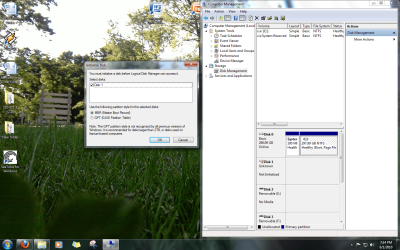
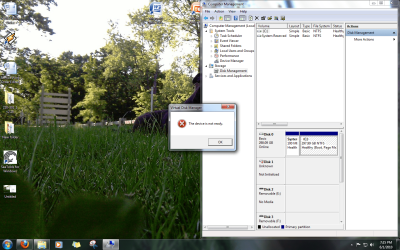
these are the screen shots. as you can see the disk one is not initialized... trying to initialize it results in the following uploaded images
 

Attachments

  • Untitled.png
    Untitled.png
    369.3 KB · Views: 61
  • Untitled2.png
    Untitled2.png
    439.8 KB · Views: 34

My Computer

Computer Manufacturer/Model Number
HP Pavilion dv4-1275mx Entertainment Notebook PC
OS
7
CPU
2.1 GHz AMD Turion Ultra ZM-80 Processor
Memory
4GB
Graphics Card(s)
ATI Radeon HD 3200 GPU
Bump...

Sorry, But i'd like to get this computer up and running as quickly as possible

Can this thread maybe be moved to General?
 

My Computer

Computer Manufacturer/Model Number
HP Pavilion dv4-1275mx Entertainment Notebook PC
OS
7
CPU
2.1 GHz AMD Turion Ultra ZM-80 Processor
Memory
4GB
Graphics Card(s)
ATI Radeon HD 3200 GPU
I have NEVER seen or heard of an instance where a HDD showed in DM but not in the BIOS as you say. If the BIOS POST does not report the drive it is essentially, not connected as far as the computer is concerned.

I would check the cable connections PSU/SATA or whatever (disconnect/reconnect), use alternative mobo port for cables; make sure HDD is enabled and pointed to in the BIOS.

Monk
 

My Computer

Computer Manufacturer/Model Number
Custom
OS
Dual boot XP Pro SP3x86 and Win7 Pro x64
CPU
AMD Phenom II x3 720 BE OCed to 3.3 GHz
Motherboard
Asus M3A79T Deluxe
Memory
2x2GB OCZ OCZ2RPR10664GK PC2-8500 DDR2
Graphics Card(s)
Sapphire ATi Radeon 4830 HD x2 (XFire)
Sound Card
Integrated (SoundMax)
Monitor(s) Displays
Dual: LG L227WTG/LG M237WD
Screen Resolution
1680 x 1050; 1920 x1280
Hard Drives
3 WDC WD7501AALS-00J7B0
PSU
Zalman 750HD Modular
Case
Antec 900
Cooling
4 120mm, 1 200mm fans
Keyboard
Black with lots of keys
Mouse
Razer Lachesis, Logitech RumbePad2, Logitech Marble
Internet Speed
Who counts
Other Info
7:1 SS
Back
Top