Windows changes theme by itself?

Bethlen

New member
It seems that Windows 7 RC like to change themes. I use a custom made theme that includes couple of Crysis-screenshots, however every now and then, usually after using a fullscreen software, or turning on the computer, it changes to an "Unsaved Theme" with only the latest picture as a wallpaper.

Anyone else have a similar problem or a solution to it?

Running x32 Windows 7 RC.
 

My Computer

OS
Windows 7 RC; Windows XP
Select the theme you want to use and re-save it (just below the selections in 'My Themes') for some reason, it appears to call any non-stock theme 'Unsaved'.
 

My Computer

Computer type
PC/Desktop
Computer Manufacturer/Model Number
Custom Build/Mod
OS
Windows 7 Home Premium x64
CPU
Intel QX9650 Extreme 4.0 GHz
Motherboard
ASUS Rampage Extreme Rev2
Memory
8GB (4x2) Corsair Dominator DDR3
Graphics Card(s)
2x Radeon R390X [8GB]
Sound Card
SupremeFX X-Fi
Monitor(s) Displays
Dell 2408WFP 26" Panel
Screen Resolution
1920x1200
Hard Drives
4x WD 2TB (8TB+ Total)
2x Crucial SSD 128GB (RAID-0)
1x LG Blu-ray read/write
1x Phillips LightScribe DVD read/write
PSU
Corsair HX1000
Case
CoolerMaster - Cosmos S
Cooling
Custom Liquid - 320mm rad w/ 3x 80mm fans, CPU/NB/SB Blocks
Keyboard
Logitech Illuminater Pro
Mouse
Logitech
Internet Speed
Fractional T1 - 125Mbps
Antivirus
ESET Security Suite / Microsoft Security Essentials
Browser
Cyberfox Intel x64
Other Info
OC'd to 5.0GHz @ 44c under full load
It's already saved. It just takes the latest viewed from the theme and use it as the only picture in a new, unsaved theme.

I just can't seem to figure out what's causing it...
 

My Computer

OS
Windows 7 RC; Windows XP
It might have something to do with switching to fullscreen. Aero probably turns off during fullscreen and essentially the "theme" is changed, so it starts a new unsaved theme.
 

My Computer

OS
7264x64/7260x86
there might be chances of some graphics issue...try upgrading the video driver to the latest 1...try turning off the aeropeak as well....
 

My Computer

OS
Windows 7 RC ,Windows Vista Ultimate ,Windows XP SP3,Ubuntu 8.01
CPU
Core 2 Duo 2.4 Ghz
Motherboard
Intel 945 G
Memory
4 GB Ram
Hard Drives
WD SATA 250 GB
Hitachi SATA 80 GB
unsaved themes

I get an unsaved theme each time i edit a theme. It does not work like the Windows How To Video shows is works. You should be able to change the theme without creating an "unsaved theme."

This is driving me crazy.
 

My Computer

Computer Manufacturer/Model Number
Dell XPS 410
OS
Windows 7 Ultimate RTM
CPU
Intel
Memory
2GB
Graphics Card(s)
Nvidia
Monitor(s) Displays
Dell 1720
Hard Drives
c, 350 GB ?
d, 1 TB WD
I am using windows7 enterprise RTM. I am seeing the same issue after some days. Initially it works fine. Later I have installed lot of softwares and now everytime my themes updated itself and showing as unsaved theme. Deleting the theme recreates the unsaved theme.

Looks like a bug
 

My Computer

OS
windows 7 Enterprise RTM
I was experiencing a similar issue with a 'Fit' slideshow. I'd login, the background would Stretch then revert to Tile and create an unsaved theme.

I was convinced it was a bug until I realised I had BGInfo in my startup (even though no text appeared on the screen). Removed BGInfo and now works as expected.
 

My Computer

Computer Manufacturer/Model Number
Mesh
OS
Windows 7 Professional
CPU
AMD Phenom II X4 965
Motherboard
ASUS M4A77TD Pro
Memory
8GB DDR3
Graphics Card(s)
ATI Radeon 4890
Sound Card
Onboard
Monitor(s) Displays
Iiyama Prolite E2407HDS-B1
Hard Drives
2 x 1.0TB SATA 300 (RAID 1)
1 x 1.5TB SATA 300
PSU
700W
Case
Thermaltake Element 'T'
Cooling
Case fans
Resolved the issue of unsaved themes

I've set the screensaver option "On Resume show login". If your changing the themes then this setting is not changing to default. So window simply make a new unsaved theme. I've unset this option, now I am able to delete the unsaved theme.

Delete the unsaved themes. set the option again. Look like a bug in windows 7
 

My Computer

OS
windows 7 Enterprise RTM
Yes it hapened to me too and is a bug!
This is not the first bug about themes...
 

My Computer

OS
Windows XP
Me too

Hi, i think it is a bug (Microsoft shit!). My computer does this too. i can`t remove, it appear again and again. I use an Windows7 Ultimate x64. I can`t remove the unsaved theme. Maybe someday microsoft "does" something...

P.S. I think i got it how to. Simple... NEVER install any screen saver. After i`v removed the installed screensavers, who`s installed by me, everything it seems to me ok. I`v deleted the unsaved theme, and that does not appears again.

I hope this help you too.

Anyway, this is f bug.

Thanks allot.
 
Last edited:

My Computer

Computer Manufacturer/Model Number
Toshiba Satellite A210
OS
Windows 7
CPU
AMD
Memory
2GB
Graphics Card(s)
ATI HD2600 PCIe
Sound Card
Realtek
Try saving the theme and then delete the saved theme.
 

My Computer

Computer type
Laptop
Computer Manufacturer/Model Number
ASUS G60-RBBX05
OS
Win7 Home Premium 64x
CPU
Intel Core 2 Duo P7450 / 2.13 GHz (2.29 with Extreme Turbo)
Memory
4 GB PC-6400 Hyundai (2X2) at 800Mhz
Graphics Card(s)
NVIDIA GeForce GTX 260M 1GB DDR3 VRAM
Monitor(s) Displays
16" LED Backlit
Screen Resolution
1366 x 768 on laptop 1600x1050 max res on 22" external mon
Hard Drives
OCZ Agility 3 60GB SSD / 320 GB - Serial ATA-150 - 7200 rpm
PSU
6-cell Lithium ion { lasts 1.5 hours }
Case
ASUS G60 Laptop
Keyboard
Chicklet type back-lit (white light) keyboard
Mouse
Logitech G9 Laser Mouse 3200dpi and 1000 reports per minute
Internet Speed
Comcast 8.60mb/s up - 3.11mb/s down
Antivirus
MSE
Browser
Firefox
Other Info
General mid-budget gaming Comp. Low batterylife - High FrameRates - currently overheating problems :(

2nd Rig: Case: Rosewill BLACKHAWK Gaming ATX Mid Tower Computer Case

Mobo: GIGABYTE GA-990FXA-UD3
CPU: AMD FX-6200 Zambezi 3.8GHz (4.1GHz Turbo)
Heatsink: COOLER MASTER V8 CPU Cooler
RAM: Patriot Viper 3 8GB (2 x 4GB) 240-Pin DDR3 SDRAM 1866 (PC3 15000)
GPU: SAPPHIRE Radeon HD 6850 1GB 2
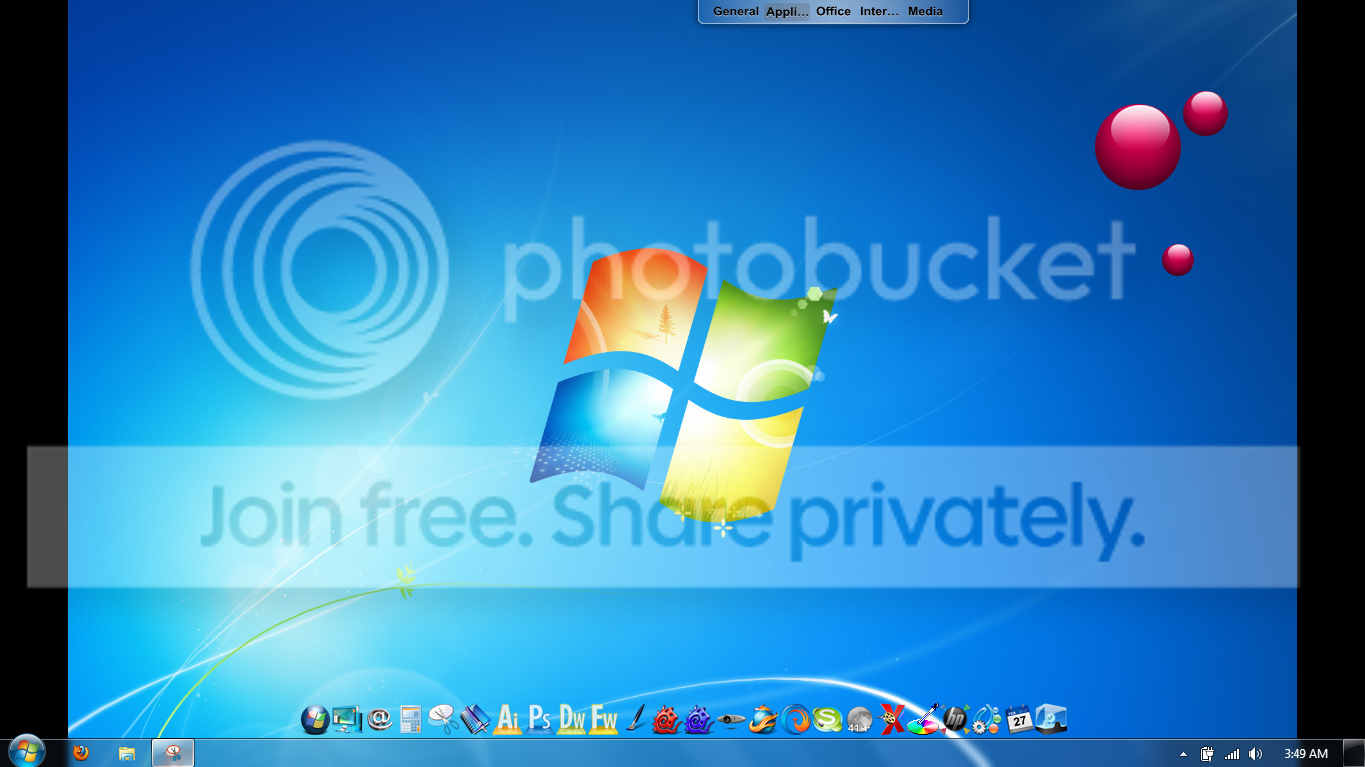
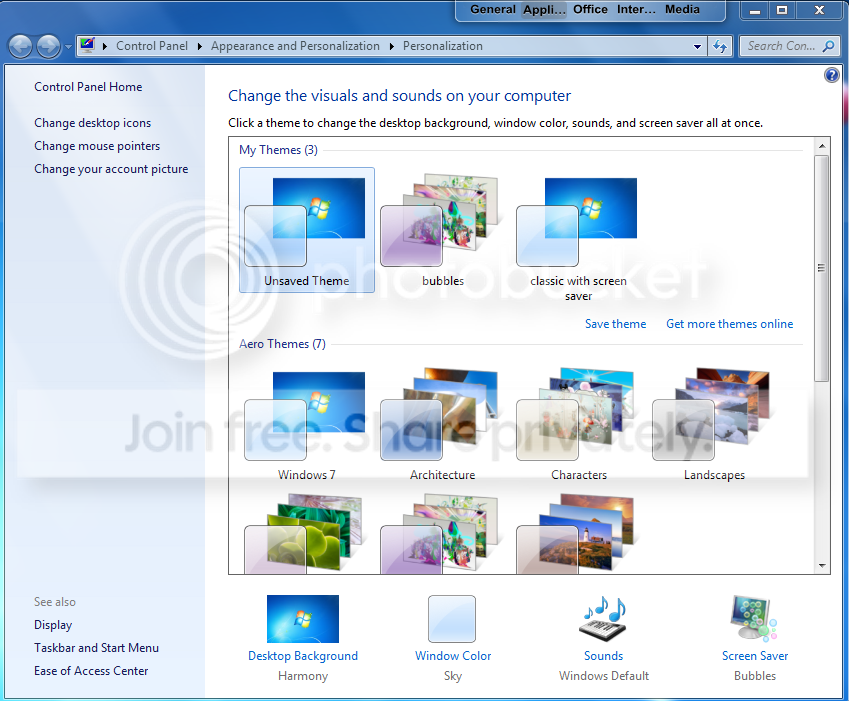
I have this exact issue and it didnt start until a week or so ago. I havent download any new programs or screensavers and havent even tried to use any theme that didnt come with my computer nor have I tried to customize my themes. All of my themes are factory setting. Its very aggravating to have to reset a theme and screensaver every single time that my computer is rebooted. Took some screenshots to show the exact issue.

After restarting or rebooting, the saved theme reverts to an Unsaved Theme that is not even the correct size. There is a black line on the left and right size and the resolution is set correctly in my computer. The theme corrects its self to the correct size after choosing another theme.
theme.png


An "unsaved theme" is created on every single reboot.

newunsavedtheme.png
 

My Computer

Computer Manufacturer/Model Number
Intel Cantiga
OS
Windows 7 Ultimate 32 bit 6.1, build 7600
CPU
Intel Core 2 Duo [email protected]
Memory
4096 mb ram
Graphics Card(s)
ATI mobility radeon HD 4650
Sound Card
HDaudio wdm
Fix

I found a fix i had the same problem i hope it works.
Just change your theme to windows 7 Basic and back to the theme u want it to be it worked for me .
 

My Computer

Computer type
PC/Desktop
OS
Windows 7
Back
Top