Windows could not complete the installation...

DIGICON

New member
Local time
6:21 PM
Messages
2
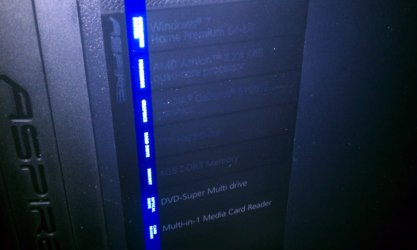
:huh: Hi folks. I'm new to the forum so give me a little slack if I screw this up please lol. I have an Acer Aspire X1420G-U5832 with Windows 7 Home Premium 64-bit. I wanted to resturn my computer to factory condition so I went through the correct steps as it guided me. I cut and pasted my documents to a portable flassh drive so i wouldn't lose photos and important school documents. I proceeded with the steps and the system began restoring. I don't recall if it asked me to restart or if it restarted on it's own but whatever the case, it now gives me a dialog box every time I restart like it asks me too. The system dialog box I'm gtting is " (Install Windows), Windows could not complete the installation. To install Windows on this computer, restart the installation." All restarts lead to this response and all safe mode restarts lead to one very similar only it mentions the safe mode aspect. ANY, help would be appreciated guy's. If you need additional info please let me know and I will provide. Thank you!
 

Attachments

  • Windows could not complete.jpg
    Windows could not complete.jpg
    68.3 KB · Views: 249
  • Acer specs.jpg
    Acer specs.jpg
    92 KB · Views: 236

My Computer

Computer Manufacturer/Model Number
Acer Aspire
OS
Windows7 HomePrem
CPU
Quad Core
Motherboard
AMD Athelon
Memory
1TB

My Computer

Computer type
Laptop
Computer Manufacturer/Model Number
Acer Aspire 5750G
OS
Windows 7 Home Premium x64, Windows 8 Pro
CPU
i5-2430M
Motherboard
Acer JE50_HR
Memory
8 Gb
Graphics Card(s)
nVidia GeForce 610M
Sound Card
Realtek High Definition Audio
Antivirus
Avast
Browser
Chrome
:-( Thank you very much for the quick response Mach04, that was really fast and very kind of you for answering. The only problem here is, it came preinstalled with Windows. I was hoping I wouldn't have to go buy Windows 7.
 

My Computer

Computer Manufacturer/Model Number
Acer Aspire
OS
Windows7 HomePrem
CPU
Quad Core
Motherboard
AMD Athelon
Memory
1TB
You don't need to buy windows as you own the licensed version to use in 32- or 64-bit for the life of the machine, and can reinstall or recover it any way you want.

If Factory Recovery is failing repeatedly when run from boot and using the DVD's you made at setup then your options are to order a new set of Recovery Disks from Acer, or Clean Reinstall - Factory OEM Windows 7.

Everything you need to clean reinstall is in the blue link.
 
Back
Top