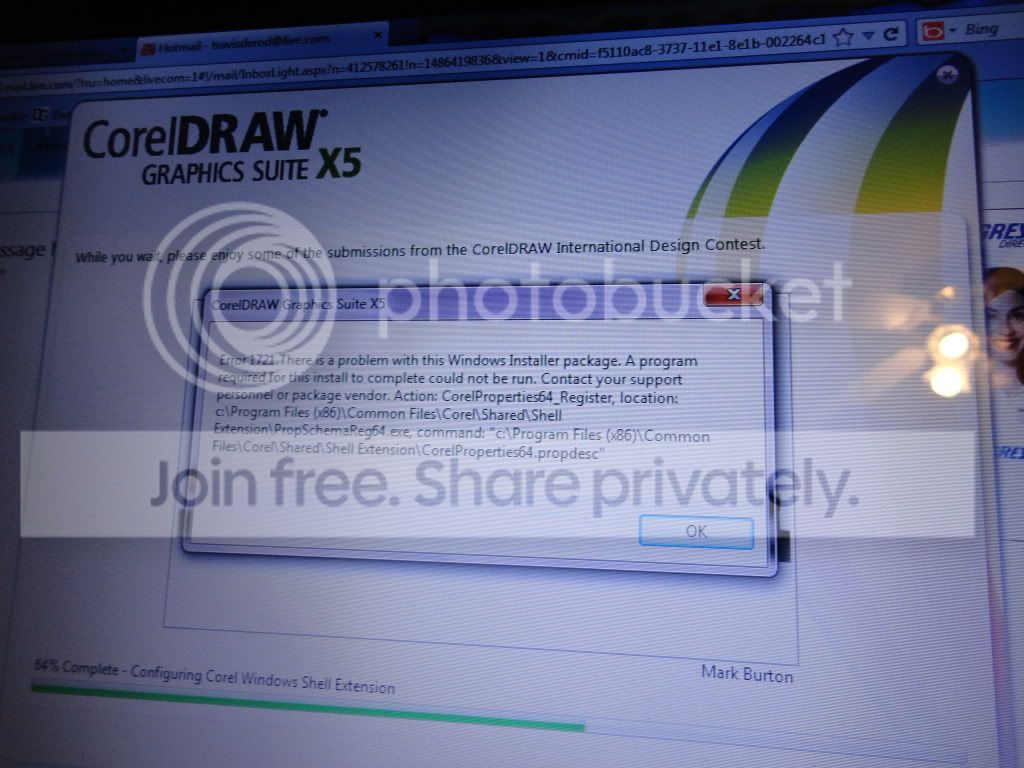
Windows Installer/Error 1721

larryloo

New member
Local time
9:05 AM
Messages
4
I was trying to install my graphics suite on W7 and got a error message that say 1721 and something is wrong with the windows installer. I've already tried system restore and that didn't work out. I also tried re-registering the windows installer and running the system file checker and there was no problems.

Where's the fix for this? I need it bad.
:cry::sarc::confused:

Screen shot
DSC00390.jpg
 

My Computer

OS
Windows 7 Home Premium
Are you installing a 64-bit software package on 32-bit Windows 7 ?
 

My Computer

Computer Manufacturer/Model Number
Acer Notebook
OS
Win 8 RP, Win 7, XP
CPU
Intel
I'm not sure what bit the software is but, the software has been running fine on my system until yesterday I had to modify it and it wouldn't let me. I also tried uninstalling and repairing. None of those worked so I got the Uninstall Tool & deleted it out my system and now I am getting that error msg below.
 

My Computer

OS
Windows 7 Home Premium
Windows Installer kept having a problem and looking for msiexec on my backup drive. I went to regedit

HKEY_LOCAL_MACHINE\SYSTEM\CurrentControlSet\services\msiserver or use Edit,Find to search for msiexec. Edit the ImagePath by right click and Modify.


@SystemRoot%\system32\msiexec /V to c:\windows\system32\msiexec /V and voila, no installer problems.
 

My Computer

OS
Windows 7 Ultimate x64
Are you running the installer as Admin?

Establish a Clean boot and look for other clues in these Troubleshooting Steps for Windows 7

If steps fail try the Repair Install or get a perfect baseline Clean Reinstall with backup image made after setup you can use to fall back on in the future.
 
Back
Top