Windows Installer problem

Lykele

New member
Member
Local time
10:29 AM
Messages
47
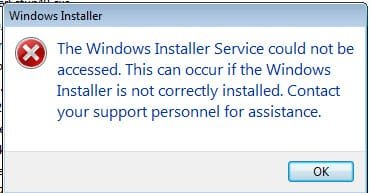
I just tried to run an "msi" file and got the error that shows in the attachment. Since all I did was install Windows 7 Home Premium, what else would I have to do to install this installer? I just assumed it came with the package.

Thanks. Jim
 

Attachments

  • 2-21-2010 2-01-43 PM.jpg
    2-21-2010 2-01-43 PM.jpg
    14.5 KB · Views: 8

My Computer

OS
Windows XP
Try this,

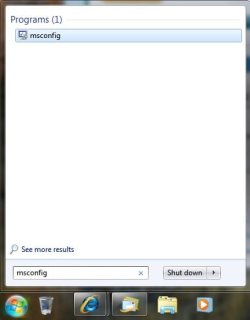
Go to start and type msconfig into the search bar hit enter..
msconfig.jpg

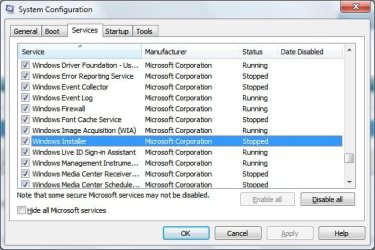
When that window opens, go to the tab services and scroll down until you see Windows Installer, make sure it is checked. If it was not checked you will have to restart your computer for those settings to take affect..

Wininstaller.jpg

Hope that Helps...
 

My Computer

Computer Manufacturer/Model Number
HP Pavilion dv5 Notebook PC
OS
Windows Seven x64
CPU
2.2 GHz Dual Core
Motherboard
Quanta 3600
Memory
4GB
Graphics Card(s)
ATI Mobility RADEON HD 3470
Sound Card
ATI
Monitor(s) Displays
Laptop
Hard Drives
ATA Hitachi HTS543215 (5400RPM)
Case
Laptop
Cooling
Fan
Internet Speed
Basic DSL 1.5 up and Down
Thanks for the suggestion. Windows Installer is checked off in msconfig.

Jim
 

My Computer

OS
Windows XP
Back
Top