The first suggestion didn't work, and I'm afraid a screenshot is WAY above my paygrade! I think I'll just learn to live with it. Thank you for your help.
Hi Ewpope, welcome to the Seven Forums.
Are you serious? You will rather not even try to solve your issue than try to learn a simple thing needed for us to assist you?
Making a screenshot of your whole display and posting it here is really a simple procedure:
- When the Windows Live Mail is open and visible on your screen, press PrtScr button to copy the whole screen as an image to clipboard
- Open Windows Paint
- Click Paste to paste the image from clipboard in Paint
- Save the image
- Upload the saved image file here
An easy to understand tutorial for making a screenshot:
http://www.sevenforums.com/tutorials/9717-screenshot-paint.html. Step 1. tells how to make a screenshot of the whole display, full screen. A Guy's post above has a link to a tutorial telling you how to attach your screenshot here in your post.
That being said, let's try again:
The Windows Live Mail display is cut off by about one inch on the right. Also the bottom one inch is not visible.
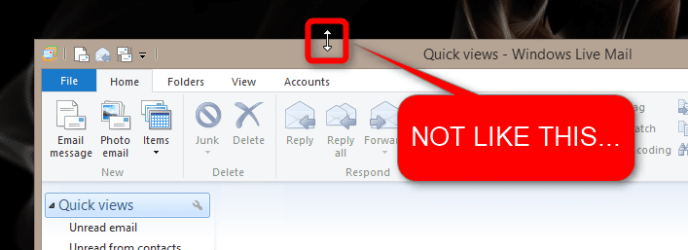
The two pointed arrow will not pull the screen up or to the left. The screen is centered in all other instances. Windows Live Mail is the only display that is offset.
Please understand I do not mean to offend you in any way in saying that your comment about a simple screenshot being over your paygrade implies you are not very familiar with Windows. If this is the case, there might be a really simple cause and as simple solution to your issue.
Below a screenshot shows what I suspect is your case, a window located at bottom right so that the right and bottom parts of the window are missing, kind of "beyond the display edges":
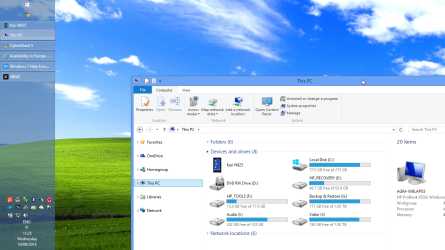
If this example is correct, if your
Windows Live Mail window is situated as the
This PC window in above screenshot then the solution is simple: just drag the Windows Live Mail window to left and up as long that you can see whole window, also its right and bottom edges.
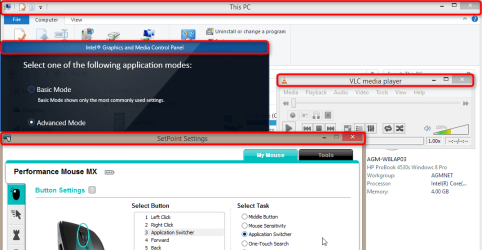
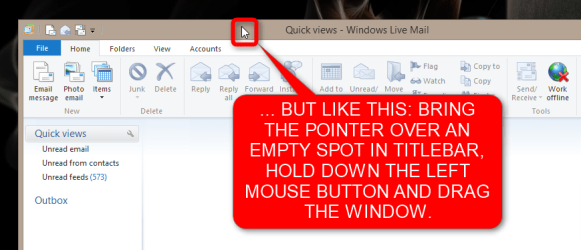
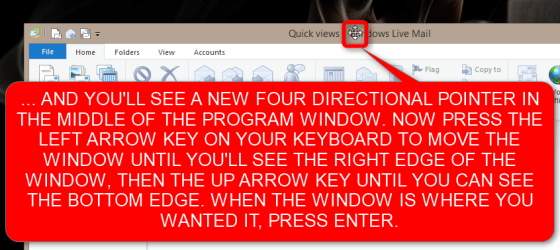
To drag a window around on your visible display area bring the mouse pointer over its
titlebar, press and hold down the left mouse button and simply move the mouse until the window is where you want it, then release the mouse button. I do not have Windows Live Mail installed but the below screenshot shows the titlebar in some example windows, the area you must point, click and hold in order to drag a window:
If this was your issue and it is now solved, everything is OK. If not, if your Windows Live Mail window is located and visible at the middle of the display and still missing the right and bottom parts as in the next screenshot, then we have to find another cause and solution for you:
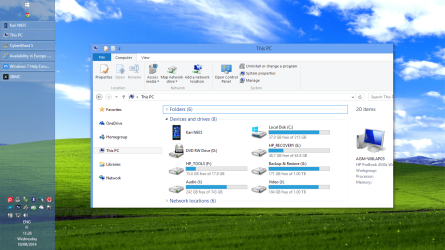
If your situation is like in this last screenshot, tell it and we will try something else.
Kari




 .
.