Windows Media player 12 full screen problem

markusw7

New member
Local time
10:45 PM
Messages
2
Hi this is a recurring problem that i always seem to have when i get a new version of windows or windows media player.
I can't seem to get any videos i open to automatically fill up my screen as i have before i normally find out how to do this myself but this time i can't.
In the past i would set video size to 200%, fit video to player and then set the player size to my desired size and then videos would always start covering most of my screen. However when i try this now very new video i open resets the size of the player to 200% of the video instead of retaining the size i gave it earlier.

In short i want to have all my videos open so that they cover my screen but so i still have access to my taskbar (so not pressing Alt-Enter).

Hopefully someone here can help me
 

My Computer

OS
Windows 7
Hi this is a recurring problem that i always seem to have when i get a new version of windows or windows media player.
I can't seem to get any videos i open to automatically fill up my screen as i have before i normally find out how to do this myself but this time i can't.
In the past i would set video size to 200%, fit video to player and then set the player size to my desired size and then videos would always start covering most of my screen. However when i try this now very new video i open resets the size of the player to 200% of the video instead of retaining the size i gave it earlier.

In short i want to have all my videos open so that they cover my screen but so i still have access to my taskbar (so not pressing Alt-Enter).

Hopefully someone here can help me

Hi Mark, Welcome to SF,

Well i have a workaround for you becuase i seen most cases WMP 12 is not remembering the size:(

Open an MP3 file, Press Ctrl+3 to go to Now Playing view, Resize the window what ever size you want, then close WMP. The next time you double click a movie file, the window opens at the size set while playing the MP3 file

Hope this helps
 

My Computer

Computer Manufacturer/Model Number
Samsung NP550P5C-S02IN
OS
Windows 7 Ultimate - 64-bit | Windows 8 Pro - 64-bit
CPU
Intel® Core™ i7 Processor 3,610QM (2.30Hz, 6MB L3 Cach
Memory
8 GB
Graphics Card(s)
NVIDIA® GeForce® GT 650M 2GB Graphics, Optimus™ techno
Sound Card
SoundAlive™ JBL 3 Speakers (With sub-Woofer)
Monitor(s) Displays
39.62cm (15.6) SuperBright 300nit HD+ LED Display
Screen Resolution
1,600 x 900, Anti-Reflective
Hard Drives
1TB S-ATA II Hard Drive (5,400RPM)
In short i want to have all my videos open so that they cover my screen but so i still have access to my taskbar (so not pressing Alt-Enter).


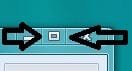
....... Maximize button!

Capture.JPG

Use it, dammit!
 

My Computer

Computer type
Laptop
Computer Manufacturer/Model Number
Custom
OS
Windows 7 Home Premium x64
CPU
Intel Core i5 2500K
Motherboard
MSI MS-7750
Memory
8GB DDR3
Graphics Card(s)
nVidia GeForce GTX650 Ti BOOST
Sound Card
Realtek
Monitor(s) Displays
21' Philips
Screen Resolution
Full HD
Hard Drives
1TB
PSU
500W
Thanks capt sparrow your advice worked perfectly and Sopolias pressing the maximise button every time i play a single video gets tedious especially since in the past i haven't needed to
 

My Computer

OS
Windows 7
Thanks capt sparrow your advice worked perfectly and Sopolias pressing the maximise button every time i play a single video gets tedious especially since in the past i haven't needed to

Your Most Welcome Mate ..
Thanks For Posting Back :D
 

My Computer

Computer Manufacturer/Model Number
Samsung NP550P5C-S02IN
OS
Windows 7 Ultimate - 64-bit | Windows 8 Pro - 64-bit
CPU
Intel® Core™ i7 Processor 3,610QM (2.30Hz, 6MB L3 Cach
Memory
8 GB
Graphics Card(s)
NVIDIA® GeForce® GT 650M 2GB Graphics, Optimus™ techno
Sound Card
SoundAlive™ JBL 3 Speakers (With sub-Woofer)
Monitor(s) Displays
39.62cm (15.6) SuperBright 300nit HD+ LED Display
Screen Resolution
1,600 x 900, Anti-Reflective
Hard Drives
1TB S-ATA II Hard Drive (5,400RPM)
Back
Top