
- Local time
- 2:02 AM
- Messages
- 705
Simply that I watched a flash video like you would find on youtube.
I then wanted to know where it was.
So I found it by manually looking, windows search does not reveal the location unless you know the exact name of the file. A general *.tmp, search is no good!
What is a good program to use that does work to find files? You can not trust windows search to give you correct information and I wonder if that is deliberate.
pictures showing what I am telling you. Searched "Computer"
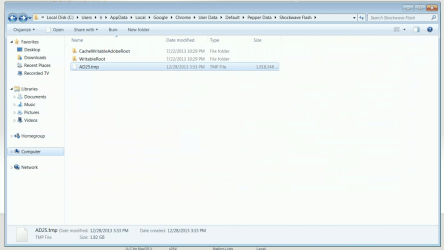
1. One shows the true loacation of a 1.8gb file called AD25.tmp
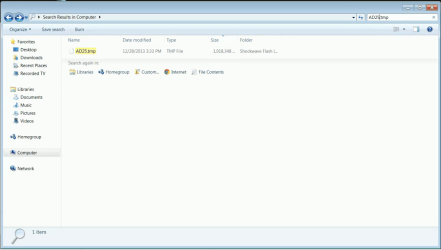
2. Search shows the file if you use the exact name.
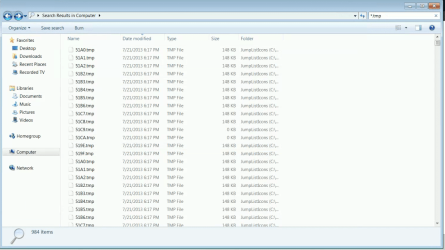
3. Search does NOT show this file if you use *.tmp, although it does show many other tmp files. And I organized by newest at the top. File AD25.tmp is NOT there in the list.
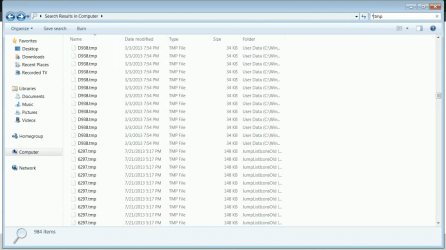
4. organized by name,jumps from 6*** to D***, no A*** in the list.
I had also tried searching for large files and it did not appear in the list. Must be a better program that works.
I then wanted to know where it was.
So I found it by manually looking, windows search does not reveal the location unless you know the exact name of the file. A general *.tmp, search is no good!
What is a good program to use that does work to find files? You can not trust windows search to give you correct information and I wonder if that is deliberate.
pictures showing what I am telling you. Searched "Computer"
1. One shows the true loacation of a 1.8gb file called AD25.tmp
2. Search shows the file if you use the exact name.
3. Search does NOT show this file if you use *.tmp, although it does show many other tmp files. And I organized by newest at the top. File AD25.tmp is NOT there in the list.
4. organized by name,jumps from 6*** to D***, no A*** in the list.
I had also tried searching for large files and it did not appear in the list. Must be a better program that works.
Attachments
My Computer
At a glance
Windows 7 Ultimate x64
- OS
- Windows 7 Ultimate x64


