- Local time
- 11:46 PM
- Messages
- 44
Hello there.
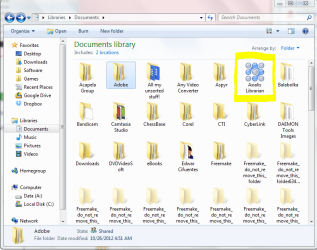
I wanted to have my documents, music, pictures and all my personal stuff in a different partition, other than the system core partition (e.g. C:/), so I followed a tutorial on this site to achieve that.
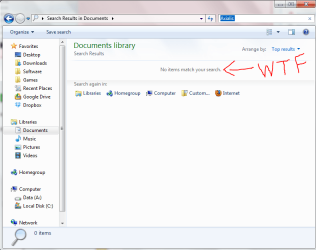
I was happy with the results until some day I noticed that when using the top right search bar on windows explorer it would yield no results at all even though the files were there. I didn't work for any kind of file nor for folders. However, the search function always worked normally on the system partition (C:/)
I created another administrator user account and the same thing happened. Search function within user folders wasn't yielding results, except for the C:/ partition, where it worked normally.
I concluded the search function doesn't work if the user accounts are stored on a different partition, other than the C:/ (Local disk)
I used the indexing and search troubleshooter but it didn't find any problem, therefore it didn't solve anything.
I restarted the windows search service... didn't help.
I set it to Automatic... didn't help either.
I rebuilt the index for the Users folder in the partition... nothing.
I deleted and recreated the libraries... nothing.
I re-indexed them... still nothing.
Now I don't know what to do next and that's why I joined this forum (with the hope of finding an answer)
Please help me! Any help will be welcome!
Last edited:
My Computer
At a glance
Windows 7 Home Premium x64AMD Dual-Core A4-3300M Accelerated ProcessorDDR3 6144 MBytesAMD Radeon™ HD 6480G
- Computer Manufacturer/Model Number
- Toshiba Satellite® L755D-S5348 15.6" widescreen Laptop
- OS
- Windows 7 Home Premium x64
- CPU
- AMD Dual-Core A4-3300M Accelerated Processor
- Motherboard
- AMD Torpedo
- Memory
- DDR3 6144 MBytes
- Graphics Card(s)
- AMD Radeon™ HD 6480G
- Monitor(s) Displays
- 15.6" Widescreen, 1366x768 (HD), 16:9 aspect ratio
- Hard Drives
- Hitachi HTS547550A9E384 500 GB





 .
.