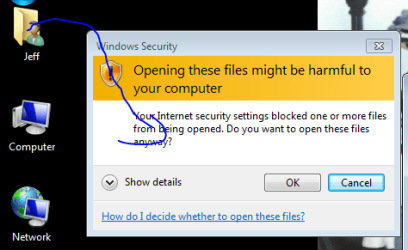
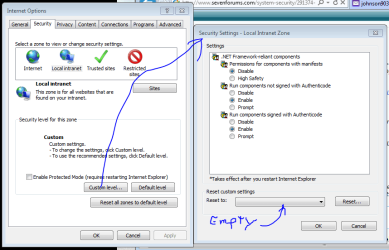
What version of IE do you have?
Try resetting IE to default:
http://www.sevenforums.com/tutorials/1222-internet-explorer-reset.html
Follow with
Malwarebytes' Anti-Malware:
http://www.malwarebytes.org/mbam-download-exe.php
Save to the Desktop.
MBAM may make changes to the Registry as part of its disinfection routine.
If using other security programs that detect Registry changes, they may interfere or alert you.
Temporarily disable such programs as shown, or permit them to allow the changes:
http://www.bleepingcomputer.com/forums/topic114351.html
Right-click the MBAM file, and select: Run as Administrator
When the installation begins, follow the prompts.
Make sure you leave both of these checked:
Update Malwarebytes' Anti-Malware
Launch Malwarebytes' Anti-Malware
Click:
Finish
MBAM automatically starts and you are asked to
update the program.
If an update is found, the program automatically updates itself.
Press the
OK button to close the box and continue.
On the
Scanner tab:
Make sure the
Perform Full Scan option is selected.
Then click on the
Scan button.
If asked to select the drives to scan, leave
all the drives selected.
Click on the
Start Scan button.
The scan may take some time to complete, so please be patient.
When the scan is finished, a message box shows
The scan completed successfully. Click 'Show Results' to display all objects found
Click
OK to close the message box and continue with the removal process.
Back at the main
Scanner screen:
Click on the
Show Results button to see a list of any malware found.
Make sure everything is checked, and click:
Remove Selected
When removal is completed, a report opens in Notepad.
The log is automatically saved and can be viewed by clicking the
Logs tab.
Please copy/paste the entire contents of the
MBAM report in your reply.
Exit MBAM when done.
Note: If MBAM encounters a file that is difficult to remove, you are asked to reboot the computer so MBAM can proceed with the disinfection process. If asked to restart the computer, please do so immediately.
Failure to reboot normally (
not into safe mode) prevents MBAM from removing all the malware.
-->> When done, please give an update of how it is going.