
Windows start menu disappear several times a day

plsg

New member
Local time
10:21 PM
Messages
3
Greetings from Denmark.

Several times a day, the windows start menu just disappear. The only way I can get it back, is if I press CTRL + ALT + DELETE and close explorer and open it again, or if I restart the laptop... What a mess... I have uploaded a screenshot.

I have tryed to reinstall windows many time but with no change to the problem. It startet when I bought my new Alienware m17x R4 laptop :huh:

My thoughts to the problem is that it could be a hardware problem, but still :sarc:

Is there anyone with the same problem or anyone knows any fix to the problem, would I be very greatfull.

Phillip Green.
 

Attachments
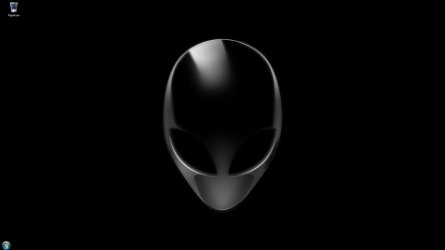
  • 1.jpg
    1.jpg
    19.7 KB · Views: 6

My Computer My Computer

At a glance

Windows 7 Ultimate 64bit.
OS
Windows 7 Ultimate 64bit.
Use the default windows 7 theme and see if the problem persist?
 

My Computer My Computer

At a glance

Microsoft Windows 10 Professional / Windows 7...Intel i5-357016GB DDR3AMD Radeon HD 7850 2GB
Computer type
PC/Desktop
OS
Microsoft Windows 10 Professional / Windows 7 Professional
CPU
Intel i5-3570
Motherboard
Lenovo Mahobay
Memory
16GB DDR3
Graphics Card(s)
AMD Radeon HD 7850 2GB
Sound Card
(1) Realtek HD Audio (2) AMD HD Audio
Monitor(s) Displays
LG LS192WS
Screen Resolution
1440 x 900 @ 32bit color
Hard Drives
(1) SUV300S37A/120G (2) ST3500413AS SATA Disk Device AHCI mode enabled.
PSU
Corsair HX620
Case
Thermaltake V4 Black Edition
Cooling
Cooler Master Hyper 212 + Artic Silver 5 on CPU/GPU
Keyboard
Dell SK-8115
Mouse
Razer Copperhead with MAPED mat (awesome!)
Internet Speed
100 Mbps up/down
Browser
Chrome
Greetings from Denmark.

Several times a day, the windows start menu just disappear. The only way I can get it back, is if I press CTRL + ALT + DELETE and close explorer and open it again, or if I restart the laptop... What a mess... I have uploaded a screenshot.

I have tryed to reinstall windows many time but with no change to the problem. It startet when I bought my new Alienware m17x R4 laptop :huh:

My thoughts to the problem is that it could be a hardware problem, but still :sarc:

Is there anyone with the same problem or anyone knows any fix to the problem, would I be very greatfull.

Phillip Green.

Try this;

Right click an empty area of the Task Bar, Properties, Start Menu Tab, Customize Button , then click on the "Default Settings" selection on the bottom right side.

HTH
 

My Computer My Computer

At a glance

Windows 7 Professional x64Intel i5 quad processor16 GBRadeon HD 5770
Computer type
PC/Desktop
Computer Manufacturer/Model Number
Custom Built
OS
Windows 7 Professional x64
CPU
Intel i5 quad processor
Motherboard
DP67BG
Memory
16 GB
Graphics Card(s)
Radeon HD 5770
Sound Card
Realtek High Definition Audio
Monitor(s) Displays
Samsung SyncMaster
Screen Resolution
1920X1080
Hard Drives
WD 2TB (SATA Internal)
WD 1TB (USB External)
PSU
Corsair GS800
Case
Tower (Generic)
Cooling
3 Internal Fans
Keyboard
MS Wireless
Mouse
MS Optical Wired
Internet Speed
54 mbps
Antivirus
Emsisoft
Browser
IE-Version 9, Palemoon-Version 24.2.0

My Computer My Computer

At a glance

Windows 7 Ultimate 64bit.
OS
Windows 7 Ultimate 64bit.
Problem solved!

I found the problem. It was the fan made alienware screensaver that was the problem :)
 

My Computer My Computer

At a glance

Windows 7 Ultimate 64bit.
OS
Windows 7 Ultimate 64bit.
Back
Top