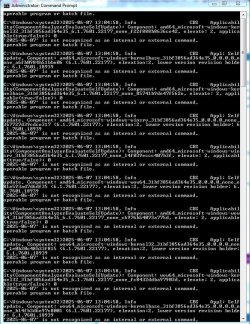
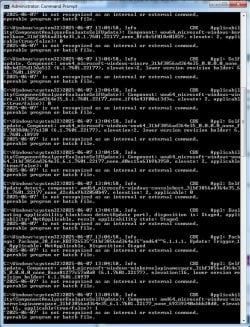
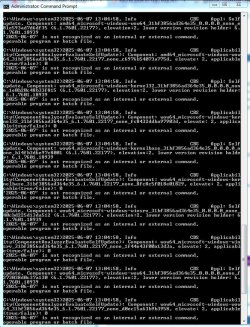
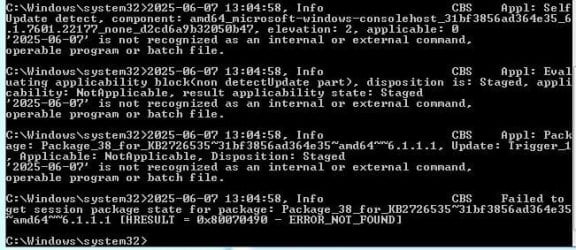
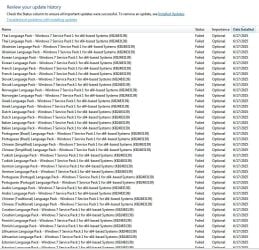
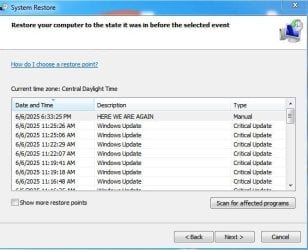
Thank you so much for your reply, I understand that they are only optional. My computer has been trying to install them almost everyday. I followed the steps to hide them but that did not stop them from installing, as I said, I turned off windows updates - set to manual, and woke up next morning to find they had attempted to install again, and reinstalled as set-points in my restore logs registered as a critical update. see snippet. Today I had to use disk clean up because system properties/system protection would not delete them any more. below is the copied results of the MSGATD you sent me.
Diagnostic Report (1.9.0027.0):
-----------------------------------------
Windows Validation Data-->
Validation Code: 0
Cached Online Validation Code: 0x0
Windows Product Key: *****-*****-P9G62-4GY3W-TCXKX
Windows Product Key Hash: hhxnq60+ifO390hOLW2cVhx/yKk=
Windows Product ID: 00426-292-9057185-85768
Windows Product ID Type: 5
Windows License Type: Retail
Windows OS version: 6.1.7601.2.00010100.1.0.001
ID: {0A2D4D41-5999-4ADD-A78A-89C3B89884BF}(1)
Is Admin: Yes
TestCab: 0x0
LegitcheckControl ActiveX: N/A, hr = 0x80070002
Signed By: N/A, hr = 0x80070002
Product Name: Windows 7 Ultimate
Architecture: 0x00000009
Build lab: 7601.win7sp1_ldr_escrow.200102-1707
TTS Error:
Validation Diagnostic:
Resolution Status: N/A
Vista WgaER Data-->
ThreatID(s): N/A, hr = 0x80070002
Version: N/A, hr = 0x80070002
Windows XP Notifications Data-->
Cached Result: N/A, hr = 0x80070002
File Exists: No
Version: N/A, hr = 0x80070002
WgaTray.exe Signed By: N/A, hr = 0x80070002
WgaLogon.dll Signed By: N/A, hr = 0x80070002
OGA Notifications Data-->
Cached Result: N/A, hr = 0x80070002
Version: N/A, hr = 0x80070002
OGAExec.exe Signed By: N/A, hr = 0x80070002
OGAAddin.dll Signed By: N/A, hr = 0x80070002
OGA Data-->
Office Status: 109 N/A
OGA Version: N/A, 0x80070002
Signed By: N/A, hr = 0x80070002
Office Diagnostics: 025D1FF3-364-80041010_025D1FF3-229-80041010_025D1FF3-230-1_025D1FF3-517-80040154_025D1FF3-237-80040154_025D1FF3-238-2_025D1FF3-244-80070002_025D1FF3-258-3
Browser Data-->
Proxy settings: N/A
User Agent: Mozilla/4.0 (compatible; MSIE 8.0; Win32)
Default Browser: C:\Program Files\Mozilla Firefox\firefox.exe
Download signed ActiveX controls: Prompt
Download unsigned ActiveX controls: Disabled
Run ActiveX controls and plug-ins: Allowed
Initialize and script ActiveX controls not marked as safe: Disabled
Allow scripting of Internet Explorer Webbrowser control: Disabled
Active scripting: Allowed
Script ActiveX controls marked as safe for scripting: Allowed
File Scan Data-->
Other data-->
Office Details: <GenuineResults><MachineData><UGUID>{0A2D4D41-5999-4ADD-A78A-89C3B89884BF}</UGUID><Version>1.9.0027.0</Version><OS>6.1.7601.2.00010100.1.0.001</OS><Architecture>x64</Architecture><PKey>*****-*****-*****-*****-TCXKX</PKey><PID>00426-292-9057185-85768</PID><PIDType>5</PIDType><SID>S-1-5-21-2222328093-4099772657-87964445</SID><SYSTEM><Manufacturer>Dell Inc.</Manufacturer><Model>Precision T1650</Model></SYSTEM><BIOS><Manufacturer>Dell Inc.</Manufacturer><Version>A28</Version><SMBIOSVersion major="2" minor="7"/><Date>20180628000000.000000+000</Date></BIOS><HWID>26D63307018400FE</HWID><UserLCID>0409</UserLCID><SystemLCID>0409</SystemLCID><TimeZone>Central Standard Time(GMT-06:00)</TimeZone><iJoin>0</iJoin><SBID><stat>3</stat><msppid></msppid><name></name><model></model></SBID><OEM><OEMID>DELL </OEMID><OEMTableID>CBX3 </OEMTableID></OEM><GANotification/></MachineData><Software><Office><Result>109</Result><Products/><Applications/></Office></Software></GenuineResults>
Spsys.log Content: 0x80070002
Licensing Data-->
Software licensing service version: 6.1.7601.23403
Name: Windows(R) 7, Ultimate edition
Description: Windows Operating System - Windows(R) 7, RETAIL channel
Activation ID: ac96e1a8-6cc4-4310-a4ff-332ce77fb5b8
Application ID: 55c92734-d682-4d71-983e-d6ec3f16059f
Extended PID: 00426-00170-292-905718-00-1033-7600.0000-2172024
Installation ID: 016840942684414795942144750900467221835705059972771045
Processor Certificate URL:
Runtime Error
Machine Certificate URL:
Runtime Error
Use License URL:
Runtime Error
Product Key Certificate URL:
Runtime Error
Partial Product Key: TCXKX
License Status: Licensed
Remaining Windows rearm count: 4
Trusted time: 6/7/2025 5:45:24 PM
Windows Activation Technologies-->
HrOffline: 0x00000000
HrOnline: N/A
HealthStatus: 0x0000000000000000
Event Time Stamp: N/A
ActiveX: Registered, Version: 7.1.7600.16395
Admin Service: Registered, Version: 7.1.7600.16395
HealthStatus Bitmask Output:
HWID Data-->
HWID Hash Current: MgAAAAEAAgABAAEAAAACAAAAAwABAAEAhFGCeZpH/vQSwjJNOC4qF6a3Gv2MPZOOlmM=
OEM Activation 1.0 Data-->
N/A
OEM Activation 2.0 Data-->
BIOS valid for OA 2.0: yes
Windows marker version: 0x20001
OEMID and OEMTableID Consistent: yes
BIOS Information:
ACPI Table Name OEMID Value OEMTableID Value
APIC DELL CBX3
FACP DELL CBX3
HPET DELL CBX3
MCFG DELL CBX3
FPDT DELL CBX3
SSDT SataRe SataTabl
SSDT SataRe SataTabl
SSDT SataRe SataTabl
DMAR INTEL SNB
ASF! INTEL HCG
SLIC DELL CBX3
- - - Updated - - -
I have a CBS log and the Deep Clean Log but they are to large to attach
- - - Updated - - -
I am breaking the CBS log file down to smaller sized Notepads, I hope this helps, here are the first 3.