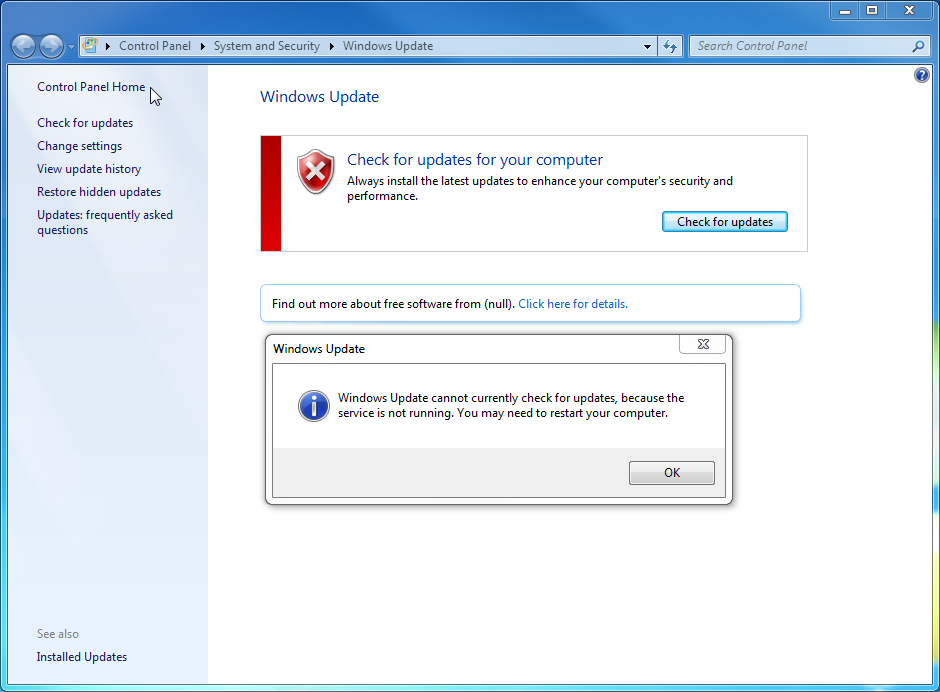
Solved Windows Update Procedure Call Failed

Collin2011

New member
Member
VIP
Local time
5:48 PM
Messages
100
So I know all about Windows Update not finding any updates and what have you but now mine won't even open. Initially it just sat there with a blank page infinity spinning the busy cursor until I restarted explorer. But now it just gives me this:
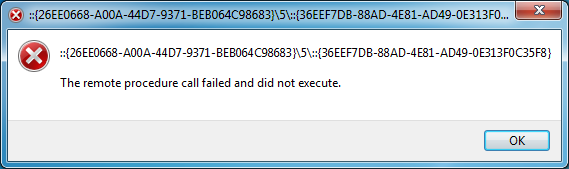
DyQHSuD.png


Window 7 Ultimate x64
GeForce GTX 980 TI
i7 6700K
 

My Computer

Computer type
PC/Desktop
Computer Manufacturer/Model Number
Custom Build
OS
Windows 7 Ultimate x64 / Windows 10 Home x64
CPU
Intel i7 6700K
Motherboard
ASRock Z170 Extreme7+ LGA 1151 Intel Z170 HDMI SATA 6Gb/s US
Memory
16GB
Graphics Card(s)
GeForce GTX 980 TI
Monitor(s) Displays
HP 25VX | AOC 27 Inch
Screen Resolution
1920x1080
Hard Drives
Windows 7: 250GB
Windows 10: 1TB
Storage: 3TB
PSU
CoolerMaster 700W
Case
ThermalTake Chaser MK-1
Cooling
Fan
Keyboard
Razer Blackwidow Chroma
Mouse
Razer Mamba
Antivirus
Kaspersky Total Security
Browser
Chrome
Hi Collin,

Is this only occurring with Windows Updates??

If so please post your CBS log
(C >> Windows >> Logs >> CBS > cbs (top log only)

and run this tool, copy/paste the output, it will tell me which server its trying to contact
http://go.microsoft.com/fwlink/?LinkID=52012

Roy
 

My Computer

Computer type
PC/Desktop
Computer Manufacturer/Model Number
medionl/Aspire 6930G/acer x55a
OS
W7 home premium 32bit/W7HP 64bit/w10 tp insider ring
CPU
E5300 dual core
Motherboard
medion MS7366
Memory
3gb
Graphics Card(s)
Nvidia Geforce 7100 Nforce 630i
Monitor(s) Displays
avixc
Internet Speed
n (isp resticted to 72)
Antivirus
mse/pands
Browser
palemoon
Other Info
Belkin Fd7050 n USB using Railink RT2870 drivers, more upto date
Hi Collin,

have a read of this as well

0 No - Microsoft Community

Your not alone today - see Force Majeure's thread.


Roy

EDIT the fix from the link worked for him
 
Last edited:

My Computer

Computer type
PC/Desktop
Computer Manufacturer/Model Number
medionl/Aspire 6930G/acer x55a
OS
W7 home premium 32bit/W7HP 64bit/w10 tp insider ring
CPU
E5300 dual core
Motherboard
medion MS7366
Memory
3gb
Graphics Card(s)
Nvidia Geforce 7100 Nforce 630i
Monitor(s) Displays
avixc
Internet Speed
n (isp resticted to 72)
Antivirus
mse/pands
Browser
palemoon
Other Info
Belkin Fd7050 n USB using Railink RT2870 drivers, more upto date

My Computer

Computer type
PC/Desktop
Computer Manufacturer/Model Number
Custom Build
OS
Windows 7 Ultimate x64 / Windows 10 Home x64
CPU
Intel i7 6700K
Motherboard
ASRock Z170 Extreme7+ LGA 1151 Intel Z170 HDMI SATA 6Gb/s US
Memory
16GB
Graphics Card(s)
GeForce GTX 980 TI
Monitor(s) Displays
HP 25VX | AOC 27 Inch
Screen Resolution
1920x1080
Hard Drives
Windows 7: 250GB
Windows 10: 1TB
Storage: 3TB
PSU
CoolerMaster 700W
Case
ThermalTake Chaser MK-1
Cooling
Fan
Keyboard
Razer Blackwidow Chroma
Mouse
Razer Mamba
Antivirus
Kaspersky Total Security
Browser
Chrome
Hi Collin,

JEEZE your not having a lot of luck:shock:

However that error message started to appear a few weeks ago,

see this thread, for the fix post #9
Windows Update service not running - Windows 7 Help Forums

IF YOU DO NOT FOLLOW THE INSTRUCTIONS EXACTLY the fix will not work
(post #16 same thread)

Roy
 

My Computer

Computer type
PC/Desktop
Computer Manufacturer/Model Number
medionl/Aspire 6930G/acer x55a
OS
W7 home premium 32bit/W7HP 64bit/w10 tp insider ring
CPU
E5300 dual core
Motherboard
medion MS7366
Memory
3gb
Graphics Card(s)
Nvidia Geforce 7100 Nforce 630i
Monitor(s) Displays
avixc
Internet Speed
n (isp resticted to 72)
Antivirus
mse/pands
Browser
palemoon
Other Info
Belkin Fd7050 n USB using Railink RT2870 drivers, more upto date
Hi Collin,

JEEZE your not having a lot of luck:shock:

However that error message started to appear a few weeks ago,

see this thread, for the fix post #9
Windows Update service not running - Windows 7 Help Forums

IF YOU DO NOT FOLLOW THE INSTRUCTIONS EXACTLY the fix will not work
(post #16 same thread)

Roy

This solved my problem although when I rebooted it had to re-adjust the date and time. Even though I set it to Dec 2nd it jumped to January 5 when it was January 6 and 2:53 instead of 1:08AM. I also can't seem to set sync with internet time again. Or am I not supposed to do that?
 

My Computer

Computer type
PC/Desktop
Computer Manufacturer/Model Number
Custom Build
OS
Windows 7 Ultimate x64 / Windows 10 Home x64
CPU
Intel i7 6700K
Motherboard
ASRock Z170 Extreme7+ LGA 1151 Intel Z170 HDMI SATA 6Gb/s US
Memory
16GB
Graphics Card(s)
GeForce GTX 980 TI
Monitor(s) Displays
HP 25VX | AOC 27 Inch
Screen Resolution
1920x1080
Hard Drives
Windows 7: 250GB
Windows 10: 1TB
Storage: 3TB
PSU
CoolerMaster 700W
Case
ThermalTake Chaser MK-1
Cooling
Fan
Keyboard
Razer Blackwidow Chroma
Mouse
Razer Mamba
Antivirus
Kaspersky Total Security
Browser
Chrome
Collin. You do have to manually reset the time & date to the current date. Also it looks like you should also check your time zone to see if that is correct.

When you Click on the Clock & select Change Date & Time Settings it should open a small window & one of the tabs at the top of that window says Internet Time. Click on that & if it is set for Automatically Synchronise with "time.windows.com" then it is correct. If it is not set for Auto Time Synchronisation it will say so & there will be a button that says Change Settings. Click on that & then tick the box that says Synchronise with Internet Time Server. Then select Update Now & the current time will show up after few seconds. Then be sure to click on OK before exiting.
 

My Computer

Computer type
PC/Desktop
Computer Manufacturer/Model Number
Self built using existing case
OS
Windows 7 Home Premium 64 bit sp1
CPU
Intel i5 3570 3.4Ghz Ivy Bridge SKT 1155 quad core
Motherboard
Gigabyte Z77-HD3 SKT 1155 2xSata 3, 4x USB 3.0
Memory
G-Skill Rip Jaws 16Gb (8x2) DDR3 -1600 PC3 12800 CL 10 red
Graphics Card(s)
Gigabyte NVIDIA GT610 1Gb DDR3 810/1200 PCI-E 2.0 Silent
Sound Card
NVIDIA High Definition & Realtech High Definition Audio
Monitor(s) Displays
2 x Philips 226V4L 16:9 aspect ratio
Screen Resolution
1920 x 1080 HD
Hard Drives
Samsung 840 Pro 256gb SSD, SATA 3.
Hitachi Touro Portable 1tb, USB 3.0 HDD used for image b/ups.
PSU
Corsair VS450
Case
Codeng
Cooling
PSU fan & CPU fan
Keyboard
Logitech
Mouse
Logitech Wireless trackball M570
Internet Speed
Wireless 3G. 3mg down & 550kb up.
Antivirus
Bitdefender Internet Security 2020
Browser
Opera (Current Version) & Firefox
Other Info
MS Office 2013 Pro. Davis weather station software. MGE Nova 600 avr UPS.
Back
Top