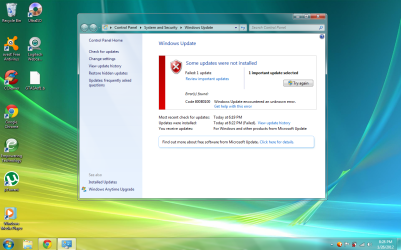
First, restart the computer. Next, check updates and make sure all other important updates are installed first. Make sure you have installed all current drivers for your computer. Check devices and printers and device manager for any exclaimation points that you can right click and then select update.
Failing all of that, click in windows updates (the pic you just showed) where it says "get help with this error" and see if it leads you to anything informative. Post back how it goes.
I'd like to add that the error codes are fairly generic and can be due to a number of things. Your Event Log will also have more details and help you narrow it down to a particular source of the error.
Click Start button type in eventvwr.msc press enter. In the left hand window select Windows Logs, then select System. Look for anything with a red exclamation that relates to a failed update.