windows xp wont install in dual boot

goofy gorilla

New member
Local time
5:34 AM
Messages
20
hi guys - ive got a dell inspiron 530 with windows 7 64 bit....ive used the tutorial on here on how to created a partition of 10gig so i can install windows xp onto it. When i insert the windows xp cd, all files are copied but when the system reboots and trys to continue installin windows xp i get error message "a disk raed error occureded press ctrl+alt+deltete to restart"...ive tried about 5 different versions of xp but all the same..have i also lost my windows 7 ?..hope not cos i never made a backup..please help..ta
 

My Computer My Computer

OS
windows 7
ok ta..used startup repair...windows 7 i back up and running, but wht wont windows xp install in the partition that i created ?...may start again after deleting the partion..i had this working sometime back as i posted on here that i had it working fine with dual boot...but cant remeber if it was this dell pc i had it on or the hp pc which i have since sold...lol..
 

My Computer My Computer

OS
windows 7

My Computer My Computer

OS
ME/XP/Vista/Win7
First check for all the Win XP drivers for your hardware on the manufacturer's web site.
If your Win XP CD, does not support your Sata Controller, you will need to load drivers to uses at F6.
Load Sata Controller drivers with a floppy disk is the best way.
http://www.sevenforums.com/tutorials/66010-sata-drivers-load-windows-xp-setup-dual-boot.html
OR
http://www.sevenforums.com/tutorials/72185-sata-drivers-slipstream-into-windows-xp-cd.html
how do i know which hardware needs the sata drivers as the error message doesnt specify whats need?...is there a collection of sata drivers that i can load ?..
 

My Computer My Computer

OS
windows 7
The Sata Controller on the MOBO.
Check for drivers on the Dell website.
 

My Computer My Computer

OS
ME/XP/Vista/Win7
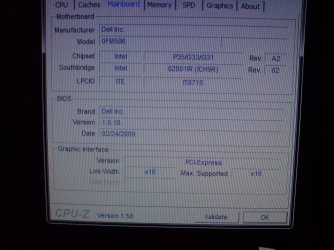
ok i used a program called cpuz i thinks its called ..gave ne detail of my motherboard..can you make sense of it..see pic.
 

Attachments

  • DSC00398.JPG
    DSC00398.JPG
    469.8 KB · Views: 6

My Computer My Computer

OS
windows 7
ta mate..appreciate the help, i dont have a floppy drive..so how do i add these to the windows xp cd iso that im hoping to make...?..do i just extract the contents of the folder and burn them all onto a cd when using n lite ?..
 

My Computer My Computer

OS
windows 7
yes im reading them..gonna attempt to have a go, if i cant ill just have to borrow my mates old pc with windows xp on it...ta
 

My Computer My Computer

OS
windows 7
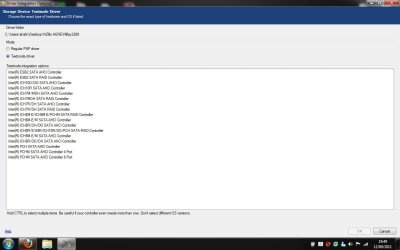
ok getting somewhere..when it asks to insert.... a single driver i select one from the download that you posted...ie, iaAHCI...when i select this there are loads ..do i select all ?..see screenshot
 

Attachments

  • which one.jpg
    which one.jpg
    65 KB · Views: 3

My Computer My Computer

OS
windows 7
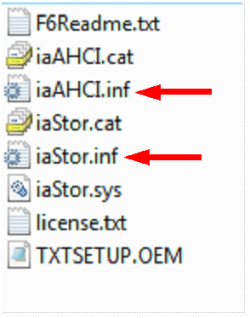
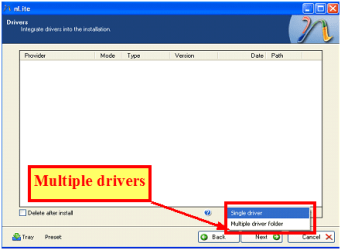
ok...i have to select both .inf files....but when i select the second one after ive selected the first one i get the error message...see screenshot....how can i insert both ?...do i need to select "multiple driver folder" ie in this case the folder that all those files are in ?..sorry but never done this before....nearly there lol..:p
 

Attachments

  • error.jpg
    error.jpg
    98.2 KB · Views: 2

My Computer My Computer

OS
windows 7
select "multiple driver, YES.

Capture3-1.PNG

Capture222.PNG
 

My Computer My Computer

OS
ME/XP/Vista/Win7
ok ta ...think ive done it just burning..see if it wall install alongside my windows 7...will post back..ta
 

My Computer My Computer

OS
windows 7
ok still the same message "a disk read error occured - press ctrl+alt+del" to restart. lol

arrrgh!!!!!!!! :mad: must be something that ive done wrong...thanks for the help mate..appreciate it, but think ill just a cheapy pc with windows xp on it..cheers
 

My Computer My Computer

OS
windows 7
Back
Top