
You are using an out of date browser. It may not display this or other websites correctly.
You should upgrade or use an alternative browser.
You should upgrade or use an alternative browser.
Windows XP x64 compatibility mode
- Thread starter Anixx
- Start date
XP Mode is an image of 32 bit XP. No others are available. To run 64 bit XP or Server 2003 (or any other OS) you would need a legal copy of the OS and run it under VirtualPC or some other virtualizer program.
My Computer
- Computer type
- PC/Desktop
- Computer Manufacturer/Model Number
- HP
- OS
- Windows 7 Pro 64 bit
- CPU
- Xeon W3520
- Memory
- 8 GB
- Graphics Card(s)
- Nvidia Geforce 210
You possibly misunderstood me. I am not talking about the Virtual PC XP Mode, but about compatibility mode for running applications.XP Mode is an image of 32 bit XP. No others are available. To run 64 bit XP or Server 2003 (or any other OS) you would need a legal copy of the OS and run it under VirtualPC or some other virtualizer program.
My Computer
- Computer type
- PC/Desktop
- OS
- Windows 7
Are you trying to run a 64 bit program designed for 64 bit XP or server 2003?
It would help if you could describe exactly what you are trying to do.
It would help if you could describe exactly what you are trying to do.
My Computer
- Computer type
- PC/Desktop
- Computer Manufacturer/Model Number
- HP
- OS
- Windows 7 Pro 64 bit
- CPU
- Xeon W3520
- Memory
- 8 GB
- Graphics Card(s)
- Nvidia Geforce 210
Yes, the 32-bit version of the software runs well under Win2000 Compatibility mode (and under XP compatibility mode but with UAC prompt). The software does not run without compatibility mode. I wonder if there a way to run a 64-bit version of the same software?Are you trying to run a 64 bit program designed for 64 bit XP or server 2003?
It would help if you could describe exactly what you are trying to do.
May be such mode exists under Win8?
My Computer
- Computer type
- PC/Desktop
- OS
- Windows 7
KingKoopaDE
New member
Even if this Thread is older here are a few observations I found:
Setting WINSRV03SP1 under HKEY_LOCAL_MACHINE\SOFTWARE\Microsoft\Windows NT\CurrentVersion\AppCompatFlags\Layers or the HKCU equivalent did work for 32 Bit applications and reported 5.2.3790 SP1 even on Windows 11. What it didn't do was set the basic theme unlike Windows XP compat mode (idk if the one from Win 7 does this already because there you still have DisableDWM).
The sad thing is, it doesn't work on 64 Bit exe files, the way is to add the EXE file to Application Verifier and check Compatibility and HighVersionLie, then right click and click Properties and set the following:
Major: 5 Minor: 2 Build: 3790 Service Pack Major: 2 Service Pack Minor: 0 Suite Mask: 256 Product Type: 1 CSD Version: Service Pack 2 (or the Service Pack you want)
Further interesting observation is, that all compat modes that got removed from the UI, still work in recent Win Versions so setting in HKEY_LOCAL_MACHINE\SOFTWARE\Microsoft\Windows NT\CurrentVersion\AppCompatFlags\Layers:
NT4SP5
WIN2000
WINSRV03SP1 as already mentioned
WINSRV08SP1
do still report the right version.
Also interesting setting DISABLETHEMES in Win8 or higher does either disable Themes for all controls or if you set a compat mode which disables DWM composition (e.g. XP) then it does turn into full classic.
For the 64 Bit Version Lie (over Application Verifier) there's a little downside, that it does only override the Win32 GetVersion(Ex) and not the NTDLL RtlGetVersion, and also does not change the output you get from the registry.
I also tried Compat Administrator setting the VersionLie here without success for 64 Bit App.
What is intresting in Compat Administrator, that there are way more Versionlies aviable which could be used.
Setting WINSRV03SP1 under HKEY_LOCAL_MACHINE\SOFTWARE\Microsoft\Windows NT\CurrentVersion\AppCompatFlags\Layers or the HKCU equivalent did work for 32 Bit applications and reported 5.2.3790 SP1 even on Windows 11. What it didn't do was set the basic theme unlike Windows XP compat mode (idk if the one from Win 7 does this already because there you still have DisableDWM).
The sad thing is, it doesn't work on 64 Bit exe files, the way is to add the EXE file to Application Verifier and check Compatibility and HighVersionLie, then right click and click Properties and set the following:
Major: 5 Minor: 2 Build: 3790 Service Pack Major: 2 Service Pack Minor: 0 Suite Mask: 256 Product Type: 1 CSD Version: Service Pack 2 (or the Service Pack you want)
Further interesting observation is, that all compat modes that got removed from the UI, still work in recent Win Versions so setting in HKEY_LOCAL_MACHINE\SOFTWARE\Microsoft\Windows NT\CurrentVersion\AppCompatFlags\Layers:
NT4SP5
WIN2000
WINSRV03SP1 as already mentioned
WINSRV08SP1
do still report the right version.
Also interesting setting DISABLETHEMES in Win8 or higher does either disable Themes for all controls or if you set a compat mode which disables DWM composition (e.g. XP) then it does turn into full classic.
For the 64 Bit Version Lie (over Application Verifier) there's a little downside, that it does only override the Win32 GetVersion(Ex) and not the NTDLL RtlGetVersion, and also does not change the output you get from the registry.
I also tried Compat Administrator setting the VersionLie here without success for 64 Bit App.
What is intresting in Compat Administrator, that there are way more Versionlies aviable which could be used.
My Computers
System One System Two
-
- Computer type
- PC/Desktop
- Computer Manufacturer/Model Number
- custom build
- OS
- Windows 11 64 Bit
- CPU
- Ryzen 5900x
- Motherboard
- ASUS TUF GAMING X570 Plus
- Memory
- 128 GB
- Graphics Card(s)
- RTX 3080TI
-
- Computer type
- PC/Desktop

townsbg
тσωηsвg
There is no 64-bit compatibility on 32-bit due to the architectural differences. You must have the 64 bit version of Windows and this isn't just XP.
My Computers
System One System Two
-
- Computer type
- PC/Desktop
- Computer Manufacturer/Model Number
- HP Pavillion Elite HPE-250f
- OS
- Windows 7 pro/Windows 10 Pro
- CPU
- Intel i7 860 Quad core 2.8 ghz
- Memory
- 8 gb
- Graphics Card(s)
- ATI Radeon HD 5770 1 gb ram
- Monitor(s) Displays
- Alienware 25 AW2521HF & Viewsonic
- Screen Resolution
- 1920 x1080 & 1680x1050
- Hard Drives
- WD blue 1 tb & 500 gb.
- Browser
- FF of course.
-
- Computer type
- PC/Desktop
- System Manufacturer/Model Number
- Dell Poweredge T140
- OS
- Windows 2012 R2 Data center/Linux Mint
- CPU
- i3 9100 3.6GHz, 8M cache, 4C/4T
- Memory
- 8GB 2666MT/s DDR4 ECC UDIMM
- Monitor(s) Displays
- Viewsonic
- Screen Resolution
- 1680x1050
- Hard Drives
- 1 TB & 750 GB
KingKoopaDE
New member
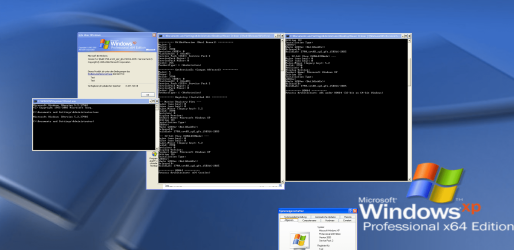
There was an AMD64 Version of Windows XP and we a talking about the lack of a proper compaibility mode for that exact Version in modern Widnows (Vista-11).
This Version was based on Windows Server 2003 and used the NT 5.2 Kernel instead of the XP 5.1 one.
This circumstance is problematic cause it was the first AMD64 release of Windows.
Look at: Windows XP Professional x64 Edition - Wikipedia
This Version was based on Windows Server 2003 and used the NT 5.2 Kernel instead of the XP 5.1 one.
This circumstance is problematic cause it was the first AMD64 release of Windows.
Look at: Windows XP Professional x64 Edition - Wikipedia
My Computers
System One System Two
-
- Computer type
- PC/Desktop
- Computer Manufacturer/Model Number
- custom build
- OS
- Windows 11 64 Bit
- CPU
- Ryzen 5900x
- Motherboard
- ASUS TUF GAMING X570 Plus
- Memory
- 128 GB
- Graphics Card(s)
- RTX 3080TI
-
- Computer type
- PC/Desktop