Solved WindowsUpdateError_80073712-&-SFC_ScanNotWorking:

RobobBob

New member
Local time
7:51 PM
Messages
3
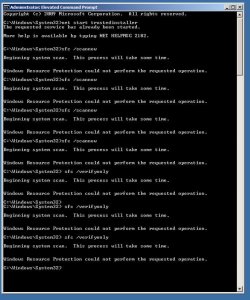
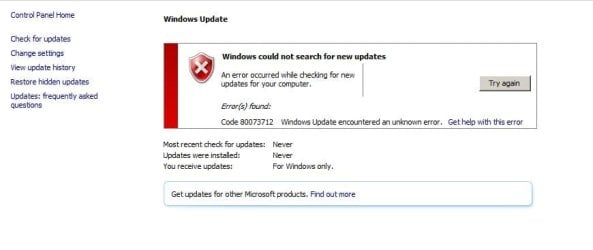
I have not been able to Update Windows (Error code 80073712). Also, I tried running SFC.exe /ScanNow without success.

Thanks for your anticipated help.

Robert
 

Attachments

  • 01_SURT_2-0.JPG
    01_SURT_2-0.JPG
    21 KB · Views: 22
  • 02_SURT_2-1.JPG
    02_SURT_2-1.JPG
    13.8 KB · Views: 22
  • 03_SURT_2-2.JPG
    03_SURT_2-2.JPG
    21.8 KB · Views: 22
  • 04_SURT_2-3.JPG
    04_SURT_2-3.JPG
    17.3 KB · Views: 22
  • 05_SFC-Scan.JPG
    05_SFC-Scan.JPG
    77.2 KB · Views: 0
  • 06_WindowsUpdateErrorCode80073712.JPG
    06_WindowsUpdateErrorCode80073712.JPG
    30.5 KB · Views: 0
  • WIN7-PC-Wed_02_21_2018_194506_92.zip
    WIN7-PC-Wed_02_21_2018_194506_92.zip
    49.5 KB · Views: 1

My Computer

Computer type
PC/Desktop
Computer Manufacturer/Model Number
custom build
OS
Windows 7 64 bit
CPU
Intel(R) Core(TM) i7-4770 CPU @ 3.40GHz
Motherboard
ASUS Z87 Deluxe
Memory
15 GB
Graphics Card(s)
Intel(R) HD Graphics 4600
Hard Drives
WDC WD10EADS
Antivirus
Windows
Browser
Firefox
Hi RobobBob,

How long has this been an issue?

[HRESULT = 0x80073712 - ERROR_SXS_COMPONENT_STORE_CORRUPT]

What is the size of your Component Hive? It is a hidden file.
To view, you'll have to click Start Orb, click Control Panel, click Appearance and Personalization, click Folder Options, click view on folder options menu. Scroll down and uncheck Hide Extensions For Known Filetypes

click Start Orb, copy and paste into searchbox: C:\Windows\System32\Config

components should be approximately 43,000 kb = 43.0 mb.
 
Last edited:

My Computer

Computer type
PC/Desktop
Computer Manufacturer/Model Number
HP Desktop & Compaq Laptop
OS
Win 10 x64, Linux Lite, Win 7 x64, BlackArch, & Kali
Hard Drives
Samsung 850 Pro 256Gb,
Hitachi HDD 1Tb,
Crucial MX SSD 250Gb
Segate 3Tb USB 3.0 Ext. Backup HDD
Internet Speed
150Mbps dn, 20Mbps up
Antivirus
Avast Free, Malwarebytes Anti-Exploit & Anti-Ransomware
Browser
Firefox, Chrome, Opera, & VPN
Hello Snick

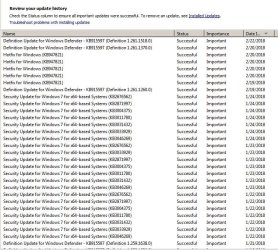
My last sucessful Windos Backup was 1/24/2018 (See attached Update_History.jpg).

Note that the Update for Windows Defender works.

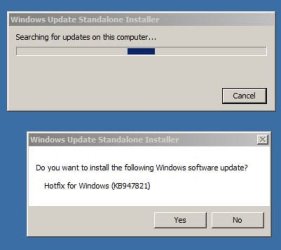
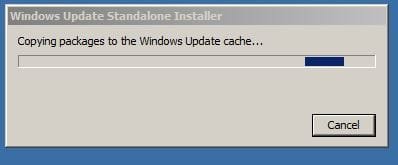
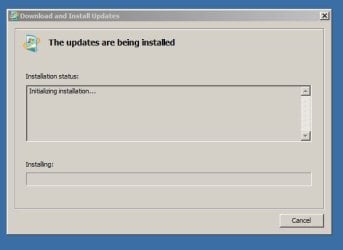
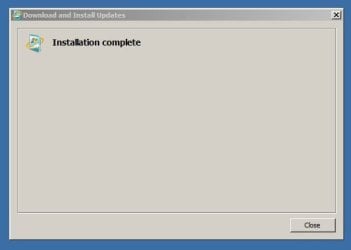
The Hotfix for Windows (KB947821) occurred when I ran the SURTool.

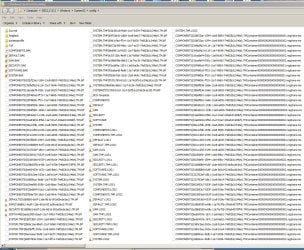
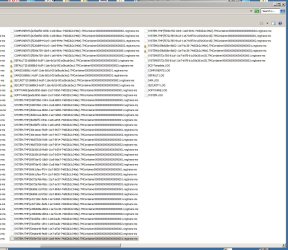
I am not sure what the Component Hive is. The folder C:\Windows\System32\Config

contains (See Attached config-01 and-02.jpg):

Total size of files and folders: 574 MB.

Files with names like COMPONENTS{02bf23ac-1594-11e8-8893-

74d02b2c346e}.TM.blf:: 24 files with total size 1.5 MB.

Files with names like COMPONENTS{02bf23ac-1594-11e8-8893-

74d02b2c346e}.TMContainer00000000000000000001.regtrans-ms:
48 fileswith total size 24 MB.

I did not give the sizes of all the other files in the in the confg folder or the config

sub directories. I you need it please let me know. Thank you.

RobertUpdate_History.JPG

config-01.JPG

config-02.JPG
 

My Computer

Computer type
PC/Desktop
Computer Manufacturer/Model Number
custom build
OS
Windows 7 64 bit
CPU
Intel(R) Core(TM) i7-4770 CPU @ 3.40GHz
Motherboard
ASUS Z87 Deluxe
Memory
15 GB
Graphics Card(s)
Intel(R) HD Graphics 4600
Hard Drives
WDC WD10EADS
Antivirus
Windows
Browser
Firefox
Did you try to restore your computer to most recent backup prior to Win update issue?
If it's not too far back I'd give that a try first. Hopefully you use 3rd party backup software and external hard drive. I've had numerous issue with Win backup and restore, basically when it's needed it doesn't work.

Was researching your issue on SevenForums and Sysnative.

Corrective measures short of Repair Install are mixed, more non-correcting that correcting, irregardless, it was a lengthy corrective attempt, most resulted in Repair Install. :eek:

Being that your machine is custom build, you used a retail Win7 disk to install. Correct?

If so then the below applies:

Do you have your Win7 installation disk? If you do, your easiest fix would be Repair Install.

See Shawn Brink's Tutorial Repair Install
and
See Brian at Britec Computers Repair Install Video

You'll need your 25 character product key for repair install. If you can't locate it, you can download Magic Jellybean & run it to get your key from the registry.

If you don't have Win7x64 disk you can download a copy from Microsoft Win7x64 ISO download
You'll have to enter your product key, click verify.

Whole process is piece of cake, done more than I can count! ;)
 
Last edited:

My Computer

Computer type
PC/Desktop
Computer Manufacturer/Model Number
HP Desktop & Compaq Laptop
OS
Win 10 x64, Linux Lite, Win 7 x64, BlackArch, & Kali
Hard Drives
Samsung 850 Pro 256Gb,
Hitachi HDD 1Tb,
Crucial MX SSD 250Gb
Segate 3Tb USB 3.0 Ext. Backup HDD
Internet Speed
150Mbps dn, 20Mbps up
Antivirus
Avast Free, Malwarebytes Anti-Exploit & Anti-Ransomware
Browser
Firefox, Chrome, Opera, & VPN
Last edited:

My Computer

Computer type
PC/Desktop
Computer Manufacturer/Model Number
HP Desktop & Compaq Laptop
OS
Win 10 x64, Linux Lite, Win 7 x64, BlackArch, & Kali
Hard Drives
Samsung 850 Pro 256Gb,
Hitachi HDD 1Tb,
Crucial MX SSD 250Gb
Segate 3Tb USB 3.0 Ext. Backup HDD
Internet Speed
150Mbps dn, 20Mbps up
Antivirus
Avast Free, Malwarebytes Anti-Exploit & Anti-Ransomware
Browser
Firefox, Chrome, Opera, & VPN
Hello Snick
After researching this matter I have to agree with you and I will go the Repair Install route. I should I have all the things required to do it. I will report back after the Repair Reinstall. Seven Forums and its members are Great! Thanks again.
Robert
 

My Computer

Computer type
PC/Desktop
Computer Manufacturer/Model Number
custom build
OS
Windows 7 64 bit
CPU
Intel(R) Core(TM) i7-4770 CPU @ 3.40GHz
Motherboard
ASUS Z87 Deluxe
Memory
15 GB
Graphics Card(s)
Intel(R) HD Graphics 4600
Hard Drives
WDC WD10EADS
Antivirus
Windows
Browser
Firefox
No problem, hope this will rectify your component corruption!

Glad to be able to assist you!
 

My Computer

Computer type
PC/Desktop
Computer Manufacturer/Model Number
HP Desktop & Compaq Laptop
OS
Win 10 x64, Linux Lite, Win 7 x64, BlackArch, & Kali
Hard Drives
Samsung 850 Pro 256Gb,
Hitachi HDD 1Tb,
Crucial MX SSD 250Gb
Segate 3Tb USB 3.0 Ext. Backup HDD
Internet Speed
150Mbps dn, 20Mbps up
Antivirus
Avast Free, Malwarebytes Anti-Exploit & Anti-Ransomware
Browser
Firefox, Chrome, Opera, & VPN
Back
Top