
Good Afternoon,
I am running a home network and the computer in question is Win7-32 bit Dell desktop connected to the netword via CAT-5 cable. Other wireless computers reside on the network, too.
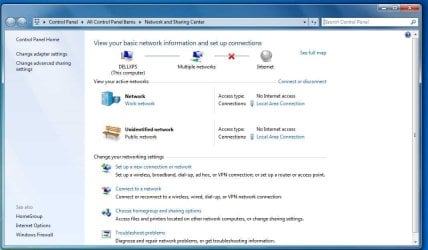
For the past several days, it has been dropping its connection to the Internet, sometimes spontaneously and always on reboot. When I go to the Network & Settings page after the connection drop, I see (attached) two networks. My network and a public network, so "multiple networks" appears on the network map.
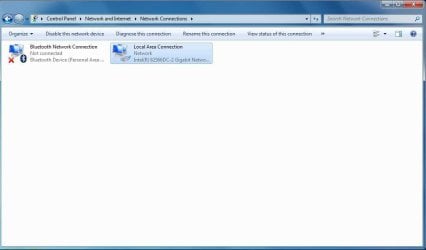
To regain my connection to the Internet, I have to go to "Adapter Settings," disable the LAN connection and then re-enable it. That gets me back to the Internet, but doing this several times a day is no fun.
I tried drect connecting my cable modem to the computer, avoiding the router, and all that appeared was a Public Network I could not seem to connect to.
Can anyone offer some insights as to what is going on with my computer and how I can resolve it? The only changes to the system in the past week were the MS updates installed automatically.
Help is appreciated.
Thanks,
Doug
I am running a home network and the computer in question is Win7-32 bit Dell desktop connected to the netword via CAT-5 cable. Other wireless computers reside on the network, too.
For the past several days, it has been dropping its connection to the Internet, sometimes spontaneously and always on reboot. When I go to the Network & Settings page after the connection drop, I see (attached) two networks. My network and a public network, so "multiple networks" appears on the network map.
To regain my connection to the Internet, I have to go to "Adapter Settings," disable the LAN connection and then re-enable it. That gets me back to the Internet, but doing this several times a day is no fun.
I tried drect connecting my cable modem to the computer, avoiding the router, and all that appeared was a Public Network I could not seem to connect to.
Can anyone offer some insights as to what is going on with my computer and how I can resolve it? The only changes to the system in the past week were the MS updates installed automatically.
Help is appreciated.
Thanks,
Doug
Attachments
My Computer
- Computer Manufacturer/Model Number
- Dell
- OS
- Windows 7 x64
- CPU
- P7300
- Memory
- 4GB
- Graphics Card(s)
- NVidia 8600M GT
- Monitor(s) Displays
- Laptop
- Hard Drives
- 500 GB
- Internet Speed
- Cable Broadband

