Wireless network issues

the powerist

New member
Local time
10:30 AM
Messages
5
So I'm having this problem that's frustrating me beyond belief; I've installed my Windows 7 Ultimate x64 OS on my new tower, and I'm attempting to connect to my home wireless network so I can get on the internet, but it simply won't connect to the internet no matter what. My network is listed as "unidentified network" and my status is "No internet access". Attached is a picture of my network and sharing center.
 

My Computer

OS
Windows 7
CPU
Phenom Triple Core
Memory
4GB
Graphics Card(s)
GeForce 9400 GT
Hard Drives
WD Cavalier 500GB
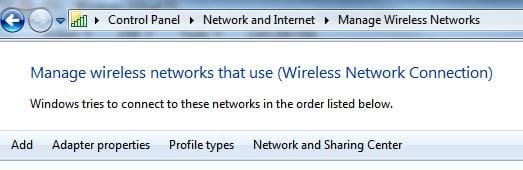
Have u try manually adding the wireless network?
 

Attachments

  • Noname.jpg
    Noname.jpg
    16.4 KB · Views: 16

My Computer

Computer Manufacturer/Model Number
Lenovo ThinkPad T60
OS
Windows 7 Ultimate 64Bit
CPU
GenuineIntel Intel(R) Core(TM) DuoCore T2400 @ 1.83GHz
Motherboard
Intel(R) 82801G (ICH7 Family)
Memory
2.00 GB
Graphics Card(s)
Mobile Intel(R) 945 Express Chipset
Sound Card
SoundMAX Integrated Digital HD Audio
Monitor(s) Displays
ThinkPad Display
Screen Resolution
1400x1050
Hard Drives
100Gb SATA
Keyboard
Standard Keyboard
Mouse
HID-compliant Mouse
Internet Speed
Cable Broadband - 54Mbps
Other Info
Intel(R) PRO/1000 PL Network Connection
11a/b/g Wireless LAN Mini PCI Express Adapter
Have u try manually adding the wireless network?

What do you mean by "manually"? If I go to the network and sharing center and click on "set up a new connection", then click "wireless", it just brings up the list of networks that it has discovered, as per usual. No change in performance

EDIT: I figured out what you meant, via your screenshot. Still unable to connect to the internet. Is it because my network is set as "public"?
 

My Computer

OS
Windows 7
CPU
Phenom Triple Core
Memory
4GB
Graphics Card(s)
GeForce 9400 GT
Hard Drives
WD Cavalier 500GB
Oh so i misread ur first post, you were able to connect to your wireless network just can't go onto the interweb?

This could be an issue between your wireless router and ISP. Power down your pc, then power down your router (you may want to pull power cord too for surity). And bring them back online. See if the red x in your diagram is gone or not.

Come back with your response pls.
 

My Computer

Computer Manufacturer/Model Number
Lenovo ThinkPad T60
OS
Windows 7 Ultimate 64Bit
CPU
GenuineIntel Intel(R) Core(TM) DuoCore T2400 @ 1.83GHz
Motherboard
Intel(R) 82801G (ICH7 Family)
Memory
2.00 GB
Graphics Card(s)
Mobile Intel(R) 945 Express Chipset
Sound Card
SoundMAX Integrated Digital HD Audio
Monitor(s) Displays
ThinkPad Display
Screen Resolution
1400x1050
Hard Drives
100Gb SATA
Keyboard
Standard Keyboard
Mouse
HID-compliant Mouse
Internet Speed
Cable Broadband - 54Mbps
Other Info
Intel(R) PRO/1000 PL Network Connection
11a/b/g Wireless LAN Mini PCI Express Adapter
Well I can connect to the internet with every other device in the house, just not the win7 tower... I'll reboot the router anyway, I suppose.
 

My Computer

OS
Windows 7
CPU
Phenom Triple Core
Memory
4GB
Graphics Card(s)
GeForce 9400 GT
Hard Drives
WD Cavalier 500GB
That is strange, if your other machines have no issues why would your W7? i mean from the diagram it's about the web connections between your ISP and Router (pretty sure that's the case).

Btw, your desktop looks groovy.
 

My Computer

Computer Manufacturer/Model Number
Lenovo ThinkPad T60
OS
Windows 7 Ultimate 64Bit
CPU
GenuineIntel Intel(R) Core(TM) DuoCore T2400 @ 1.83GHz
Motherboard
Intel(R) 82801G (ICH7 Family)
Memory
2.00 GB
Graphics Card(s)
Mobile Intel(R) 945 Express Chipset
Sound Card
SoundMAX Integrated Digital HD Audio
Monitor(s) Displays
ThinkPad Display
Screen Resolution
1400x1050
Hard Drives
100Gb SATA
Keyboard
Standard Keyboard
Mouse
HID-compliant Mouse
Internet Speed
Cable Broadband - 54Mbps
Other Info
Intel(R) PRO/1000 PL Network Connection
11a/b/g Wireless LAN Mini PCI Express Adapter
It's a common issue with Win 7, aem. I still haven't resolved my problem of "Limited Connectivity". I'm connected to the wireless network, but I can't access the internet even though all other computers at home can.
 

My Computer

Computer Manufacturer/Model Number
Sony Vaio VGN-FW490JEB
OS
Windows 7 Ultimate RTM x64
CPU
Intel Core 2 Duo 2.53 GHz
Memory
4GB DDR2 RAM
Graphics Card(s)
ATI Mobility Radeon 4650 1GB Dedicated memory
Screen Resolution
1920x1080 FullHD
Hard Drives
320GB 7200 rpm
I have actually solved the problem, as of about an hour ago. The fix is simple, if a bit of a hassle. All I had to do was connect my PC directly via ethernet to the router, and join the homegroup that way. Then I was able to connect to the network wirelessly. Hope this helps, Kiko!
 

My Computer

OS
Windows 7
CPU
Phenom Triple Core
Memory
4GB
Graphics Card(s)
GeForce 9400 GT
Hard Drives
WD Cavalier 500GB
I don't even get an IP Address from my router, so I can't access the network. It works flawlessly when I connect it through wire.

For the techs, I hope this helps:

C:\Users\Karim>ipconfig /all

Windows IP Configuration

Host Name . . . . . . . . . . . . : Karim-PC
Primary Dns Suffix . . . . . . . :
Node Type . . . . . . . . . . . . : Hybrid
IP Routing Enabled. . . . . . . . : No
WINS Proxy Enabled. . . . . . . . : No

Wireless LAN adapter Wireless Network Connection:

Connection-specific DNS Suffix . :
Description . . . . . . . . . . . : Intel(R) WiFi Link 5100 AGN
Physical Address. . . . . . . . . : 00-22-FB-55-F5-74
DHCP Enabled. . . . . . . . . . . : Yes
Autoconfiguration Enabled . . . . : Yes
Link-local IPv6 Address . . . . . : fe80::448a:838f:f47d:777a%19(Preferred)
Autoconfiguration IPv4 Address. . : 169.254.119.122(Preferred)
Subnet Mask . . . . . . . . . . . : 255.255.0.0
Default Gateway . . . . . . . . . :
DHCPv6 IAID . . . . . . . . . . . : 251667195
DHCPv6 Client DUID. . . . . . . . : 00-01-00-01-12-5A-34-61-00-1D-BA-B8-13-D4

DNS Servers . . . . . . . . . . . : fec0:0:0:ffff::1%1
fec0:0:0:ffff::2%1
fec0:0:0:ffff::3%1
NetBIOS over Tcpip. . . . . . . . : Enabled

Ethernet adapter Local Area Connection:

Media State . . . . . . . . . . . : Media disconnected
Connection-specific DNS Suffix . : lan
Description . . . . . . . . . . . : Marvell Yukon 88E8055 PCI-E Gigabit Ether
net Controller
Physical Address. . . . . . . . . : 00-1D-BA-B8-13-D4
DHCP Enabled. . . . . . . . . . . : Yes
Autoconfiguration Enabled . . . . : Yes

Tunnel adapter isatap.lan:

Media State . . . . . . . . . . . : Media disconnected
Connection-specific DNS Suffix . :
Description . . . . . . . . . . . : Microsoft ISATAP Adapter #2
Physical Address. . . . . . . . . : 00-00-00-00-00-00-00-E0
DHCP Enabled. . . . . . . . . . . : No
Autoconfiguration Enabled . . . . : Yes

Tunnel adapter Teredo Tunneling Pseudo-Interface:

Media State . . . . . . . . . . . : Media disconnected
Connection-specific DNS Suffix . :
Description . . . . . . . . . . . : Teredo Tunneling Pseudo-Interface
Physical Address. . . . . . . . . : 00-00-00-00-00-00-00-E0
DHCP Enabled. . . . . . . . . . . : No
Autoconfiguration Enabled . . . . : Yes

Tunnel adapter isatap.{F36DD096-4326-4EB5-A9C5-838473878B62}:

Media State . . . . . . . . . . . : Media disconnected
Connection-specific DNS Suffix . :
Description . . . . . . . . . . . : Microsoft ISATAP Adapter #3
Physical Address. . . . . . . . . : 00-00-00-00-00-00-00-E0
DHCP Enabled. . . . . . . . . . . : No
Autoconfiguration Enabled . . . . : Yes
 

My Computer

Computer Manufacturer/Model Number
Sony Vaio VGN-FW490JEB
OS
Windows 7 Ultimate RTM x64
CPU
Intel Core 2 Duo 2.53 GHz
Memory
4GB DDR2 RAM
Graphics Card(s)
ATI Mobility Radeon 4650 1GB Dedicated memory
Screen Resolution
1920x1080 FullHD
Hard Drives
320GB 7200 rpm
I read somewhere that 169.254.*.* has some significant meaning but I don't remember what it is. It's up there in my ipconfig /all cmd.

Any help is appreciated
 

My Computer

Computer Manufacturer/Model Number
Sony Vaio VGN-FW490JEB
OS
Windows 7 Ultimate RTM x64
CPU
Intel Core 2 Duo 2.53 GHz
Memory
4GB DDR2 RAM
Graphics Card(s)
ATI Mobility Radeon 4650 1GB Dedicated memory
Screen Resolution
1920x1080 FullHD
Hard Drives
320GB 7200 rpm
Are your wireless connection set to auto-detect. If not try it.

"Wireless LAN adapter Wireless Network Connection:

Connection-specific DNS Suffix . :
Description . . . . . . . . . . . : Intel(R) WiFi Link 5100 AGN
Physical Address. . . . . . . . . : 00-22-FB-55-F5-74
DHCP Enabled. . . . . . . . . . . : Yes
Autoconfiguration Enabled . . . . : Yes
Link-local IPv6 Address . . . . . : fe80::448a:838f:f47d:777a%19(Preferred)
Autoconfiguration IPv4 Address. . : 169.254.119.122(Preferred)
Subnet Mask . . . . . . . . . . . : 255.255.0.0
Default Gateway . . . . . . . . . :
DHCPv6 IAID . . . . . . . . . . . : 251667195
DHCPv6 Client DUID. . . . . . . . : 00-01-00-01-12-5A-34-61-00-1D-BA-B8-13-D4"

You won't be able to get out to your ISP if you don't have the default gateway IP. And where is your Ipv4 IP? you only have Ipv6 which could be a giveaway.
 

My Computer

Computer Manufacturer/Model Number
Lenovo ThinkPad T60
OS
Windows 7 Ultimate 64Bit
CPU
GenuineIntel Intel(R) Core(TM) DuoCore T2400 @ 1.83GHz
Motherboard
Intel(R) 82801G (ICH7 Family)
Memory
2.00 GB
Graphics Card(s)
Mobile Intel(R) 945 Express Chipset
Sound Card
SoundMAX Integrated Digital HD Audio
Monitor(s) Displays
ThinkPad Display
Screen Resolution
1400x1050
Hard Drives
100Gb SATA
Keyboard
Standard Keyboard
Mouse
HID-compliant Mouse
Internet Speed
Cable Broadband - 54Mbps
Other Info
Intel(R) PRO/1000 PL Network Connection
11a/b/g Wireless LAN Mini PCI Express Adapter
I read somewhere that 169.254.*.* has some significant meaning but I don't remember what it is. It's up there in my ipconfig /all cmd.

Any help is appreciated

A 169.254.x.x is just a dummy Windows IP address. Basically telling you that there's a problem connecting to your network and obtaining a valid IP address.

Are you able to see your Network? Have you made sure you're putting in the correct password? Have you tried removing the password from your network to see if you can connect to it with no security in place?
 

My Computer

Computer Manufacturer/Model Number
Custom
OS
Windows 7 RC 64bit
CPU
AMD Athlon 7750 Dual-Core Processor 2.70Ghz
Motherboard
Gigabyte GA-MA78GPM-UD2H
Memory
4GB
Graphics Card(s)
On-board Graphics ATI Radeon HD 3200
Sound Card
On-board Sound Realtek ALC889A
Monitor(s) Displays
42" Westinghouse 1080P Monitor (LVM-42w2)
Screen Resolution
1920x1080
back to XP

So I'm having this problem that's frustrating me beyond belief; I've installed my Windows 7 Ultimate x64 OS on my new tower, and I'm attempting to connect to my home wireless network so I can get on the internet, but it simply won't connect to the internet no matter what. My network is listed as "unidentified network" and my status is "No internet access". Attached is a picture of my network and sharing center.
This Networking is a laugh, I have to scarp my router and still can't get 3 units to talk. Tomorrow no TV for me , it's back to XP, yes XP . To be fair Win7 is great for one person on one computer, my grandaughter. for networking wait for sevice pack 1. Sure glad I didn't spend a paycheck on this parlor game.:mad::mad:
 

My Computer

Computer Manufacturer/Model Number
HP 1212
OS
windows 7 home premium 64
CPU
AMD fx6120
Memory
8gb
Graphics Card(s)
radeon hd 7450
Sound Card
IDT
Monitor(s) Displays
lg
Hard Drives
2 tb
Case
tower
Cooling
?
Keyboard
HP extended
Mouse
MS cordless
Internet Speed
hi
Other Info
NEW 2012 very, very fast. AMD chip still does some strange thinks as expected......
Alright guys I'll make some things clear:

1- Yes I see my network
2- Yes there IS an internet connection that actually works
3- Yes I am using the correct password

All this because I manage to connect to the router often and get an internet connection but always end up in Limited Connectivity mode after some time. Arbitrary time. See now it's working for instance and here's my ipconfig /all:

Windows IP Configuration

Host Name . . . . . . . . . . . . : Karim-PC
Primary Dns Suffix . . . . . . . :
Node Type . . . . . . . . . . . . : Hybrid
IP Routing Enabled. . . . . . . . : No
WINS Proxy Enabled. . . . . . . . : No
DNS Suffix Search List. . . . . . : lan

Wireless LAN adapter Wireless Network Connection:

Connection-specific DNS Suffix . : lan
Description . . . . . . . . . . . : Intel(R) WiFi Link 5100 AGN
Physical Address. . . . . . . . . : 00-22-FB-55-F5-74
DHCP Enabled. . . . . . . . . . . : Yes
Autoconfiguration Enabled . . . . : Yes
Link-local IPv6 Address . . . . . : fe80::448a:838f:f47d:777a%19(Preferred)
IPv4 Address. . . . . . . . . . . : 192.168.1.104(Preferred)
Subnet Mask . . . . . . . . . . . : 255.255.255.0
Lease Obtained. . . . . . . . . . : Sunday, October 25, 2009 11:47:06 AM
Lease Expires . . . . . . . . . . : Monday, October 26, 2009 11:47:06 AM
Default Gateway . . . . . . . . . : 192.168.1.1
DHCP Server . . . . . . . . . . . : 192.168.1.1
DHCPv6 IAID . . . . . . . . . . . : 251667195
DHCPv6 Client DUID. . . . . . . . : 00-01-00-01-12-5A-34-61-00-1D-BA-B8-13-D4

DNS Servers . . . . . . . . . . . : 193.227.177.53
NetBIOS over Tcpip. . . . . . . . : Enabled

Ethernet adapter Local Area Connection:

Media State . . . . . . . . . . . : Media disconnected
Connection-specific DNS Suffix . : lan
Description . . . . . . . . . . . : Marvell Yukon 88E8055 PCI-E Gigabit Ether
net Controller
Physical Address. . . . . . . . . : 00-1D-BA-B8-13-D4
DHCP Enabled. . . . . . . . . . . : Yes
Autoconfiguration Enabled . . . . : Yes

Tunnel adapter isatap.lan:

Media State . . . . . . . . . . . : Media disconnected
Connection-specific DNS Suffix . :
Description . . . . . . . . . . . : Microsoft ISATAP Adapter #2
Physical Address. . . . . . . . . : 00-00-00-00-00-00-00-E0
DHCP Enabled. . . . . . . . . . . : No
Autoconfiguration Enabled . . . . : Yes

Tunnel adapter Teredo Tunneling Pseudo-Interface:

Media State . . . . . . . . . . . : Media disconnected
Connection-specific DNS Suffix . :
Description . . . . . . . . . . . : Teredo Tunneling Pseudo-Interface
Physical Address. . . . . . . . . : 00-00-00-00-00-00-00-E0
DHCP Enabled. . . . . . . . . . . : No
Autoconfiguration Enabled . . . . : Yes

Tunnel adapter isatap.{F36DD096-4326-4EB5-A9C5-838473878B62}:

Media State . . . . . . . . . . . : Media disconnected
Connection-specific DNS Suffix . :
Description . . . . . . . . . . . : Microsoft ISATAP Adapter #3
Physical Address. . . . . . . . . : 00-00-00-00-00-00-00-E0
DHCP Enabled. . . . . . . . . . . : No
Autoconfiguration Enabled . . . . : Yes
 

My Computer

Computer Manufacturer/Model Number
Sony Vaio VGN-FW490JEB
OS
Windows 7 Ultimate RTM x64
CPU
Intel Core 2 Duo 2.53 GHz
Memory
4GB DDR2 RAM
Graphics Card(s)
ATI Mobility Radeon 4650 1GB Dedicated memory
Screen Resolution
1920x1080 FullHD
Hard Drives
320GB 7200 rpm
Kiko, your ips details for wireless looks pretty good. The Limited Connectivity can be due to weak connection or driver issue for wireless card.

I'm not a fan of ipv6 and ipv4 both running together, see how u go with disabling ipv6.
 

My Computer

Computer Manufacturer/Model Number
Lenovo ThinkPad T60
OS
Windows 7 Ultimate 64Bit
CPU
GenuineIntel Intel(R) Core(TM) DuoCore T2400 @ 1.83GHz
Motherboard
Intel(R) 82801G (ICH7 Family)
Memory
2.00 GB
Graphics Card(s)
Mobile Intel(R) 945 Express Chipset
Sound Card
SoundMAX Integrated Digital HD Audio
Monitor(s) Displays
ThinkPad Display
Screen Resolution
1400x1050
Hard Drives
100Gb SATA
Keyboard
Standard Keyboard
Mouse
HID-compliant Mouse
Internet Speed
Cable Broadband - 54Mbps
Other Info
Intel(R) PRO/1000 PL Network Connection
11a/b/g Wireless LAN Mini PCI Express Adapter
I actually had it off all this time so I though I'd turn on Homegroup for a little while to see what happens. The thing is that I already got my wireless card's Win 7 drivers both from Intel AND my notebook's manufacturer.

I have no idea what else I can do but my signal is at its peak, and I see no reason for it to do what it's doing.
 

My Computer

Computer Manufacturer/Model Number
Sony Vaio VGN-FW490JEB
OS
Windows 7 Ultimate RTM x64
CPU
Intel Core 2 Duo 2.53 GHz
Memory
4GB DDR2 RAM
Graphics Card(s)
ATI Mobility Radeon 4650 1GB Dedicated memory
Screen Resolution
1920x1080 FullHD
Hard Drives
320GB 7200 rpm
Just curious, how did u get it to say "Ian" in Connection-specific DNS Suffix . : lan
Mine is saying my ISP DNS suffix (Optusnet.com.au).

When you get the Limited Connectivity, was it when the signal is at full strength?
 

My Computer

Computer Manufacturer/Model Number
Lenovo ThinkPad T60
OS
Windows 7 Ultimate 64Bit
CPU
GenuineIntel Intel(R) Core(TM) DuoCore T2400 @ 1.83GHz
Motherboard
Intel(R) 82801G (ICH7 Family)
Memory
2.00 GB
Graphics Card(s)
Mobile Intel(R) 945 Express Chipset
Sound Card
SoundMAX Integrated Digital HD Audio
Monitor(s) Displays
ThinkPad Display
Screen Resolution
1400x1050
Hard Drives
100Gb SATA
Keyboard
Standard Keyboard
Mouse
HID-compliant Mouse
Internet Speed
Cable Broadband - 54Mbps
Other Info
Intel(R) PRO/1000 PL Network Connection
11a/b/g Wireless LAN Mini PCI Express Adapter
Just curious, how did u get it to say "Ian" in Connection-specific DNS Suffix . : lan
Mine is saying my ISP DNS suffix (Optusnet.com.au).

No idea really haven't played with that.

When you get the Limited Connectivity, was it when the signal is at full strength?

Yes or near full strength. 4 or 5 bars out of 5.
 

My Computer

Computer Manufacturer/Model Number
Sony Vaio VGN-FW490JEB
OS
Windows 7 Ultimate RTM x64
CPU
Intel Core 2 Duo 2.53 GHz
Memory
4GB DDR2 RAM
Graphics Card(s)
ATI Mobility Radeon 4650 1GB Dedicated memory
Screen Resolution
1920x1080 FullHD
Hard Drives
320GB 7200 rpm
Just curious, how did u get it to say "Ian" in Connection-specific DNS Suffix . : lan
Mine is saying my ISP DNS suffix (Optusnet.com.au).

No idea really haven't played with that.

When you get the Limited Connectivity, was it when the signal is at full strength?

Yes or near full strength. 4 or 5 bars out of 5.

Usually you only get 1-2 bars when it says LC, but anyway see if you can get info on that "Ian" suffix, i'm not sure how it could affect your ability to surf the net but it is a connection to your ISP. As for the Limited Connectivity, see if you have any Errors in your system Eventlogs.
 

My Computer

Computer Manufacturer/Model Number
Lenovo ThinkPad T60
OS
Windows 7 Ultimate 64Bit
CPU
GenuineIntel Intel(R) Core(TM) DuoCore T2400 @ 1.83GHz
Motherboard
Intel(R) 82801G (ICH7 Family)
Memory
2.00 GB
Graphics Card(s)
Mobile Intel(R) 945 Express Chipset
Sound Card
SoundMAX Integrated Digital HD Audio
Monitor(s) Displays
ThinkPad Display
Screen Resolution
1400x1050
Hard Drives
100Gb SATA
Keyboard
Standard Keyboard
Mouse
HID-compliant Mouse
Internet Speed
Cable Broadband - 54Mbps
Other Info
Intel(R) PRO/1000 PL Network Connection
11a/b/g Wireless LAN Mini PCI Express Adapter
Back
Top