- Local time
- 3:42 PM
- Messages
- 161
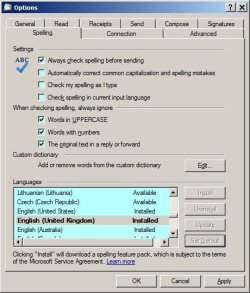
I am using Thunderbird but I find that it takes forever to load. I would very much like to use WLM instead because it loads like a flash. But there is frustration there also: namely that you have to set the default language before your start writing. My correspondence is mainly in English, Spanish or French and I am constantly changing from one to another. So I write a whole email in French and when I try to spell-check it I discover that my default is still set on Spanish (my previous email). It seems that once I have written the email there is no way I can change the default spell language; I must go out, reset the default, and write the email (copy and paste, obviously) all over.
My question is whether it is possible to change the default language once the email has been written without having to go through the start-all-over process.
My thanks in advance for all assistance.
My question is whether it is possible to change the default language once the email has been written without having to go through the start-all-over process.
My thanks in advance for all assistance.
My Computer
- OS
- windows 7 Home Premium