WMC maximize, but not full screen

foghat

New member
Local time
12:56 AM
Messages
20
Hi all,

Is there any way to maximize wmc and not have it go full screen?

I.e. when I click the maximize button, it goes to full screen mode - is this normal behavior? I just want it to maximize like any other app would (not cover the task bar and still have the title bar at the top).

Thanks.
 

My Computer

OS
Vista
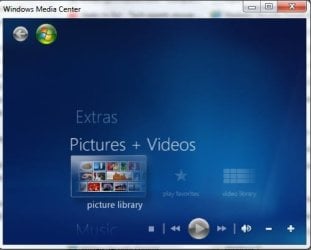
When I click the square bar at the top of mine (it's actually a square on top of a square) I get a small window. I can drag the corners to make it any size I want
 

Attachments

  • WMC.jpg
    WMC.jpg
    19.2 KB · Views: 28

My Computer

Computer type
PC/Desktop
Computer Manufacturer/Model Number
Bruce ... somewhere in his 40's
OS
Windows 7 Ultimate 32bit SP1
CPU
Intel(R) Core(TM)2 Quad CPU @ 2.40GHz, 2400 MHz
Motherboard
INTEL/D975XBX2
Memory
4 GB
Graphics Card(s)
ATI Radeon HD 2600 Pro
Monitor(s) Displays
Samsung SyncMaster 914v
Screen Resolution
1280 x 1024
Hard Drives
2/500GB each ... ST3500630AS ATA Device.
One is not connected
PSU
Rocketfish 700 W
Case
G.Skill Gigabyte Chassis
Keyboard
Standard PS/2 Keyboard
Mouse
Microsoft PS/2 Mouse
Internet Speed
DSL
Antivirus
Avira Internet Security
Browser
IE 11
Other Info
ATI HDMI Audio
Windows Media Center will recall whether it was in full screen mode or not when it starts, so just resize the window, close it, and unless you go full screen again it will stay in a window when opened.

Then:
use atl + tab
or
MS Key + tab
and your mouse scroll wheel
to switch to another app
 
Back
Top