Everytime i double-click an mp3 in a folder to play it, WMP automatically jumps to visualisation mode every single time!!!
So annoying as it takes up my whole screen - i cant see why its doing this and i dont want it to do this, just want it to open in Library mode
Files associated with WMP12 opened from Windows Explorer will always open in visualization mode; this is one of WMPs features and, to my knowledge, cannot be changed.
This was done to prevent opening the whole library and searching for the file internally; instead, you just click it from Windows Explorer for whatever reason you might have and listen to it.
I find it very handy for quick previews, but it can be even easier.
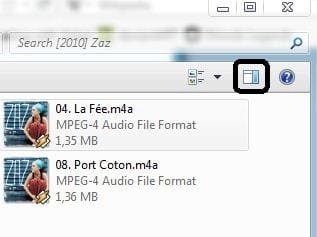
You don't have to open WMP at all, simply open the preview pane (second button in Explorer from the right), highlight the file you would've otherwise opened in WMP, and play it directly in Explorer instead).