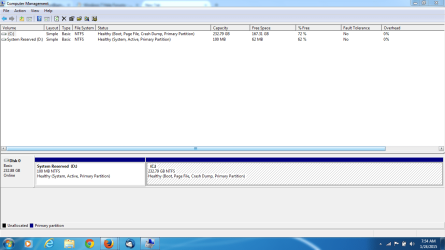
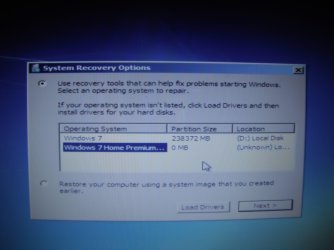
I have a second version of windows showing up when I boot so it asks for me to select one. If I just wait it will go to the correct version and boot up (Windows 7) The other is titled Windows 7 home premium and shows 0 MB in size and in an "unknown" location. I need to figure out how to delete it. I've attached a screen shot
Thanks
Thanks
My Computer
At a glance
windows 7 home premium 32 and 64 bit ( two co...Intel(R) Celeron(R) 1.30GHz [email protected]2.00GBMobile Intel (R) 4 series express chipset fam...
- Computer type
- Laptop
- Computer Manufacturer/Model Number
- Dell Inspirion 11Z
- OS
- windows 7 home premium 32 and 64 bit ( two computers)
- CPU
- Intel(R) Celeron(R) 1.30GHz [email protected]
- Memory
- 2.00GB
- Graphics Card(s)
- Mobile Intel (R) 4 series express chipset family796MB total
- Hard Drives
- 167GB free (233GB total)
- Antivirus
- AVG
- Browser
- Firefox