I subscribed to this thread shortly after you made it. I did not reply right away because it would take me a while to look into things. That turned into many hours of testing with
Process Monitor and
Wireshark. Unfortunately, that resulted in more questions and no answers.
To recap certain points:
Put 2 hyperlinks into one* OFFICE 2010 WORD document.
One hyperlink works as expected.
One hyperlink** fails (but only on some networks).
Users can always "surf" to the URL via a browser.
* it is two links in one doc - right?
**
http://www.sandrawalston.com/
If the info above is correct, then (as stated elsewhere)...
...the difference seems to be in the network
......not the computer
......not the OFFICE installation
......not in the default browser.
I'm not an expert in the use of Wireshark. I cannot say if Wireshark might be able to show the problem by comparing data gathered from a working network and a failing network.
The link cited above works for me from inside an OFFICE 2010 WORD document. This was tested on three computers using two different ISPs.
I could be wrong...
...but years of observing various tools leads me to believe the following process should happen:
Clicking on a link within a WORD doc should pass the URL to the OS.
The OS should pass the URL to the default browser.
That browser should ask the DNS cache service to resolve the address.
The DNS cache service should return the IP info to the browser.
The browser should visit the website.
Disabling the DNS cache service forces apps to communicate directly with the DNS server on the network or internet.
That said, I was surprised to see a network connection between WORD and the domain being tested. DNS queries worked as described above, but WORD always made a connection to the domain in question.
You might want to use Process Monitor on a computer/network combo that fails.
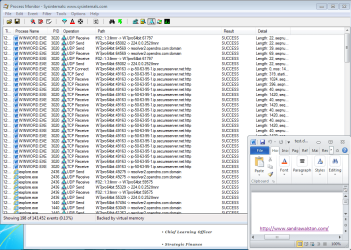
DNS cache service DISABLED:
Notice WORD's connection to OpenDNS.
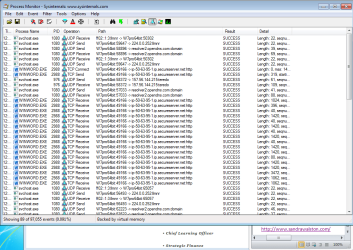
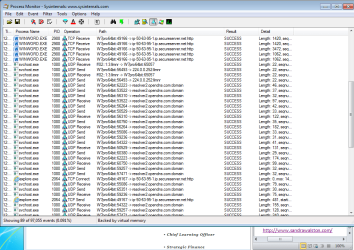
DNS cache service ENABLED:
 This post
 shows some info on using Process Monitor. You only need the network filter/button depressed/selected. See the first screenshot in that post. The buttons are highlighted on the right side of that image.