I am running Windows 7 Ultimate x64 and after restarting the computer Network Discovery is turned off and I have to manually restart Network Discovery each time so other machines on the network can see this machine.
I have a Linksys WRT110 router and 2 other machines running the same version of Windows (none of which have this problem). All of these machines have a static IP assigned to them.
I am not using Home Group, I have setup this group as a Workgroup.
Any ideas on why Network Discovery keeps turning off after restarting the computer?
Are you running any type of VMware adaptor software on your machine? This is the main cause of this problem from what I have read about it.
If you have VMware installed these are two possible solutions.
Disable the adapters altogether and use bridging instead (in VMware, select edit>Virtual network settings and disable the adapters), as explained here.
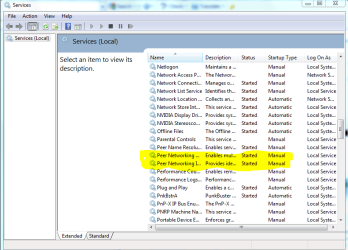
You might want to check in services on the problem machine and make sure that the peer networking services are all started and set to either manual or automatic. You will need to restart after that for the settings to work.
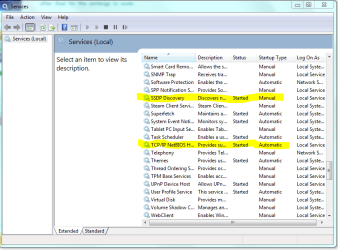
Also check TCP/IP NetBIOS Helper
SSDP Discovery
You can enable them in services by typing into command prompt "services" then hit enter.
TCP/IP NetBIOS Helper should be set 'Automatic' and SSDP Discovery as 'Manual' Restart your machine to enable any changes.
Attachments
services peer networking enabled set to automatic.PNG