Workgroup Network Password Prompt tried almost EVERYTHING???

Read This.

White Paper.JPG
 

My Computer My Computer

Computer Manufacturer/Model Number
Look in my Signature.
OS
Win7 H.Prem. 32bit+SP1
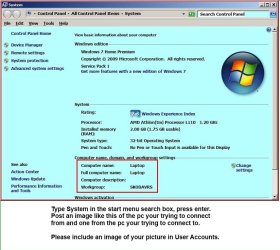
I have no clue how to put a picture up and i dont even have a camera to be honest so i will just write it out.
Connecting to PC
Computer name. GAMING
Full name. Left blank
Workgroup. FSX
Username. Trabang

Connecting from
Computer name. STUDIO
Full name. Left blank
Workgroup. FSX
Username. Joe Momma also made Trabang on it as admin pw account no change

When i look at the pw vault it shows GAMING/Trabang as username???
 

My Computer My Computer

OS
win7 Home prem and win7 Ultimate both 64
OK I think I might have got it. A combo of your help and this guys guide (I attatched it, I dont know him I just found it by googling, but the part where u enter the users was my issue) has gotten both computers on and sharing with the laptop at the same time. The true test will come once they awake from sleep and if they reconnect, and then after a restart, reconnect again then Im good to go. However since there both working Im not letting it go to sleep now so I can get some use out of it. The only thing thats odd is I made a new partition on my internal drive and put the test share folder on that. Once they got past the pw prompt it showed 2 folders the share and a folder with the partition letter as its name. It wont open, sais I dont have permissions and the share folder said it too but I was able to go to it and hit share and then choose "everyone" read/write but on the partition the "share" button above the advanced sharing button on the sharing tab isnt clickable. Can u not share full partitions?
 

Attachments

My Computer My Computer

OS
win7 Home prem and win7 Ultimate both 64
Nice looking pdf but thats about it.
 

My Computer My Computer

Computer Manufacturer/Model Number
Look in my Signature.
OS
Win7 H.Prem. 32bit+SP1
Nice looking pdf but thats about it.
NO I restarted the desktop and clicked on its shared stuff and got the PW prompt. The username and password of the shared computer didnt work and the username and passwored of the computer trying to access shared didnt work. This is rediculous, this shouldnt be like this. Why would they make this garbage prompt not accept anything ever. Garbage
 
Last edited:

My Computer My Computer

OS
win7 Home prem and win7 Ultimate both 64
Its called good security. Entering the wrong details or the right details incorrectly, stops access. Have you read the last link I gave you.?
 

My Computer My Computer

Computer Manufacturer/Model Number
Look in my Signature.
OS
Win7 H.Prem. 32bit+SP1
Its called good security. Entering the wrong details or the right details incorrectly, stops access. Have you read the last link I gave you.?
I get that but when there both my computers on my home network it should allow my username and password. What link I didnt see any link u gave me? Whats weird is this time I got a different msg after prompt about not being able to access a server or share and something about sign out of all accounts and retry. Ever seen that one?
 

My Computer My Computer

OS
win7 Home prem and win7 Ultimate both 64

My Computer My Computer

OS
win7 Home prem and win7 Ultimate both 64
Theres an option in the properties where you can asign an owner, and "SYSTEM" is defaul but it has name/computername ans administrators/computername. Is that left default on ur pc?
 

My Computer My Computer

OS
win7 Home prem and win7 Ultimate both 64
Back
Top
