
Dantallica
New member
- Local time
- 2:14 AM
- Messages
- 3
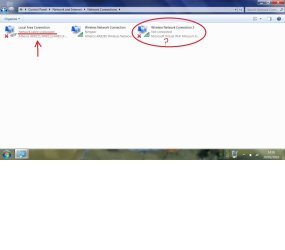
I know there's billions of threads about this all over the internet, but after trying numerous different solutions, i still am not able to receive any form of communication from my laptop to my Xbox 360 via Ethernet cable. I am using a Netgear WNR2000 wireless router to access the internet from my laptop. Every time i try to bridge my connections between "Wireless Internet Connection" and "Local Area Connection," a bridge is created but nothing actually happens. I read cross i shown on the internet connection on the system tray icon, but can still access the internet from my laptop but not my Xbox. Also looking at my "Local Area Connection" it says it is unplugged, when clearly it is not (connected to both laptop & Xbox). Theres definitely not a problem with the Ethernet cable, neither a problem with the Ethernet port.
I want to bridge my connection to my xbox clearly because of the horrendous price of the official wireless adapter.
Also in my network connections, there is another wireless connection (Wireless Network Connection 2) which says it is Microsoft Virtual WiFi miniport adapter, which is disabled but also showing full connection. I haven't a clue what this is .
.
I've also tried enabling sharing in the connection's properties tabs.
Any help would be appreciated!
Thanks
I want to bridge my connection to my xbox clearly because of the horrendous price of the official wireless adapter.
Also in my network connections, there is another wireless connection (Wireless Network Connection 2) which says it is Microsoft Virtual WiFi miniport adapter, which is disabled but also showing full connection. I haven't a clue what this is
.I've also tried enabling sharing in the connection's properties tabs.
Any help would be appreciated!
Thanks
Attachments

My Computer
- OS
- Windows 7 Home Premium

