XP 32 bit under Windows 7 64 bit

NormanLaw

New member
Hi all.

I currently use Vista Ultimate 32 bit, mostly for image and video editing. I am awaiting the delivery, on the release date, of Windows 7 professional. I have decided to install the 64 bit version as I believe that my applications will benefit from 8 gb of memory that Vista cannot address.

I have 2 devices that are unlikely to work in a 64 bit OS. A Canon film scanner (USB) and a Canopus ADVC video capture device (Firewire). The film scanner is no longer manufactured and Canon no longer produce updated drivers for it, the latest being XP compatible. I am anticipating that I will need to run a Virtual PC to use these devices, time will tell.

In preparation for the Win 7 I have installed Virtual PC under Vista and have an XP virtual machine running perfectly. Of course this virtual PC cannot see the USB or Firewire devices as those ports are not supported in that version of Virtual PC.

My questions:

When the 64 bit Windows 7 is installed and i install the 64 bit version of Virtual PC will I be able to open/convert my existing .VMC and .VHD files or will I need to re-install XP to a new virtual PC?

Will I be able to run a 32 bit OS in a 64 bit version of Virtual PC on a 64 bit version of Windows 7?

Thanks, in advance, for any replies. Virtualisation is still new to me.
 

My Computer

Computer Manufacturer/Model Number
Dell XPS720
OS
Windows 7 Ultimate (64 bit)
CPU
Core 2 Quad Q6600 @ 2.4 ghz
Motherboard
Dell
Memory
8 gb
Graphics Card(s)
NVIDIA GeForce 8800 GTX
Sound Card
Creative SB X-Fi
Monitor(s) Displays
Dell 2707 WFP
Screen Resolution
1920 X 1200
Hard Drives
4 Sata disks in 2 RAID 0 arrays
c: = 921 gb
d: = 745 gb
NVIDIA raid controller on MB
PSU
Dell XPS 720 Std.
Case
Dell XPS 720 Std.
Cooling
Dell XPS 720 Std.
Keyboard
Dell
Mouse
Dell
Internet Speed
Download Speed: 80713 kbps (10089.1 KB/sec ) Upload Speed:
Yes you can run a 32bit guest while running 64bit VirtualPC on a 64bit host.

Virtualization makes a "sandbox" for the VM to work it. It isolates it from your hardware, hence you cant connect most devices directly to it. There are ways to side-step the issue though. Check out IP-based usb hubs.

[ame=http://www.amazon.com/5PORT-Anywhere-Usb-remote-Over-Concentr/dp/B0000DZFYY]Amazon.com: 5PORT USB Ip Hub Anywhere Usb-remote Usb Over Ip Concentr for Pc: Electronics[/ame]

you can find them cheaper though. The above product also works with VMware ESXi
 

My Computer

Computer Manufacturer/Model Number
Black_Box (homebuilt)
OS
windows 7 RTM x64
CPU
Phenom II 965 Quad Core 3.4Ghz
Motherboard
Asus M4A79T Deluxe
Memory
Mushkin Blackline 8GB (4x2gb)
Graphics Card(s)
XFX Radeon 5970 Black Edition
Sound Card
onboard
Monitor(s) Displays
Dell 2408WPF-main Dell E248WFP-secondary
Screen Resolution
1920x1200-main 1920x1200-secondary
Hard Drives
OCZ Vertex Limited Edition 100GB (OS)
x1 WD Black Edition 500GB drive (Storage)
PSU
XFX 850w Black Edition (Modular)
Case
Mountian Mods H2go
Cooling
CoolITSystems ECO A.L.C.
Keyboard
Logitech MX 5500 wireless keyboard
Mouse
Razor Copperhead
Internet Speed
16Mb down/2Mb up Wowway Cable Internet
Hello there NormanLaw Welcome to the Se7en Forums!

Once you have the 64bit 7 Pro(retail) on you won't even need to install XP on a vhd since you will be able to run the finished Virtual PC along with the new XP Mode that sees full integration with all internal drives as well as support for usb flash drives/devices.

As for the scanner and capture device you may want to see if the manufacturer's support site has 64bit Vista updates for them since those will also work on 7 as well. They may even some for 7 by now.
 

My Computers

System One System Two

  • Computer type
    PC/Desktop
    Computer Manufacturer/Model Number
    Custom builds = 2
    OS
    W7 Ultimate x64/W10 Pro x64/W11 Pro Triple Boot - Main PC W7 Remote PC Micro ATX W7 Pro x64/W11 Pro
    CPU
    AMD Phenom II X4 975 Deneb 3.6ghz - 965 2nd remote pc
    Motherboard
    Gigabyte GA-790XTA-UD4-Gigabyte GA-880GM-D2H remote pc
    Memory
    Kingston Hyper X DDR3 1600 1.5v 16gb - Hyper X Fury 8gb 2nd
    Graphics Card(s)
    MSI HD Radeon 5750 1gb - MSI HD Radeon 6450 on mini tower
    Sound Card
    Creative Labs X-Fi Xtreme Audio P - Realtek onooard 2nd case
    Monitor(s) Displays
    ASUS VW199T-P 19" HP 2082a Main-HP 2082a 20" remote pc
    Screen Resolution
    Asus 1440x900 - HP 1600x900
    Hard Drives
    WD Black 1TB HD per OS W7, W10, and pending W11 presently on 500gb OS Drive - Pending Triple 1TB HDs for Spanned Storage/backup volume
    Single 2TB external USB enclosure, single 1TB System 7 Host/Boot drive, Pending 8TB external HD for system image b
    PSU
    Corsair 750TX - primary / Corsair CX600 - second
    Case
    Antec 900-2 - SSD compatible / NZXT Vulcan mini tower
    Cooling
    Zalman CNPS9900A
    Keyboard
    AZIO L70 Backlit Letters Gaming - ONN Cordless/USB
    Mouse
    MSI DS200 Programmable, Logitech Cordless
    Internet Speed
    30mbps upgrade - primary hard wired - mini tower usb WiFi
    Antivirus
    GFI VIPRE Internet Security 2014 on W7 2016 beta on W10,
    Browser
    Cyberfox, WaterFox 64bit FF variants, FireFox x64, Pale Moon
    Other Info
    Accomdata fan cooled usb 2.0 PIDE/Sata II, III external enclosure.
    Sambient usb/eSata PATA/Sata II, III external enclosure.
  • Computer type
    PC/Desktop
    System Manufacturer/Model Number
    CUSTOM ASSEMBLY
    OS
    W7 Pro x64/W11 Pro
    CPU
    AMD Deneb 3.6ghz - 965
    Motherboard
    Gigabyte GA-880GM-D2H remote pc
    Memory
    Kingston Hyper X Fury 8gb
    Graphics Card(s)
    MSI HD Radeon 6450 DVI Output
    Sound Card
    Realtek onooard Creative or Other separate PENDING
    Monitor(s) Displays
    VIZIO 32" LCD TV Separate LCD Pending
    Screen Resolution
    1600x1080
    Hard Drives
    WD 500GB OS Host/Boot WD Green 1TB Storage/Backup
    PSU
    Corsair 600W - THERMALTAKE 600W spare case
    Case
    NZXT Vulcan mini tower
    Cooling
    Twin 120mm Top Fans - 240mm Side Cover
    Keyboard
    ONN Cordless/USB Logitech Cordless
    Mouse
    ONN USB/Cordless - Logitech Cordless
    Internet Speed
    DSL 5G
    Browser
    MS Edge, FireFox, WaterFox x64, FireFox Nightly
    Other Info
    OS Testing-Remote Access to Main TeamViewer
Once you have the 64bit 7 Pro(retail) on you won't even need to install XP on a vhd since you will be able to run the finished Virtual PC along with the new XP Mode that sees full integration with all internal drives as well as support for usb flash drives/devices.

I stand corrected, I was un-aware that xp mode allowed the passthrough of usb devices other than portable storage.
 

My Computer

Computer Manufacturer/Model Number
Black_Box (homebuilt)
OS
windows 7 RTM x64
CPU
Phenom II 965 Quad Core 3.4Ghz
Motherboard
Asus M4A79T Deluxe
Memory
Mushkin Blackline 8GB (4x2gb)
Graphics Card(s)
XFX Radeon 5970 Black Edition
Sound Card
onboard
Monitor(s) Displays
Dell 2408WPF-main Dell E248WFP-secondary
Screen Resolution
1920x1200-main 1920x1200-secondary
Hard Drives
OCZ Vertex Limited Edition 100GB (OS)
x1 WD Black Edition 500GB drive (Storage)
PSU
XFX 850w Black Edition (Modular)
Case
Mountian Mods H2go
Cooling
CoolITSystems ECO A.L.C.
Keyboard
Logitech MX 5500 wireless keyboard
Mouse
Razor Copperhead
Internet Speed
16Mb down/2Mb up Wowway Cable Internet
The XP Mode provides direct access to usb flash drives as well as all internal drives both HDs and optical while a custom install in the VPC on a vhd or on another VM ware will tend to lack there. Most report a performance gain while losing out on the availability of drives and devices using alternatives however.

First Vista and later replaced by the 32bit RC the same was seen on the newer VPC RC where only the XP Mode RC then saw usb support included. On the 22nd ironically the RTM for the VPC and XP Mode will be available at the same time as 7's release date. Nice timing of course! :D
 

My Computers

System One System Two

  • Computer type
    PC/Desktop
    Computer Manufacturer/Model Number
    Custom builds = 2
    OS
    W7 Ultimate x64/W10 Pro x64/W11 Pro Triple Boot - Main PC W7 Remote PC Micro ATX W7 Pro x64/W11 Pro
    CPU
    AMD Phenom II X4 975 Deneb 3.6ghz - 965 2nd remote pc
    Motherboard
    Gigabyte GA-790XTA-UD4-Gigabyte GA-880GM-D2H remote pc
    Memory
    Kingston Hyper X DDR3 1600 1.5v 16gb - Hyper X Fury 8gb 2nd
    Graphics Card(s)
    MSI HD Radeon 5750 1gb - MSI HD Radeon 6450 on mini tower
    Sound Card
    Creative Labs X-Fi Xtreme Audio P - Realtek onooard 2nd case
    Monitor(s) Displays
    ASUS VW199T-P 19" HP 2082a Main-HP 2082a 20" remote pc
    Screen Resolution
    Asus 1440x900 - HP 1600x900
    Hard Drives
    WD Black 1TB HD per OS W7, W10, and pending W11 presently on 500gb OS Drive - Pending Triple 1TB HDs for Spanned Storage/backup volume
    Single 2TB external USB enclosure, single 1TB System 7 Host/Boot drive, Pending 8TB external HD for system image b
    PSU
    Corsair 750TX - primary / Corsair CX600 - second
    Case
    Antec 900-2 - SSD compatible / NZXT Vulcan mini tower
    Cooling
    Zalman CNPS9900A
    Keyboard
    AZIO L70 Backlit Letters Gaming - ONN Cordless/USB
    Mouse
    MSI DS200 Programmable, Logitech Cordless
    Internet Speed
    30mbps upgrade - primary hard wired - mini tower usb WiFi
    Antivirus
    GFI VIPRE Internet Security 2014 on W7 2016 beta on W10,
    Browser
    Cyberfox, WaterFox 64bit FF variants, FireFox x64, Pale Moon
    Other Info
    Accomdata fan cooled usb 2.0 PIDE/Sata II, III external enclosure.
    Sambient usb/eSata PATA/Sata II, III external enclosure.
  • Computer type
    PC/Desktop
    System Manufacturer/Model Number
    CUSTOM ASSEMBLY
    OS
    W7 Pro x64/W11 Pro
    CPU
    AMD Deneb 3.6ghz - 965
    Motherboard
    Gigabyte GA-880GM-D2H remote pc
    Memory
    Kingston Hyper X Fury 8gb
    Graphics Card(s)
    MSI HD Radeon 6450 DVI Output
    Sound Card
    Realtek onooard Creative or Other separate PENDING
    Monitor(s) Displays
    VIZIO 32" LCD TV Separate LCD Pending
    Screen Resolution
    1600x1080
    Hard Drives
    WD 500GB OS Host/Boot WD Green 1TB Storage/Backup
    PSU
    Corsair 600W - THERMALTAKE 600W spare case
    Case
    NZXT Vulcan mini tower
    Cooling
    Twin 120mm Top Fans - 240mm Side Cover
    Keyboard
    ONN Cordless/USB Logitech Cordless
    Mouse
    ONN USB/Cordless - Logitech Cordless
    Internet Speed
    DSL 5G
    Browser
    MS Edge, FireFox, WaterFox x64, FireFox Nightly
    Other Info
    OS Testing-Remote Access to Main TeamViewer
Thanks ccatlett1984 and Night Hawk. It's interesting stuff. I've just installed Sun Virtualbox and this seems to be able to recognise the USB ports where Virtual PC can't. It was useful that the .VHD and .VMC files were suitable for use with Sun. I thought I might need to redo the XP install but I just took a copy of the files and opened them in Sun Virtualbox.

When the Win 7 arrives will I need to do new XP install or does it come with a base setup?

Is there no way I can get a virtual machine to recognise host machine's Firewire?
 

My Computer

Computer Manufacturer/Model Number
Dell XPS720
OS
Windows 7 Ultimate (64 bit)
CPU
Core 2 Quad Q6600 @ 2.4 ghz
Motherboard
Dell
Memory
8 gb
Graphics Card(s)
NVIDIA GeForce 8800 GTX
Sound Card
Creative SB X-Fi
Monitor(s) Displays
Dell 2707 WFP
Screen Resolution
1920 X 1200
Hard Drives
4 Sata disks in 2 RAID 0 arrays
c: = 921 gb
d: = 745 gb
NVIDIA raid controller on MB
PSU
Dell XPS 720 Std.
Case
Dell XPS 720 Std.
Cooling
Dell XPS 720 Std.
Keyboard
Dell
Mouse
Dell
Internet Speed
Download Speed: 80713 kbps (10089.1 KB/sec ) Upload Speed:
I don't have firewire on here to give you an answer to that one. But once you get 7 on you will want to download the final finished version of the VPC since that's a separate item there.

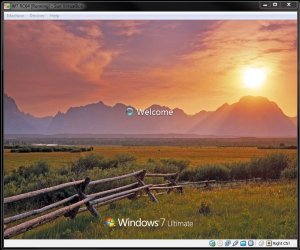
When swapping over from the beta to RC version of that I was able to get the previous Vista install on a vhd to run and reuse the same vhd for the 32bit RC on that. The SUN VBox however allows you to install the 64bit Windows while the VPC is limited to the 32bit kernel.
 

Attachments

  • Win 7 RC32 on RC64 VPC.jpg
    Win 7 RC32 on RC64 VPC.jpg
    83.8 KB · Views: 373
  • Virtual Box Logon Screen.jpg
    Virtual Box Logon Screen.jpg
    98.4 KB · Views: 328

My Computers

System One System Two

  • Computer type
    PC/Desktop
    Computer Manufacturer/Model Number
    Custom builds = 2
    OS
    W7 Ultimate x64/W10 Pro x64/W11 Pro Triple Boot - Main PC W7 Remote PC Micro ATX W7 Pro x64/W11 Pro
    CPU
    AMD Phenom II X4 975 Deneb 3.6ghz - 965 2nd remote pc
    Motherboard
    Gigabyte GA-790XTA-UD4-Gigabyte GA-880GM-D2H remote pc
    Memory
    Kingston Hyper X DDR3 1600 1.5v 16gb - Hyper X Fury 8gb 2nd
    Graphics Card(s)
    MSI HD Radeon 5750 1gb - MSI HD Radeon 6450 on mini tower
    Sound Card
    Creative Labs X-Fi Xtreme Audio P - Realtek onooard 2nd case
    Monitor(s) Displays
    ASUS VW199T-P 19" HP 2082a Main-HP 2082a 20" remote pc
    Screen Resolution
    Asus 1440x900 - HP 1600x900
    Hard Drives
    WD Black 1TB HD per OS W7, W10, and pending W11 presently on 500gb OS Drive - Pending Triple 1TB HDs for Spanned Storage/backup volume
    Single 2TB external USB enclosure, single 1TB System 7 Host/Boot drive, Pending 8TB external HD for system image b
    PSU
    Corsair 750TX - primary / Corsair CX600 - second
    Case
    Antec 900-2 - SSD compatible / NZXT Vulcan mini tower
    Cooling
    Zalman CNPS9900A
    Keyboard
    AZIO L70 Backlit Letters Gaming - ONN Cordless/USB
    Mouse
    MSI DS200 Programmable, Logitech Cordless
    Internet Speed
    30mbps upgrade - primary hard wired - mini tower usb WiFi
    Antivirus
    GFI VIPRE Internet Security 2014 on W7 2016 beta on W10,
    Browser
    Cyberfox, WaterFox 64bit FF variants, FireFox x64, Pale Moon
    Other Info
    Accomdata fan cooled usb 2.0 PIDE/Sata II, III external enclosure.
    Sambient usb/eSata PATA/Sata II, III external enclosure.
  • Computer type
    PC/Desktop
    System Manufacturer/Model Number
    CUSTOM ASSEMBLY
    OS
    W7 Pro x64/W11 Pro
    CPU
    AMD Deneb 3.6ghz - 965
    Motherboard
    Gigabyte GA-880GM-D2H remote pc
    Memory
    Kingston Hyper X Fury 8gb
    Graphics Card(s)
    MSI HD Radeon 6450 DVI Output
    Sound Card
    Realtek onooard Creative or Other separate PENDING
    Monitor(s) Displays
    VIZIO 32" LCD TV Separate LCD Pending
    Screen Resolution
    1600x1080
    Hard Drives
    WD 500GB OS Host/Boot WD Green 1TB Storage/Backup
    PSU
    Corsair 600W - THERMALTAKE 600W spare case
    Case
    NZXT Vulcan mini tower
    Cooling
    Twin 120mm Top Fans - 240mm Side Cover
    Keyboard
    ONN Cordless/USB Logitech Cordless
    Mouse
    ONN USB/Cordless - Logitech Cordless
    Internet Speed
    DSL 5G
    Browser
    MS Edge, FireFox, WaterFox x64, FireFox Nightly
    Other Info
    OS Testing-Remote Access to Main TeamViewer
Thanks ccatlett1984 and Night Hawk. It's interesting stuff. I've just installed Sun Virtualbox and this seems to be able to recognise the USB ports where Virtual PC can't. It was useful that the .VHD and .VMC files were suitable for use with Sun. I thought I might need to redo the XP install but I just took a copy of the files and opened them in Sun Virtualbox.

When the Win 7 arrives will I need to do new XP install or does it come with a base setup?

Is there no way I can get a virtual machine to recognise host machine's Firewire?


Hi there
I'm not sure as most VM's allow you to "Hot switch" USB devices etc but I don't see any firewire devices in the "Virtual hardware".

What you COULD try is to DISCONNECT the firewire device from the HOST, boot up your VM and the plug the firewire device in.

If the vm recognizes this ( "New hardware found indicator in XP for example") then install the driver from your device install disk or attempt to find an XP driver from the web.

I haven't tried this yet - but I have a Canon professional DSLR camera which has a firewire connection for use with "Shoting Tethered"

I will have a go with this later on an XP virtual machine to see if it works. I'm using vmware workstation however for testing.

BTW just another issue raised in this thread : No probs in running 32 bit guests on a 64 bit host but :

Even if you are running XP as a HOST OS you can still run a 64 Bit guest OS as a VM if the Intel virtualisation is set on in the BIOS. A lot of people think you have to be running a 64 bit HOST to run a 64 bit GUEST OS -- not true.

To answer the USB scanner question - I've got 3 of these types of devices which only work on XP - not even VISTA.

Works fine on an XP Virtual machine running under vmware (together with all the Canon scanning apps, paperport and the "convert to text" application).


Cheers
jimbo
 

My Computer

Computer type
PC/Desktop
Computer Manufacturer/Model Number
Custom built, several laptops HP/ASUS
OS
Linux CENTOS 7 / various Windows OS'es and servers
CPU
Intel i7 Intel i5
Memory
8GB, 16GB
Graphics Card(s)
On Motherboard
Sound Card
Realtek HD audio
Monitor(s) Displays
Apple Cinema display, Samsung LCD
Screen Resolution
1920 X 1080
Hard Drives
4 X 1TB SATA
Mouse
Toshiba wireless laser
Internet Speed
> 20MB up
Thanks Jimbo

I'll give this a try this afternoon. My requirements are for a 64bit host and a 32bit (XP) guest so I'm OK anyway. I do have virtualization switched on in the BIOS though.

I've posted a question on the Canopus (the video device manufacturer) forums regarding the firewire device issue. It looks like that may work in 64bit but Canopus won't be certifying it for Windows 7 until Windows 7 has been out for a month or so. Even then it may not get certified for 64bit Windows 7. I'm hoping to find someone who has tried the device using the beta Windows 7 64bit system.

If I can't be sure of getting the device to work in Windows 64bit or through a virtual machine I may need to consider a dual boot install option and keep my Vista partition. That would result in a lot of re-booting whenever I needed to use the device though, hardly very convenient.
 

My Computer

Computer Manufacturer/Model Number
Dell XPS720
OS
Windows 7 Ultimate (64 bit)
CPU
Core 2 Quad Q6600 @ 2.4 ghz
Motherboard
Dell
Memory
8 gb
Graphics Card(s)
NVIDIA GeForce 8800 GTX
Sound Card
Creative SB X-Fi
Monitor(s) Displays
Dell 2707 WFP
Screen Resolution
1920 X 1200
Hard Drives
4 Sata disks in 2 RAID 0 arrays
c: = 921 gb
d: = 745 gb
NVIDIA raid controller on MB
PSU
Dell XPS 720 Std.
Case
Dell XPS 720 Std.
Cooling
Dell XPS 720 Std.
Keyboard
Dell
Mouse
Dell
Internet Speed
Download Speed: 80713 kbps (10089.1 KB/sec ) Upload Speed:
Drivers are the one thing that make a small ammount of people stay away from 64-bit. Yeah, most likely they do, and pretty much every company has already prepared all of their drivers for Windows 7. :)
 

My Computer

Computer Manufacturer/Model Number
eMachines ET1161-07
OS
Windows Vista Ultimate
CPU
AMD Athlon(tm) Dual Core Processor 4050e 2.10GHz
Memory
4GB
Graphics Card(s)
nVidia Geforce 6150SE
Monitor(s) Displays
eMachines E181H
Vista was late in many cases while XP Pro 64bit was the one that really suffered the most. The 64bit 7 can easily use the 64bit Vista drivers due to the close compatibility between the two versions. That is one factor that will be a large plus for 7 when out in a few weeks from now.
 

My Computers

System One System Two

  • Computer type
    PC/Desktop
    Computer Manufacturer/Model Number
    Custom builds = 2
    OS
    W7 Ultimate x64/W10 Pro x64/W11 Pro Triple Boot - Main PC W7 Remote PC Micro ATX W7 Pro x64/W11 Pro
    CPU
    AMD Phenom II X4 975 Deneb 3.6ghz - 965 2nd remote pc
    Motherboard
    Gigabyte GA-790XTA-UD4-Gigabyte GA-880GM-D2H remote pc
    Memory
    Kingston Hyper X DDR3 1600 1.5v 16gb - Hyper X Fury 8gb 2nd
    Graphics Card(s)
    MSI HD Radeon 5750 1gb - MSI HD Radeon 6450 on mini tower
    Sound Card
    Creative Labs X-Fi Xtreme Audio P - Realtek onooard 2nd case
    Monitor(s) Displays
    ASUS VW199T-P 19" HP 2082a Main-HP 2082a 20" remote pc
    Screen Resolution
    Asus 1440x900 - HP 1600x900
    Hard Drives
    WD Black 1TB HD per OS W7, W10, and pending W11 presently on 500gb OS Drive - Pending Triple 1TB HDs for Spanned Storage/backup volume
    Single 2TB external USB enclosure, single 1TB System 7 Host/Boot drive, Pending 8TB external HD for system image b
    PSU
    Corsair 750TX - primary / Corsair CX600 - second
    Case
    Antec 900-2 - SSD compatible / NZXT Vulcan mini tower
    Cooling
    Zalman CNPS9900A
    Keyboard
    AZIO L70 Backlit Letters Gaming - ONN Cordless/USB
    Mouse
    MSI DS200 Programmable, Logitech Cordless
    Internet Speed
    30mbps upgrade - primary hard wired - mini tower usb WiFi
    Antivirus
    GFI VIPRE Internet Security 2014 on W7 2016 beta on W10,
    Browser
    Cyberfox, WaterFox 64bit FF variants, FireFox x64, Pale Moon
    Other Info
    Accomdata fan cooled usb 2.0 PIDE/Sata II, III external enclosure.
    Sambient usb/eSata PATA/Sata II, III external enclosure.
  • Computer type
    PC/Desktop
    System Manufacturer/Model Number
    CUSTOM ASSEMBLY
    OS
    W7 Pro x64/W11 Pro
    CPU
    AMD Deneb 3.6ghz - 965
    Motherboard
    Gigabyte GA-880GM-D2H remote pc
    Memory
    Kingston Hyper X Fury 8gb
    Graphics Card(s)
    MSI HD Radeon 6450 DVI Output
    Sound Card
    Realtek onooard Creative or Other separate PENDING
    Monitor(s) Displays
    VIZIO 32" LCD TV Separate LCD Pending
    Screen Resolution
    1600x1080
    Hard Drives
    WD 500GB OS Host/Boot WD Green 1TB Storage/Backup
    PSU
    Corsair 600W - THERMALTAKE 600W spare case
    Case
    NZXT Vulcan mini tower
    Cooling
    Twin 120mm Top Fans - 240mm Side Cover
    Keyboard
    ONN Cordless/USB Logitech Cordless
    Mouse
    ONN USB/Cordless - Logitech Cordless
    Internet Speed
    DSL 5G
    Browser
    MS Edge, FireFox, WaterFox x64, FireFox Nightly
    Other Info
    OS Testing-Remote Access to Main TeamViewer
Back
Top