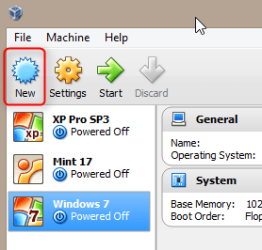
i've tried a virtual machine and formatted a 40gig partition on the pc hdd running win 7 then tried to load my copy of xp and in all cases the option to install xp is greyed out on the welcome screen. i even used administrator privileges.
Last edited:
My Computer
At a glance
Windows 7 Home Premium 64bitamd phenom 11x4 820 quad core4 gb samsung dimmnvidia geforce 9200
Computer type
PC/Desktop
Computer Manufacturer/Model Number
gateway sx2311-03
OS
Windows 7 Home Premium 64bit
CPU
amd phenom 11x4 820 quad core
Motherboard
gateway base board sx2311
Memory
4 gb samsung dimm
Graphics Card(s)
nvidia geforce 9200
Sound Card
nvidia hda / realtek hda / nvidia virtual wdm
Monitor(s) Displays
acer b223w
Screen Resolution
1366x768 (landscape)
Hard Drives
wdc wd10 eads-22m2bo scsi
wd my book 1111 usb device
Please could you be a bit more specific. You are trying to install XP on a virtual machine? What virtualization software you are using? VirtualBox, VMWare, Virtual PC?
Please try to be exact, tell us what you have done and what is your goal.
Kari
My Computer
At a glance
Windows 10 Pro x64 EN-GB1.6 GHz Intel Core i7-720QM Processor6 GBATI Mobility Radeon HD 5850 Graphics
Computer type
Laptop
Computer Manufacturer/Model Number
HP ENVY 17-1150eg
OS
Windows 10 Pro x64 EN-GB
CPU
1.6 GHz Intel Core i7-720QM Processor
Memory
6 GB
Graphics Card(s)
ATI Mobility Radeon HD 5850 Graphics
Sound Card
Beats sound system with integrated subwoofer
Monitor(s) Displays
17" laptop display, 22" LED and 32" Full HD TV through HDMI
Screen Resolution
1600*900 (1), 1920*1080 (2&3)
Hard Drives
Internal: 2 x 500 GB SATA Hard Disk Drive 7200 rpm
External: 2TB for backups, 3TB USB3 network drive for media
Cooling
As Envy runs a bit warm, I have it on a Cooler Master pad
i'm using oracle virtualbox. i made a 40gig partition on the hdd if i have to dual boot. running windows 7 home premium 64 on the host drive 1T so i can't use xp mode. i have two empty formatted ntfs wd ide hard drives i can use with a usb2.0 hook up if needed. i made the new partition on the host drive at 40 gig. no matter how i try to install the xp software either on the new partition or new machine or even on the host drive just to see if i could boot and the welcome screen on the xp software has the option to install xp greyed out. i opened the i386 folder on the xp disk and clicked on the WINNT.EXE and it said that a newer version of windows is installed.
My Computer
At a glance
Windows 7 Home Premium 64bitamd phenom 11x4 820 quad core4 gb samsung dimmnvidia geforce 9200
Computer type
PC/Desktop
Computer Manufacturer/Model Number
gateway sx2311-03
OS
Windows 7 Home Premium 64bit
CPU
amd phenom 11x4 820 quad core
Motherboard
gateway base board sx2311
Memory
4 gb samsung dimm
Graphics Card(s)
nvidia geforce 9200
Sound Card
nvidia hda / realtek hda / nvidia virtual wdm
Monitor(s) Displays
acer b223w
Screen Resolution
1366x768 (landscape)
Hard Drives
wdc wd10 eads-22m2bo scsi
wd my book 1111 usb device
thanks kari,
but i can't install the xp os on the vm it won't let me or on the new 40gig partition on the hard drive when i tried a dual boot. the option to install xp on welcome window is GREYED out. can't click on it. i even tried changing the boot sequence in bios and windows 7 over rides and starts normally. i tried off the boot sequence flash screen as well. i put the i386 folder on a usb flash drive and clicked on the winnt.exe app and it told me that a newer version is already installed. is there a path or do i have to go thru dos?? do i need some kind of boot/install software to help direct the i386 files?
My Computer
At a glance
Windows 7 Home Premium 64bitamd phenom 11x4 820 quad core4 gb samsung dimmnvidia geforce 9200
Computer type
PC/Desktop
Computer Manufacturer/Model Number
gateway sx2311-03
OS
Windows 7 Home Premium 64bit
CPU
amd phenom 11x4 820 quad core
Motherboard
gateway base board sx2311
Memory
4 gb samsung dimm
Graphics Card(s)
nvidia geforce 9200
Sound Card
nvidia hda / realtek hda / nvidia virtual wdm
Monitor(s) Displays
acer b223w
Screen Resolution
1366x768 (landscape)
Hard Drives
wdc wd10 eads-22m2bo scsi
wd my book 1111 usb device
You are obviously doing it wrong. Nothing personal, just a fact.
You cannot first boot to Windows 7 desktop, then from there launch XP installation. As the message you get tells you, the reason is that your PC already has newer operating system. When booted to any version of Windows, you can only start an upgrade installation to a newer Windows, not a clean install of an older one.
ok kari,
here's the problem, when i try to boot off the cd the windows7 recovery screen comes up even though i changed the bios to boot off cd/dvd 1st and also from the boot to screen option. do i need RAID? my device manager tells me that i have IDE ATA/ATAPI controllers.
My Computer
At a glance
Windows 7 Home Premium 64bitamd phenom 11x4 820 quad core4 gb samsung dimmnvidia geforce 9200
Computer type
PC/Desktop
Computer Manufacturer/Model Number
gateway sx2311-03
OS
Windows 7 Home Premium 64bit
CPU
amd phenom 11x4 820 quad core
Motherboard
gateway base board sx2311
Memory
4 gb samsung dimm
Graphics Card(s)
nvidia geforce 9200
Sound Card
nvidia hda / realtek hda / nvidia virtual wdm
Monitor(s) Displays
acer b223w
Screen Resolution
1366x768 (landscape)
Hard Drives
wdc wd10 eads-22m2bo scsi
wd my book 1111 usb device