Solved XP Not booting on dualboot?

ronaldbrijo

New member
Local time
4:38 PM
Messages
4
Hi,

I was running Win 7 on my pc and could not get a game to run so I installed XP on a separate HDD, while Win 7 HDD was disconnected.

I wanted to dual boot them and connected both drives with Win7 as 1st boot drive. Used EasyBCD to edit the bootloader.

When I start the PC I get the bootloader and select XP. On enter all my pc does is restart and back to bootloader. If I select Win7, it starts normally.


Thank you
R
 

My Computer My Computer

Computer Manufacturer/Model Number
Self built
OS
Win 7 Ultimate 64bit
CPU
AMD Phenom II 1055
Motherboard
Asus M4A89GTD Pro USB3
Memory
4Gb Seagate Hyper X
Graphics Card(s)
ATI Radeon 5870
Sound Card
AMD HD Audio
Monitor(s) Displays
Acer 23"
Screen Resolution
1920 x 1080
Hard Drives
1 x Seagate 500Gb
1 x seagate 160Gb
PSU
Procase 500w
Cooling
Std Air cool
Other Info
OC to 3,3GHz
Launch EasyBCD and go to Add New Entry: Select Type: “Windows NT/2k/XP/2k3” Then click "Add Entry" button. The box should already be ticked to find the correct drive automatically.
Reboot the system and you should have XP and Win7 in the menu now.
 

My Computer My Computer

OS
Windows 7
Hello ronaldbrijo, welcome to Seven Forums!


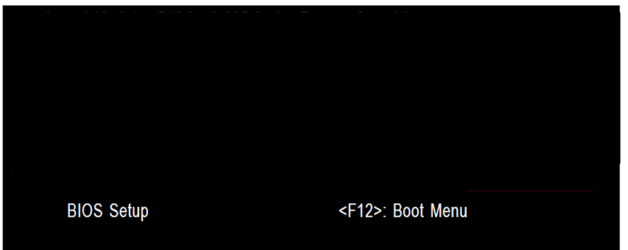
Why don't you use the BIOS one-time boot menu to select which OS/HDD to boot at PC startup, which is the F8 hot-key for ASUS mobos, using the Windows boot loader to dual boot adds unneeded issues in itself, like this one you are experiencing.
 

My Computer My Computer

Computer Manufacturer/Model Number
* BFK Customs *
OS
W 7 64-bit Ultimate
CPU
Intel Q9550 Yorkfield
Motherboard
ASUS P5Q Pro
Memory
8GB Dominator 8500C5D
Graphics Card(s)
ATI : XFX 5870
Sound Card
Realtek HD Audio 7-1
Monitor(s) Displays
1x 47" LCD HDMI & 3x 26" LCD HDMI
Screen Resolution
1920x1080P & 1920x1200
Hard Drives
1x 80GB Intel X25-M G2 SSD : 1x 500GB & 1x 640GB WD Caviar Black(s)
PSU
Corsair 620HX
Case
Cooler Master RC-690
Cooling
Tuniq Tower 120, 2x 140mm and 3x 120mm case fans
Keyboard
Microsoft 500
Mouse
Razer Diamondback 3G
Internet Speed
14 Mb/s
Other Info
1x Koutech 3Gb/s SATA HDD Hot Swap Rack
THank you.... You are correct, that is so much easier....

R
 

My Computer My Computer

Computer Manufacturer/Model Number
Self built
OS
Win 7 Ultimate 64bit
CPU
AMD Phenom II 1055
Motherboard
Asus M4A89GTD Pro USB3
Memory
4Gb Seagate Hyper X
Graphics Card(s)
ATI Radeon 5870
Sound Card
AMD HD Audio
Monitor(s) Displays
Acer 23"
Screen Resolution
1920 x 1080
Hard Drives
1 x Seagate 500Gb
1 x seagate 160Gb
PSU
Procase 500w
Cooling
Std Air cool
Other Info
OC to 3,3GHz
Hello again, I'm glad I could help and thanks for the update.
 

My Computer My Computer

Computer Manufacturer/Model Number
* BFK Customs *
OS
W 7 64-bit Ultimate
CPU
Intel Q9550 Yorkfield
Motherboard
ASUS P5Q Pro
Memory
8GB Dominator 8500C5D
Graphics Card(s)
ATI : XFX 5870
Sound Card
Realtek HD Audio 7-1
Monitor(s) Displays
1x 47" LCD HDMI & 3x 26" LCD HDMI
Screen Resolution
1920x1080P & 1920x1200
Hard Drives
1x 80GB Intel X25-M G2 SSD : 1x 500GB & 1x 640GB WD Caviar Black(s)
PSU
Corsair 620HX
Case
Cooler Master RC-690
Cooling
Tuniq Tower 120, 2x 140mm and 3x 120mm case fans
Keyboard
Microsoft 500
Mouse
Razer Diamondback 3G
Internet Speed
14 Mb/s
Other Info
1x Koutech 3Gb/s SATA HDD Hot Swap Rack
Why don't you use the BIOS one-time boot menu...
For me it's because I was mising the ability to reset the boot order in Windows (I use a hotkey that makes it a snap) then restart and go away from the pc to find the other system ready when I returned - I don't see how you can do that in the BIOS way. Not that concerned about hdd failure with many layer of backup and only 1 actual hdd-caused system loss in a lifetime.
 

My Computer My Computer

OS
Windows 7
Why don't you use the BIOS one-time boot menu...
For me it's because I was mising the ability to reset the boot order in Windows (I use a hotkey that makes it a snap) then restart and go away from the pc to find the other system ready when I returned - I don't see how you can do that in the BIOS way. Not that concerned about hdd failure with many layer of backup and only 1 actual hdd-caused system loss in a lifetime.

Are you using the BIOS one-time boot menu specific to your motherboard?


  • Asus - F8
  • HP/Compaq - Esc
  • Sony - F2
  • Acer – F12
  • Gateway - F10
  • eMachnes - F10
  • Gigabyte – F12
  • Toshiba - F12
  • Dell - F12
  • IBM/Lenovo - the blue Thinkvantage button
 

My Computer My Computer

Computer Manufacturer/Model Number
* BFK Customs *
OS
W 7 64-bit Ultimate
CPU
Intel Q9550 Yorkfield
Motherboard
ASUS P5Q Pro
Memory
8GB Dominator 8500C5D
Graphics Card(s)
ATI : XFX 5870
Sound Card
Realtek HD Audio 7-1
Monitor(s) Displays
1x 47" LCD HDMI & 3x 26" LCD HDMI
Screen Resolution
1920x1080P & 1920x1200
Hard Drives
1x 80GB Intel X25-M G2 SSD : 1x 500GB & 1x 640GB WD Caviar Black(s)
PSU
Corsair 620HX
Case
Cooler Master RC-690
Cooling
Tuniq Tower 120, 2x 140mm and 3x 120mm case fans
Keyboard
Microsoft 500
Mouse
Razer Diamondback 3G
Internet Speed
14 Mb/s
Other Info
1x Koutech 3Gb/s SATA HDD Hot Swap Rack

  • Asus - F8
  • HP/Compaq - Esc
  • Sony - F2
  • Acer – F12
  • Gateway - F10
  • eMachnes - F10
  • Gigabyte – F12
  • Toshiba - F12
  • Dell - F12
  • IBM/Lenovo - the blue Thinkvantage button

Another one for your list Ted... F8 is Packard Bells. Which is a PITA when you need to get to Safe Mode.
 

My Computer My Computer

Computer type
PC/Desktop
Computer Manufacturer/Model Number
Medion Erazer (note to self: insert model number) - with custom additions
OS
Windows 10 Pro x64
CPU
Intel Core i5 7400 @ 3.00GHz
Motherboard
OEM supllied with PC
Memory
8GB 2133Mhz DDR4 (OEM supplied)
Graphics Card(s)
Gygabyte Windforce GTX 1050Ti (Factory Overclocked)
Sound Card
Realtek
Monitor(s) Displays
Acer Al1980 + HKC
Screen Resolution
1360*768(HKC) / 1280*1024(Acer)
Hard Drives
1TB Toshiba
1TB WD Caviar Green
120GB Samsung Evo 840
PSU
OEM supplied (no power rating on case)
Case
OEM Supplied
Cooling
Stock
Keyboard
Logitech Wireless
Mouse
Logitect Wireless
Internet Speed
40Mb/s Down 10Mb/s Up
Antivirus
Defender
Browser
Firefox
Another one for your list Ted... F8 is Packard Bells. Which is a PITA when you need to get to Safe Mode.


Hello Martin.

I know what you mean about being a pain, mine is an ASUS and uses the F8 also, here's another way to get to safe mode, as soon as you reboot start continually tapping the k/b space bar to force the Windows boot manager and from there you can easily select safe mode.

Thanks for the P/B and F8 tip! ;)
 

My Computer My Computer

Computer Manufacturer/Model Number
* BFK Customs *
OS
W 7 64-bit Ultimate
CPU
Intel Q9550 Yorkfield
Motherboard
ASUS P5Q Pro
Memory
8GB Dominator 8500C5D
Graphics Card(s)
ATI : XFX 5870
Sound Card
Realtek HD Audio 7-1
Monitor(s) Displays
1x 47" LCD HDMI & 3x 26" LCD HDMI
Screen Resolution
1920x1080P & 1920x1200
Hard Drives
1x 80GB Intel X25-M G2 SSD : 1x 500GB & 1x 640GB WD Caviar Black(s)
PSU
Corsair 620HX
Case
Cooler Master RC-690
Cooling
Tuniq Tower 120, 2x 140mm and 3x 120mm case fans
Keyboard
Microsoft 500
Mouse
Razer Diamondback 3G
Internet Speed
14 Mb/s
Other Info
1x Koutech 3Gb/s SATA HDD Hot Swap Rack
Are you using the BIOS one-time boot menu specific to your motherboard?
No because I don't want to wait to select the disk boot order at bootup, even using the specific boot key. My choice, for reasons given. I think it's more convenient and quicker to swap system priority while still in Windows - hot key to System Properties > Advanced > Startup and Recovery > Default OS dropdown open and ready to select and hit Enter. Hit restart and I don't have to watch the boot screen at all. Basically 3 clicks and a rest for my eyes while the systems change over.
 

My Computer My Computer

OS
Windows 7
Back
Top