XPmode or Virtualbox

Bkelly

New member
Local time
10:56 PM
Messages
6
Just a few questions regarding XPmode am I right in thinking that it's just a modified windows virtual machine with an xp licence? I'm needing a virtual machine to run some older programs needing 32bit XP. I also would like to be able to play some of my older games which have pretty low hardware requirements. Since virtualbox offers slightly better 3d support than the microsoft virtualpc and since I already have an XP licence is there any advantage to using xpmode over virtualbox? Does anyone know if virtual box can use the older directx like 3.0+
 

My Computer

Computer Manufacturer/Model Number
Self Build
OS
Windows 7 RC 7100 64Bit
CPU
Q6600 2.4ghz @ 3.0ghz OC
Motherboard
Asus p5ke-wifi
Memory
8gb DDR-800
Graphics Card(s)
Nvidia Geforce 8800GTX
Hard Drives
500GB WD 7200
PSU
520watt corsair Psu
Case
Coolermaster Stacker 831
Cooling
Thermalright Ultra 120 CPU Cooler
Just a few questions regarding XPmode am I right in thinking that it's just a modified windows virtual machine with an xp licence? I'm needing a virtual machine to run some older programs needing 32bit XP. I also would like to be able to play some of my older games which have pretty low hardware requirements. Since virtualbox offers slightly better 3d support than the microsoft virtualpc and since I already have an XP licence is there any advantage to using xpmode over virtualbox? Does anyone know if virtual box can use the older directx like 3.0+
That is correct...XP Mode also integrates into jump lists and the Windows Shell...to me that is what makes it stand out in from of VMWare/VirtualBox
 

My Computer

Computer Manufacturer/Model Number
Compal JFT02 (Custom Build Laptop)
OS
Windows 7 Home Premium x64 - Mac OS X 10.6.4 x64
CPU
Intel Core 2 Duo T9300 2.5 GHz
Motherboard
JFT02
Memory
4GB Kingston DDR2-800
Graphics Card(s)
NVIDIA Geforce 8600M GT (512MB Model)
Sound Card
Realtek HD Audio
Monitor(s) Displays
WUXGA Standard Laptop Display
Screen Resolution
1680*1050
Hard Drives
Toshiba 320GB 5400RPM Laptop HD
PSU
Standard Laptop Power Supply
Case
Standard Laptop Case
Cooling
Standard Laptop Cooling
Keyboard
Standard Laptop 105 Key-Keyboard
Mouse
Synaptics Touchpad
Internet Speed
Verizion Online DSL 3360/864 kbs (dl/up)
TBH, for the performance and configurability and stability I'd pick VBox over VPC every day of the week (and twice on Sundays).
 

My Computers

System One System Two

  • Computer type
    PC/Desktop
    Computer Manufacturer/Model Number
    The Beast Model A (homebrew)
    OS
    Windows 11 21H2 Current build
    CPU
    AMD Ryzen 9 3950X
    Motherboard
    MSI MEG X570 GODLIKE
    Memory
    4 * 32 GB - Corsair Vengeance 3600 MHz
    Graphics Card(s)
    EVGA GeForce RTX 3080 Ti XC3 ULTRA GAMING (12G-P5-3955-KR)
    Sound Card
    Realtek® ALC1220 Codec
    Monitor(s) Displays
    2x Eve Spectrum ES07D03 4K Gaming Monitor (Matte) | Eve Spec
    Screen Resolution
    3x 3840 x 2160
    Hard Drives
    3x Samsung 980 Pro NVMe PCIe 4 M.2 2 TB SSD (MZ-V8P2T0B/AM) } 3x Sabrent Rocket NVMe 4.0 1 TB SSD
    PSU
    PC Power & Cooling’s Silencer Series 1050 Watt, 80 Plus Plat
    Case
    Fractal Design Define 7 XL Dark ATX Full Tower Case
    Cooling
    SteelSeries Apex Pro Wired Gaming Keyboard
    Keyboard
    SteelSeries Apex Pro
    Mouse
    Logitech MX Master 3S | MX Master 3 for business
    Internet Speed
    AT&T LightSpeed Gigabit Duplex Ftth
    Antivirus
    Windows Defender + MB 3
    Browser
    Nightly (default) + Firefox (stable),Chrome, Edge
  • Computer type
    PC/Desktop
    System Manufacturer/Model Number
    Dell Latitude E5470
    OS
    ChromeOS Flex Dev Channel (current)
    CPU
    Intel(R) Core(TM) i5-6300U CPU @ 2.40GHz, 2501 Mhz, 2 Core(s), 4 Logical Processor(s)
    Motherboard
    Dell
    Memory
    16 GB
    Graphics Card(s)
    Intel(R) HD Graphics 520
    Sound Card
    Intel(R) HD Graphics 520 + RealTek Audio
    Monitor(s) Displays
    Dell laptop display 15"
    Screen Resolution
    1920 * 1080
    Hard Drives
    Toshiba 128GB M.2 22300 drive
    INTEL Cherryville 520 Series SSDSC2CW180A 180 GB SATA III SSD
    PSU
    Dell
    Case
    Dell
    Cooling
    Dell
    Keyboard
    Dell
    Mouse
    Logitech MX Master 3S (shared w. Sys 1) | Dell TouchPad
    Internet Speed
    AT&T LightSpeed Gigabit Duplex Ftth
Ok, I did a bit of research then I downloaded Virtualbox today, installed xp and the additions pack and it's just totally blown me away!

I used Microsoft Virtual pc During a course a few years ago and thought it was really only useful as a tool for learning how a network interacts with multiple machines and servers and for compatibility issues in older non 3d software like that.

I am amazed by virtualbox the 3d acceleration is fantastic.
I decided to aim slightly high with my first test just to see what the machine was capable of.

Gta san andreas - failed, didn't really expect this one to work since apparently running a directx 9 game is hit or miss not an issue.

Morrowind - Pass, not too surprised since other people have managed to play this on vbox. Shocked at the Performance! Better than my old Win XP laptop. The laptop was never brilliant but this sort of performance from a Virtual machine this is great!

Not really done much testing yet but this seems like an excellent way for me to run older apps especially some which don't support 64bit OSs.
I've used this as an excuse to remove XP from my system since I only needed to use it very rarely and have managed to install both Diablo and baldurs gate, Since most of my other older games have similar resources i'm pretty sure I'll be able to get most everything else working.

I've only been on these forums 2 days and found a wealth of knowledfge. If I hadn't looked at post http://www.sevenforums.com/virtualization/17326-help-new-xp-mode-virtualization.html I would have never discovered such a piece of software

Thanks sevenforums! :D
 

My Computer

Computer Manufacturer/Model Number
Self Build
OS
Windows 7 RC 7100 64Bit
CPU
Q6600 2.4ghz @ 3.0ghz OC
Motherboard
Asus p5ke-wifi
Memory
8gb DDR-800
Graphics Card(s)
Nvidia Geforce 8800GTX
Hard Drives
500GB WD 7200
PSU
520watt corsair Psu
Case
Coolermaster Stacker 831
Cooling
Thermalright Ultra 120 CPU Cooler
Glad that you like VirtualBox. it's my VM environment of choice at home as well. At work, I use VMWare Server 2.0 on my desktop and VMWare ESX and ESXi in production.

I never did like Virtual PC a whole lot because of lack of good support for OS's other than MS.
 

My Computer

Computer Manufacturer/Model Number
Self-Built in July 2009
OS
Windows 7 Ultimate x64
CPU
Intel Q9550 2.83Ghz OC'd to 3.40Ghz
Motherboard
Gigabyte GA-EP45-UD3R rev. 1.1, F12 BIOS
Memory
8GB G.Skill PI DDR2-800, 4-4-4-12 timings
Graphics Card(s)
EVGA 1280MB Nvidia GeForce GTX570
Sound Card
Realtek ALC899A 8 channel onboard audio
Monitor(s) Displays
23" Acer x233H
Screen Resolution
1920x1080
Hard Drives
Intel X25-M 80GB Gen 2 SSD
Western Digital 1TB Caviar Black, 32MB cache. WD1001FALS
PSU
Corsair 620HX modular
Case
Antec P182
Cooling
stock
Keyboard
ABS M1 Mechanical
Mouse
Logitech G9 Laser Mouse
Internet Speed
15/2 cable modem
Other Info
Windows and Linux enthusiast. Logitech G35 Headset.
+5 to pparks' comments. In addition, I like that it is being actively developed.
 

My Computers

System One System Two

  • Computer type
    PC/Desktop
    Computer Manufacturer/Model Number
    The Beast Model A (homebrew)
    OS
    Windows 11 21H2 Current build
    CPU
    AMD Ryzen 9 3950X
    Motherboard
    MSI MEG X570 GODLIKE
    Memory
    4 * 32 GB - Corsair Vengeance 3600 MHz
    Graphics Card(s)
    EVGA GeForce RTX 3080 Ti XC3 ULTRA GAMING (12G-P5-3955-KR)
    Sound Card
    Realtek® ALC1220 Codec
    Monitor(s) Displays
    2x Eve Spectrum ES07D03 4K Gaming Monitor (Matte) | Eve Spec
    Screen Resolution
    3x 3840 x 2160
    Hard Drives
    3x Samsung 980 Pro NVMe PCIe 4 M.2 2 TB SSD (MZ-V8P2T0B/AM) } 3x Sabrent Rocket NVMe 4.0 1 TB SSD
    PSU
    PC Power & Cooling’s Silencer Series 1050 Watt, 80 Plus Plat
    Case
    Fractal Design Define 7 XL Dark ATX Full Tower Case
    Cooling
    SteelSeries Apex Pro Wired Gaming Keyboard
    Keyboard
    SteelSeries Apex Pro
    Mouse
    Logitech MX Master 3S | MX Master 3 for business
    Internet Speed
    AT&T LightSpeed Gigabit Duplex Ftth
    Antivirus
    Windows Defender + MB 3
    Browser
    Nightly (default) + Firefox (stable),Chrome, Edge
  • Computer type
    PC/Desktop
    System Manufacturer/Model Number
    Dell Latitude E5470
    OS
    ChromeOS Flex Dev Channel (current)
    CPU
    Intel(R) Core(TM) i5-6300U CPU @ 2.40GHz, 2501 Mhz, 2 Core(s), 4 Logical Processor(s)
    Motherboard
    Dell
    Memory
    16 GB
    Graphics Card(s)
    Intel(R) HD Graphics 520
    Sound Card
    Intel(R) HD Graphics 520 + RealTek Audio
    Monitor(s) Displays
    Dell laptop display 15"
    Screen Resolution
    1920 * 1080
    Hard Drives
    Toshiba 128GB M.2 22300 drive
    INTEL Cherryville 520 Series SSDSC2CW180A 180 GB SATA III SSD
    PSU
    Dell
    Case
    Dell
    Cooling
    Dell
    Keyboard
    Dell
    Mouse
    Logitech MX Master 3S (shared w. Sys 1) | Dell TouchPad
    Internet Speed
    AT&T LightSpeed Gigabit Duplex Ftth
TBH, for the performance and configurability and stability I'd pick VBox over VPC every day of the week (and twice on Sundays).
VBox ftw :thumbsup: I use it on Ubuntu also. XP Mode just sucks.
 

My Computer

Computer Manufacturer/Model Number
MasterB/Custom
OS
Windows 7 Professional x64
CPU
QuadCore AMD Phenom II X4 Black Edition 955 3.2 GHz
Motherboard
Asus M4A785TD-V Evo
Memory
8 GB Crucial DDR3
Graphics Card(s)
SAPPHIRE Radeon HD 4890 1GB HDMI New Edition
Sound Card
VIA VT1708S HD Audio 7.1 onboard/ ATI HDMI video card
Monitor(s) Displays
Acer H233H 23'' LCD HDMI
Screen Resolution
1920x1080
Hard Drives
1x 500GB and 1x 1TB 7200RPM 32MB Cache WD Caviar Black
PSU
CORSAIR CMPSU-620HX 620W
Case
COOLER MASTER Storm Scout SGC-2000
Cooling
2x 140mm and 1x 120mm case fans, Stock CPU fan
Keyboard
Logitech MX 3200
Mouse
Logitech MX 3200
Internet Speed
15 Mbps
Other Info
My first build!
I would say that VirtualBOX is a GOOD contender. <<<< ALL ROUNDER

VMware Is a Good Lab Environment <<<< Good for packaging a machine and sending and reburning. Just Not happy with its networking at times(terrible). Lots of UnNecasy Baggae...

Virtual PC is Stable for mini Devlopments etc. XP MODE - Great For having individual devlopment envvironments, office environments, Installed into virtualized xP Desktops keeping your main environment clean, BUT "Cant use ADOBE" "CANT USE STUDIO STUFF," LOL. Microsoft and their restrictions... Just about useful as.....

Finally Virtual BOX . Seems to take a lot away from microsoft here.... AS in general Has no Problems Can do SOme of VMware STUFF.... SOME OF VPC STUFF....

Hyper-V.... Again Will not be as good as microsoft feels... as with citrix Xen server... The graphics capeabilitys are way higher... Im not too sure about the sound But i beleive they are still beatiing microsoft here... Hyper-V is a bit of a rip off of XenServer, A little more easier to use and set up..... But we will be seeing a lot more of Virtual PC2007 > over VPC2009..... alot mot HyperV over Citrix... VMware > Citrix...
Citrix may have to "Bring the prices DOWN" - "expand General public markets" introduce "much more Portable products"... Just to compete in the HOME USER MARKET....As microsoft remove these silly ideals and starts working towards what public want, and not what companys want... this virtual technology from microsoft will improve...

THE APP-V & MED-V (im still waiting to get my hands on MDOP) If Any one gets a link i will follow As this is the LAST Aspect of Windows 7+ I have not covered and mastered....lol
 

My Computer

Computer Manufacturer/Model Number
MySelF -
OS
Windows 7 64-bit 7600 OEM
CPU
AMD Phenom Quad CORE 2.5 ghz
Motherboard
Gigabyte GA-MA78GM-S2H AMD 780G Micro-ATX (Socket AM2) PCI-E
Memory
OCZ Vista Series 8GB (2x4GB) DDR2 PC2-6400C5 Dual Channel
Graphics Card(s)
RADION 3200 HDMI & DVI
Sound Card
EMU 1812 - Optical ADAT
Monitor(s) Displays
42LG LCD & 2 19inch ELO TOUCH SCREENS
Screen Resolution
1360x768
Hard Drives
2 1TB samsung 39mbCACHE - SATA
1 500GB Western Digital - SATA
PSU
500W
Case
silverstone -
Cooling
Standard CPU FAN <<<<< ALWAYS BEST >>>>> Coolermaster
Keyboard
Microsoft Wireless optical
Mouse
Microsoft Wireless optical
Internet Speed
2mbits
Other Info
Will be Getting the Tesla Card from NVIDIA SOON <<<<< tesla supercomputer >>> nvidia CODA, PS: Motherboard Has Got Hardware assisted virtualization... If Your motherboard does not have it, It may JUST need the correct BIOS UPGRADE, CHECK BIOS DATES BEFORE FINALIZING A BUY, EVEN LOOKIN BIOS IF POSSIBLE as its not stated on the spec sheets, THAT WILL HAVE TO CHANGE as many mother board DO have hardw
I use VirtualBox because of x64 support. VMWare seems to bloated and have no idea if "new" VPC already (VPC 2007 didnt) supports x64 bit virtualization, if it does i might consider it.
 

My Computer

Computer Manufacturer/Model Number
Custom
OS
Windows 7 SP1 x64 build 7601.21701
CPU
Intel Q9450 @3608mhz (8x451)
Motherboard
Asus Rampage Formula
Memory
6GB - 2x Corsair CM2X1024-8500C5D and 2x CM2X2048-8500C5D
Graphics Card(s)
Zotac nVidia GTX295
Sound Card
SoundMAX ADI1988B (X-FI MB)
Monitor(s) Displays
LG L227WTP & Samsung LE26R71B LCD TV
Screen Resolution
1680x1050 & 1360x768
Hard Drives
2x Seagate ST3500630NS in RAID0
PSU
Thermaltake Toughpower 750W
Case
Thermaltake
Cooling
Thermalright Ultra-120 Extreme and couple of fans
Keyboard
Logitech G15 v2
Mouse
Razer DeathAdder
Internet Speed
FTTH 50/50 (dualstack IPv4 & native IPv6)
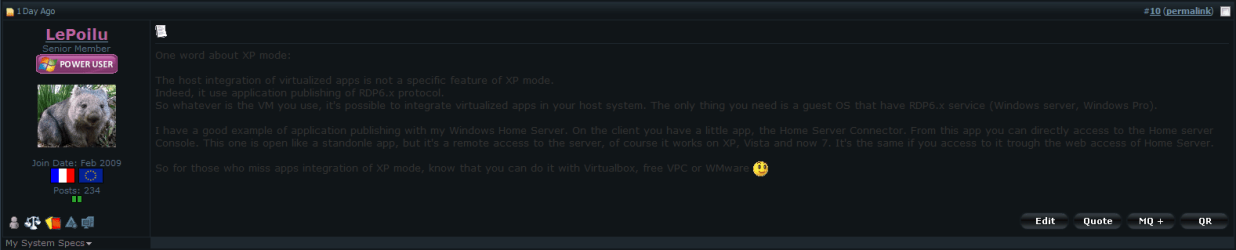
One word about XP mode:


The host integration of virtualized apps is not a specific feature of XP mode.

Indeed, it use application publishing of RDP6.x protocol.

So whatever is the VM you use, it's possible to integrate virtualized apps in your host system. The only thing you need is a guest OS that have RDP6.x service (Windows server, Windows Pro).


I have a good example of application publishing with my Windows Home Server. On the client you have a little app, the Home Server Connector. From this app you can directly access to the Home server Console. This one is open like a standonle app, but it's a remote access to the server, of course it works on XP, Vista and now 7. It's the same if you access to it trough the web access of Home Server.


So for those who miss apps integration of XP mode, know that you can do it with Virtualbox, free VPC or WMware
 
Last edited:

My Computer

OS
Vista H.P. SP1 x32 Seven RC x64
CPU
Q6600 @ 3.4Ghz
Motherboard
GA-EP45-DS3L
Memory
4Go PC2-6400
Graphics Card(s)
8500GT @ 700/500
Sound Card
Audigy Platinium
Monitor(s) Displays
Mitsubishi Diamond Pro 920 + Mitsubishi Diamond Pro 720
Screen Resolution
1600x1200 twice
Hard Drives
Hitachi 160Go
Maxtor 160Go (system drive)
Maxtor 200Go in Antec MX-1 EC external box (eSATA-USB2.0)
PSU
Corsair VX550W
Case
Thermaltake Xaser III
Cooling
Watercooling (CPU, GPU, HDD, NB)
Keyboard
MS Wireless Multimedia 6000 V2.0
Mouse
IntellEye Explorer 3.0
Internet Speed
ADSL 18Mbit/s/1Mbit/s
No offense, LePoilu, but are you using Word / WordPerfect to generate your replies, or a translator to translate? The reason I ask is that your post above has font information for every line, including the font name as well as color - and the problem is that I am using the W7 dark theme and your color forcing makes it look horribly unreadable on this particular theme:

W7 font color.PNG

Before anyone asks why I am using the dark 0 b/c I want to - it is easier on my eyes.

To all users - please don't include font and color restrictions for the entire post you're making - highlighting words or phrase for emphasis is one thing - but posts like this (and this is not the only one - this is in fact the 5th time in 2 days I have run into a post like this that was completely and partially illegible due to the font color) b/c there are other themes on here that your colors will look horrid on....

Getting back on topic: VPC does support virtualization, but not as much as Vbox. VMWare 6.5 I helped test - it works well enough, but I had major issues (to no fault of VMWare - W7 and nVidia hardware drivers were making the virtualization of x64 hardware fail even though it was enabled in the BIOS - which I figured out just before VMWare 6.5 was released, and by which time I had fallen in love with VBox b/c of the price).s
 

My Computers

System One System Two

  • Computer type
    PC/Desktop
    Computer Manufacturer/Model Number
    The Beast Model A (homebrew)
    OS
    Windows 11 21H2 Current build
    CPU
    AMD Ryzen 9 3950X
    Motherboard
    MSI MEG X570 GODLIKE
    Memory
    4 * 32 GB - Corsair Vengeance 3600 MHz
    Graphics Card(s)
    EVGA GeForce RTX 3080 Ti XC3 ULTRA GAMING (12G-P5-3955-KR)
    Sound Card
    Realtek® ALC1220 Codec
    Monitor(s) Displays
    2x Eve Spectrum ES07D03 4K Gaming Monitor (Matte) | Eve Spec
    Screen Resolution
    3x 3840 x 2160
    Hard Drives
    3x Samsung 980 Pro NVMe PCIe 4 M.2 2 TB SSD (MZ-V8P2T0B/AM) } 3x Sabrent Rocket NVMe 4.0 1 TB SSD
    PSU
    PC Power & Cooling’s Silencer Series 1050 Watt, 80 Plus Plat
    Case
    Fractal Design Define 7 XL Dark ATX Full Tower Case
    Cooling
    SteelSeries Apex Pro Wired Gaming Keyboard
    Keyboard
    SteelSeries Apex Pro
    Mouse
    Logitech MX Master 3S | MX Master 3 for business
    Internet Speed
    AT&T LightSpeed Gigabit Duplex Ftth
    Antivirus
    Windows Defender + MB 3
    Browser
    Nightly (default) + Firefox (stable),Chrome, Edge
  • Computer type
    PC/Desktop
    System Manufacturer/Model Number
    Dell Latitude E5470
    OS
    ChromeOS Flex Dev Channel (current)
    CPU
    Intel(R) Core(TM) i5-6300U CPU @ 2.40GHz, 2501 Mhz, 2 Core(s), 4 Logical Processor(s)
    Motherboard
    Dell
    Memory
    16 GB
    Graphics Card(s)
    Intel(R) HD Graphics 520
    Sound Card
    Intel(R) HD Graphics 520 + RealTek Audio
    Monitor(s) Displays
    Dell laptop display 15"
    Screen Resolution
    1920 * 1080
    Hard Drives
    Toshiba 128GB M.2 22300 drive
    INTEL Cherryville 520 Series SSDSC2CW180A 180 GB SATA III SSD
    PSU
    Dell
    Case
    Dell
    Cooling
    Dell
    Keyboard
    Dell
    Mouse
    Logitech MX Master 3S (shared w. Sys 1) | Dell TouchPad
    Internet Speed
    AT&T LightSpeed Gigabit Duplex Ftth
No offense, LePoilu, but are you using Word / WordPerfect to generate your replies, or a translator to translate? The reason I ask is that your post above has font information for every line, including the font name as well as color - and the problem is that I am using the W7 dark theme and your color forcing makes it look horribly unreadable on this particular theme:


:o
Yep sorry, Sometimes I use Outlook for writing messages. Because when I'm at work the "new mail" windows is more discrete than a browser windows (and it has spelling corrector ;) ).
And the font informations are not visible unless you switch to advanced mode on the forum text editor. Then I did know that ..

I'll try to be carefull next time. Sorry.
 

My Computer

OS
Vista H.P. SP1 x32 Seven RC x64
CPU
Q6600 @ 3.4Ghz
Motherboard
GA-EP45-DS3L
Memory
4Go PC2-6400
Graphics Card(s)
8500GT @ 700/500
Sound Card
Audigy Platinium
Monitor(s) Displays
Mitsubishi Diamond Pro 920 + Mitsubishi Diamond Pro 720
Screen Resolution
1600x1200 twice
Hard Drives
Hitachi 160Go
Maxtor 160Go (system drive)
Maxtor 200Go in Antec MX-1 EC external box (eSATA-USB2.0)
PSU
Corsair VX550W
Case
Thermaltake Xaser III
Cooling
Watercooling (CPU, GPU, HDD, NB)
Keyboard
MS Wireless Multimedia 6000 V2.0
Mouse
IntellEye Explorer 3.0
Internet Speed
ADSL 18Mbit/s/1Mbit/s
Back
Top