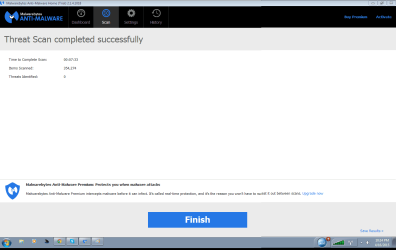
Yesterday I did a fresh window 7 re-install and ran into a new issue

It explains in Clean Reinstall Windows 7 in Step One how to find media for the reinstall. If you'd explained that this was your concern we would have already helped you find it. Instead you continued to represent thoughout the thread that you'd done a Clean Reinstall when you haven't which is particularly irritating because this is the home on the web of achieving a perfect Install of Win7, which we've helped over 1.3 million consumers to - most of which have never done one and not one of whom has had a problem reported.

Which versions match? The installed Display driver and the latest Display driver on the Lenovo site? How do these drivers compare to the driver suggested when you Automatically Detect NVIDIA.

If you want to install TeamViewer Download at all defaults, then private message to me Your ID and password it provides, I will connect to go over your install. Leave Teamviewer open on the desktop with both monitors plugged in. If you have microphone (or headset) have it ready.
 
It explains in Clean Reinstall Windows 7 in Step One how to find media for the reinstall. If you'd explained that this was your concern we would have already helped you find it. Instead you continued to represent thoughout the thread that you'd done a Clean Reinstall when you haven't which is particularly irritating because this is the home on the web of achieving a perfect Install of Win7, which we've helped over 1.3 million consumers to - most of which have never done one and not one of whom has had a problem reported.

Which versions match? The installed Display driver and the latest Display driver on the Lenovo site?

i think this would be better

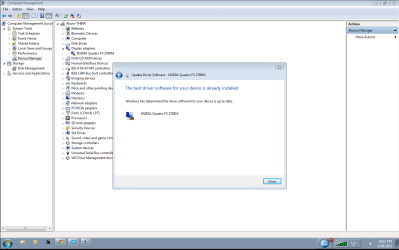
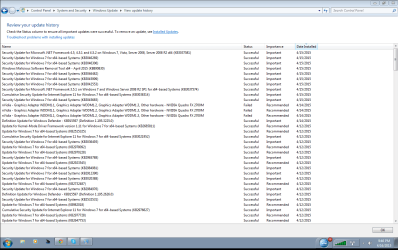
my drivers were installed off of nvedia's website. as u can see fully upgraded
 

Attachments

  • myupdate.png
    myupdate.png
    35.5 KB · Views: 2
  • Untitled5.png
    Untitled5.png
    20.7 KB · Views: 0
  • Untitled.png
    Untitled.png
    38.5 KB · Views: 0
Last edited:

My Computer My Computer

At a glance

Microsoft Windows 7 Professional 64-bit 7601 ...Intel(R) Core(TM)2 Duo CPU T9600 @ 2.80GHz8.00 GBNVIDIA Quadro FX 2700M
Computer type
Laptop
Computer Manufacturer/Model Number
Lenovo
OS
Microsoft Windows 7 Professional 64-bit 7601 Multiprocessor Free Service Pack 1
CPU
Intel(R) Core(TM)2 Duo CPU T9600 @ 2.80GHz
Motherboard
LENOVO 2757CTO
Memory
8.00 GB
Graphics Card(s)
NVIDIA Quadro FX 2700M
Sound Card
Conexant 20561 SmartAudio HD
Hard Drives
(1) Samsung SSD 850 EVO 1TB (2) IMD-0 (3) WD My Passport 0740 USB Device
Antivirus
None
Browser
Chrome
As Greg has stated repeatedly - the factory install is definitely an issue. Old, outdated, and most likely corrupt. Get install media, which we can help you with here, and CLEAN install windows 7. Afterwards, do NOT install anything before you have installed all drivers, (get everything from Lenovo's site except for the graphics driver, get that direct from nvidia.) all the available windows updates, including IE 11, .Net 4.5, etc, and then Microsoft Security Essentials. You can get a one click installer for Microsoft Security Essentials from here. Then, and only then after you have installed MSE and all available updates, Install steam. Do NOT connect your external drive from before. Download a few games from steam direct to your laptop's hard drive. Test them and see how they run. Then report back.
 

My Computer My Computer

At a glance

Windows 10 Pro x64Intel Core i5-4690K (Desktop) / Intel Core i7...8GB DDR3 (Desktop) / 16GB DDR3L (laptop)Nvidia GeForce GTX 970 (Desktop) / AMD Radeon...
Computer type
PC/Desktop
Computer Manufacturer/Model Number
Custom Build (Desktop) / Dell (Laptop)
OS
Windows 10 Pro x64
CPU
Intel Core i5-4690K (Desktop) / Intel Core i7-5500U (Laptop)
Motherboard
Gigabyte (Desktop) / Dell (Laptop)
Memory
8GB DDR3 (Desktop) / 16GB DDR3L (laptop)
Graphics Card(s)
Nvidia GeForce GTX 970 (Desktop) / AMD Radeon R7 M270 (Lap)
Sound Card
Onboard
Monitor(s) Displays
HP Pavilion 27bw
Screen Resolution
1920x1080 (Desktop) / 3840x2160 (Laptop)
Hard Drives
Samsung 850 EVO 120GB SSD
WD Black 500GB
WD Blue 1TB
(Desktop)
Samsung 850 EVO 250GB SSD (Laptop)
PSU
Corsair 750W
Case
Ultra
Cooling
Stock
Keyboard
Razer Black Widow
Mouse
Roccat Kone XTD
Internet Speed
250Mbps Down / 20Mbps Up
Antivirus
ESET
Browser
Chrome
That "Best Driver" notice only means that Windows Update doesn't find any newer on its website. There may still be a better driver on the Lenovo site or Nvidia site. You said earlier today that you had checked the Lenovo site and have the latest there. Did you actually compare it to the one that's installed by clicking on it to compare version numbers? Then did you run the Nvidia detect to see what driver it wants? Each of these drivers needs to be tried if different to see if they correct the problem. I've been going around with you on this for days now and still don't have confidence that you've compared these correctly, which is why I offered to connect to go over your install for you. I will still do this if you want.

While on the Lenovo Support Downloads webpage for your model, look for that Security driver missing in the Device Manager. It's probably fingerprint reader, but may need to be traced using Hardware Identification

Maltesespace's post above details exactly how I would do a diagnostic Clean Reinstall Windows 7, providing you read, understand fully, and follow the steps in the blue link. I will loan you my installer if you want.
 
I can't do that today. I'll get back to you on this. I do not have time to do this. I like to try other options before I decide doing a clean install.

personally. i dont think the problem is windows. as only thing im having problem is my display goes black while playing games and watching movies. nothing else is an issue. BUT im finding out not all games are doing this.

DC universe is working, star trec online is working and a latest game i downloaded, never caused my screen to go black. skyrim started doing this the other day why im trying to figure out why. same with world of tanks, everything loads fine. i go to garage like normally to select my tanks. nothing wrong happens, then 4 minutes later my screen turns black. goes back to normal then white client window and i got to close the game manually. world of planes which worked fine does the same thing. all my games that used to work without any problem , makes my display turn black.

skyrim runs without lag so its not skyrim thats the problem.

As Greg has stated repeatedly - the factory install is definitely an issue. Old, outdated, and most likely corrupt. Get install media, which we can help you with here, and CLEAN install windows 7. Afterwards, do NOT install anything before you have installed all drivers, (get everything from Lenovo's site except for the graphics driver, get that direct from nvidia.) all the available windows updates, including IE 11, .Net 4.5, etc, and then Microsoft Security Essentials. You can get a one click installer for Microsoft Security Essentials from here. Then, and only then after you have installed MSE and all available updates, Install steam. Do NOT connect your external drive from before. Download a few games from steam direct to your laptop's hard drive. Test them and see how they run. Then report back.

stupid question, if this doesnt fix my problem, i hate to have to buy a new laptop over one driver not working. like buying a new desktop cause the graphic card doesnt work. how stupid would that be. my dad only one that works on my laptop. last time i was out of a laptop for over a month. dont want to go threw that again.
 

My Computer My Computer

At a glance

Microsoft Windows 7 Professional 64-bit 7601 ...Intel(R) Core(TM)2 Duo CPU T9600 @ 2.80GHz8.00 GBNVIDIA Quadro FX 2700M
Computer type
Laptop
Computer Manufacturer/Model Number
Lenovo
OS
Microsoft Windows 7 Professional 64-bit 7601 Multiprocessor Free Service Pack 1
CPU
Intel(R) Core(TM)2 Duo CPU T9600 @ 2.80GHz
Motherboard
LENOVO 2757CTO
Memory
8.00 GB
Graphics Card(s)
NVIDIA Quadro FX 2700M
Sound Card
Conexant 20561 SmartAudio HD
Hard Drives
(1) Samsung SSD 850 EVO 1TB (2) IMD-0 (3) WD My Passport 0740 USB Device
Antivirus
None
Browser
Chrome
When you get around to it, start at the top of this thread and work through all of the steps you've skipped, ignored or not had time for. In every case I've seen like this where there is less than thorough response to multiple steps suggested, the skipped step is the fix.
 
+1 to above. We can't help you if you don't follow the instructions that we suggest.
 

My Computer My Computer

At a glance

Windows 10 Pro x64Intel Core i5-4690K (Desktop) / Intel Core i7...8GB DDR3 (Desktop) / 16GB DDR3L (laptop)Nvidia GeForce GTX 970 (Desktop) / AMD Radeon...
Computer type
PC/Desktop
Computer Manufacturer/Model Number
Custom Build (Desktop) / Dell (Laptop)
OS
Windows 10 Pro x64
CPU
Intel Core i5-4690K (Desktop) / Intel Core i7-5500U (Laptop)
Motherboard
Gigabyte (Desktop) / Dell (Laptop)
Memory
8GB DDR3 (Desktop) / 16GB DDR3L (laptop)
Graphics Card(s)
Nvidia GeForce GTX 970 (Desktop) / AMD Radeon R7 M270 (Lap)
Sound Card
Onboard
Monitor(s) Displays
HP Pavilion 27bw
Screen Resolution
1920x1080 (Desktop) / 3840x2160 (Laptop)
Hard Drives
Samsung 850 EVO 120GB SSD
WD Black 500GB
WD Blue 1TB
(Desktop)
Samsung 850 EVO 250GB SSD (Laptop)
PSU
Corsair 750W
Case
Ultra
Cooling
Stock
Keyboard
Razer Black Widow
Mouse
Roccat Kone XTD
Internet Speed
250Mbps Down / 20Mbps Up
Antivirus
ESET
Browser
Chrome
Back
Top