bobham
New member
Hi:
I hope I am posting this in the correct forum.
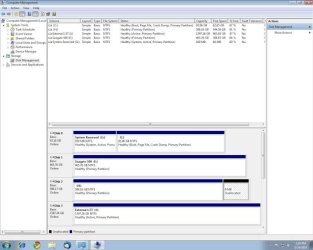
I have a newly built system with Windows 7 Pro installed on a 100 gb SSD and using a 500 gb regular hard drive for storage. I also have a 1.5 tb external USB drive connected. I found that many of my old programs (mainly games) would not work in Windows 7, even with the Virtual XP mode. I decided to set up a dual boot system with XP Pro and bought another 640 gb. regular hard drive to install it on.
I followed the tutorial here about setting up a dual boot where Windows 7 was installed first and it worked flawlessly. Many thanks for the tutorial. I have installed most of my software and it is working again! I have been patting myself on the back for the past few days as I have been working to move all my stuff from the old computer to the new one.
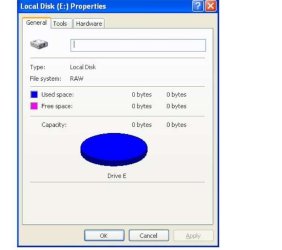
This evening I had booted into XP and wanted to access something on my external hard drive. When I went into Explorer I could not access the external hard drive. I don't know if I could before; this may have been the first time I looked for it. Device Manage does say there is a USB mass storage device connected but when I click on that drive letter in Explorer it shows as blank. When I checked the documentation that came with the external drive it said that if the drive is already connected when Windows starts for the first time it might not recognize it, so I should unplug the external drive, re-start Windows and then plug it back in so Windows XP will recognize it as new hardware and load the drivers. That is when the problems started.
When I try to boot to XP with the external drive disconnected it says there is a problem with my drives and it cannot read the boot disk. It still boots into Windows 7 fine and will boot into XP if I plug the external drive back in. Does that mean that my boot disk for XP has somehow become the external drive? The WINDOWS installation is definitely on the 640 gb. internal drive.
More importantly, how do I fix it?
Thanks for any help.
Bob Hamilton
I hope I am posting this in the correct forum.
I have a newly built system with Windows 7 Pro installed on a 100 gb SSD and using a 500 gb regular hard drive for storage. I also have a 1.5 tb external USB drive connected. I found that many of my old programs (mainly games) would not work in Windows 7, even with the Virtual XP mode. I decided to set up a dual boot system with XP Pro and bought another 640 gb. regular hard drive to install it on.
I followed the tutorial here about setting up a dual boot where Windows 7 was installed first and it worked flawlessly. Many thanks for the tutorial. I have installed most of my software and it is working again! I have been patting myself on the back for the past few days as I have been working to move all my stuff from the old computer to the new one.
This evening I had booted into XP and wanted to access something on my external hard drive. When I went into Explorer I could not access the external hard drive. I don't know if I could before; this may have been the first time I looked for it. Device Manage does say there is a USB mass storage device connected but when I click on that drive letter in Explorer it shows as blank. When I checked the documentation that came with the external drive it said that if the drive is already connected when Windows starts for the first time it might not recognize it, so I should unplug the external drive, re-start Windows and then plug it back in so Windows XP will recognize it as new hardware and load the drivers. That is when the problems started.
When I try to boot to XP with the external drive disconnected it says there is a problem with my drives and it cannot read the boot disk. It still boots into Windows 7 fine and will boot into XP if I plug the external drive back in. Does that mean that my boot disk for XP has somehow become the external drive? The WINDOWS installation is definitely on the 640 gb. internal drive.
More importantly, how do I fix it?
Thanks for any help.
Bob Hamilton
My Computer
- OS
- windows 7
- CPU
- AMD Phenom II 6X 1090T
- Motherboard
- Asus Crosshair IV
- Memory
- 8 gb
- Graphics Card(s)
- Radeon HD 5850 (X2)
- Sound Card
- Integrated