

incurablegeek
As requested
- Local time
- 12:08 PM
- Messages
- 180
Win7 Networking Problem
Well, I went through the nice tutorial http://www.sevenforums.com/tutorials/24232-sharing-permissions.html as I have done so many times.
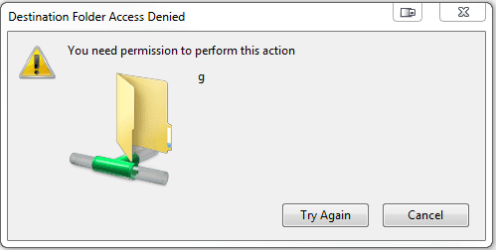
When I try to move files from one computer to the next and set up Allway Sync for backup, I get the attached error message (please see snippet). And I shared both the "From" and the "Target" directories.
Also did the whole "Take Ownership" thingy per essenbe's (always) kind instructions. http://www.sevenforums.com/tutorials/1911-take-ownership-shortcut.html
Note: If you have no life at all and absolutely nothing to do, Windows networking is a great way to while away your time.
---------------
Edit: I added a snippet of threads related to my problem. Please rest assured that I read them.
Edit #2: I have given Full Permission to everyone including the Dali Lama. The odd thing is I can copy files from B to A, but not from A to B as I need to.
Edit: #3: OK, now I can file share BUT I must got to Computer B and open the directory on Computer A (via network) and select the directory that I want to copy from A to B. What I cannot do is what I want to do.
I cannot copy from A to B directly. Therefore I can't set up my AllwaySync program to back up from A to B. All settings (permissions and security) are the same on both Computer A and Computer B directories.
---------------
No wonder Bill Gates retired from Microsoft. Even he couldn't explain this!
Gosh, I miss NT 4.0.
Well, I went through the nice tutorial http://www.sevenforums.com/tutorials/24232-sharing-permissions.html as I have done so many times.
When I try to move files from one computer to the next and set up Allway Sync for backup, I get the attached error message (please see snippet). And I shared both the "From" and the "Target" directories.
Also did the whole "Take Ownership" thingy per essenbe's (always) kind instructions. http://www.sevenforums.com/tutorials/1911-take-ownership-shortcut.html
Note: If you have no life at all and absolutely nothing to do, Windows networking is a great way to while away your time.
---------------
Edit: I added a snippet of threads related to my problem. Please rest assured that I read them.
Edit #2: I have given Full Permission to everyone including the Dali Lama. The odd thing is I can copy files from B to A, but not from A to B as I need to.
Edit: #3: OK, now I can file share BUT I must got to Computer B and open the directory on Computer A (via network) and select the directory that I want to copy from A to B. What I cannot do is what I want to do.
I cannot copy from A to B directly. Therefore I can't set up my AllwaySync program to back up from A to B. All settings (permissions and security) are the same on both Computer A and Computer B directories.
---------------
No wonder Bill Gates retired from Microsoft. Even he couldn't explain this!
Gosh, I miss NT 4.0.
Attachments

Last edited:
My Computer
At a glance
Win 7-64
- OS
- Win 7-64


