
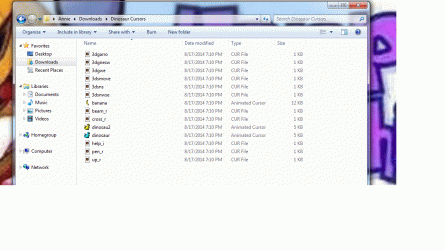
I've searched this a thousand ways, but can get no answer for what I've done and how to correct it, so now I'm here hoping someone can tell me how to undo my stupid mistake. Yesterday I was found a file on this forum that would bring back the Dinosaur Cursor from Windows XP and how I could add them to my Windows 7. Downloaded them, they came in a zip file and then I extracted them to my download file. Then for some stupid reason, I can't explain, I was going to place them in a folder, and while trying to figure out how to make a folder for them I opened the tab that said "Open With". When it opened it had my "Curse Client" listed at the top and it was highlighted and instead of clicking cancel I clicked "ok". And of course, the little check box was checked so now all my zip files are to be opened with my Curse Client. Now I don't know how to remove this default setting. I have enclosed pic of what the file looks like now that I have made my mistake.
Please help if you can.
Please help if you can.
Attachments
My Computer
- Computer type
- PC/Desktop
- Computer Manufacturer/Model Number
- Custom built
- OS
- Windows 7 Home Premium 64bit
- CPU
- AMD Athlon 64x2


