How to Convert Registry Files to their Batch File Equivalents
This Tutorial is a work in progress and is closed for replies. After its completion, it will be opened for replies. In the meantime, if you have any suggestions or spot any glaring omissions/errors, please feel free to PM and/or VM me. Thankyou.
Note
This tutorial will show you the basics of converting registry files so that you can run them as a batch file. This is particularly useful for those files which need administrative privileges to be merged into the registry.
Information
The default behaviour of .reg files is to merge into the registry. However, the merge option only operates with the same privileges as the currently logged in user and, unlike running a program, this cannot be elevated to operate with administrative privileges. Basically, modifying registry keys in the HKCR and HKLM branches requires doing so from within an administrative account or from an equivalent batch file that is run with administrative privileges. This is because information there has a system-wide scope. The HKCU branch is different, and the data there can be modified from within a standard or an administrative account, since the information there pertains to the individual user and not the system as a whole.
The examples shown here are just that - they are to show conversion equivalents and are not designed to carry out any specific function.
All examples are located in the following key:
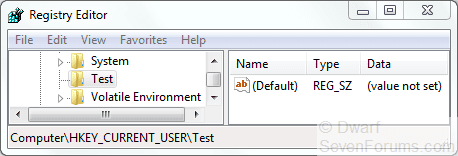
HKEY_CURRENT_USER\Test (.reg file) or HKCU\Test (.bat file)
Actual files will pertain to different sections of the registry, and the equivalent handles (roots) are as follows (.reg file > .bat file):
HKEY_CLASSES_ROOT > HKCR (administrative privileges required)
HKEY_CURRENT_USER > HKCU
HKEY_LOCAL_MACHINE > HKLM (administrative privileges required)
HKEY_USERS > HKU
HKEY_CURRENT_CONFIG > HKCC
The vast majority of registry edits will pertain to one or more of the first three roots listed above.
The primary commands used will be REG ADD and REG DELETE (see below for examples of the syntax).
Code:
Microsoft Windows [Version 6.1.7600]
Copyright (c) 2009 Microsoft Corporation.  All rights reserved.
C:\Windows\system32>reg add /?
REG ADD KeyName [/v ValueName | /ve] [/t Type] [/s Separator] [/d Data] [/f]
  KeyName  [\\Machine\]FullKey
           Machine  Name of remote machine - omitting defaults to the
                    current machine. Only HKLM and HKU are available on remote
                    machines.
           FullKey  ROOTKEY\SubKey
           ROOTKEY  [ HKLM | HKCU | HKCR | HKU | HKCC ]
           SubKey   The full name of a registry key under the selected ROOTKEY.
  /v       The value name, under the selected Key, to add.
  /ve      adds an empty value name (Default) for the key.
  /t       RegKey data types
           [ REG_SZ    | REG_MULTI_SZ | REG_EXPAND_SZ |
             REG_DWORD | REG_QWORD    | REG_BINARY    | REG_NONE ]
           If omitted, REG_SZ is assumed.
  /s       Specify one character that you use as the separator in your data
           string for REG_MULTI_SZ. If omitted, use "\0" as the separator.
  /d       The data to assign to the registry ValueName being added.
  /f       Force overwriting the existing registry entry without prompt.
Examples:
  REG ADD [URL="file://%5C%5CABC%5CHKLM%5CSoftware%5CMyCo"]\\ABC\HKLM\Software\MyCo[/URL]
    Adds a key HKLM\Software\MyCo on remote machine ABC
  REG ADD HKLM\Software\MyCo /v Data /t REG_BINARY /d fe340ead
    Adds a value (name: Data, type: REG_BINARY, data: fe340ead)
  REG ADD HKLM\Software\MyCo /v MRU /t REG_MULTI_SZ /d fax\0mail
    Adds a value (name: MRU, type: REG_MULTI_SZ, data: fax\0mail\0\0)
  REG ADD HKLM\Software\MyCo /v Path /t REG_EXPAND_SZ /d ^%systemroot^%
    Adds a value (name: Path, type: REG_EXPAND_SZ, data: %systemroot%)
    Notice:  Use the caret symbol ( ^ ) inside the expand string
C:\Windows\system32>
Code:
Microsoft Windows [Version 6.1.7600]
Copyright (c) 2009 Microsoft Corporation.  All rights reserved.
C:\Windows\system32>reg delete /?
REG DELETE KeyName [/v ValueName | /ve | /va] [/f]
  KeyName    [\\Machine\]FullKey
    Machine  Name of remote machine - omitting defaults to the current machine.
             Only HKLM and HKU are available on remote machines.
    FullKey  ROOTKEY\SubKey
    ROOTKEY  [ HKLM | HKCU | HKCR | HKU | HKCC ]
    SubKey   The full name of a registry key under the selected ROOTKEY.
  ValueName  The value name, under the selected Key, to delete.
             When omitted, all subkeys and values under the Key are deleted.
  /ve        delete the value of empty value name (Default).
  /va        delete all values under this key.
  /f         Forces the deletion without prompt.
Examples:
  REG DELETE HKLM\Software\MyCo\MyApp\Timeout
    Deletes the registry key Timeout and its all subkeys and values
  REG DELETE [URL="file://%5C%5CZODIAC%5CHKLM%5CSoftware%5CMyCo"]\\ZODIAC\HKLM\Software\MyCo[/URL] /v MTU
    Deletes the registry value MTU under MyCo on ZODIAC
C:\Windows\system32>
Last edited by a moderator: