Reinstalled Windows 7 upgrade to remove keylogger eBlaster

Joad

New member
Local time
6:27 PM
Messages
29
An ex-girlfriend remotely installed the keylogger eBlaster which is made by SpectorSoft. After research, I decided to reinstall my Windows 7 Home Premium 64 bit upgrade disc.

I booted from the DVD drive and arrived at a screen that showed two partitions: recovery and the existing W7 files. I deleted the W7 partition and proceeded with the installation which went fine.

Now, I wonder if some of the eBlaster files could have been installed on the recovery portion of the hard drive. Seems unlikely but need to be sure. Also, there is now a third partition called "System Reserve" at 100 MB. Could that be the work of eBlaster? I assume the recovery partition holds the original Vista OS. Should I leave it alone or delete that partition?

Thanks in advance.
 

My Computer My Computer

Computer type
Laptop
Computer Manufacturer/Model Number
HP Pavilion x360
OS
Windows 10 Home
CPU
Intel i5-8250u
Memory
8.0 Gb
Graphics Card(s)
Intel UHD Graphics 620
Sound Card
Realtek
Screen Resolution
1920x1080
Hard Drives
SanDisk SSD 128 Gb
Keyboard
Standard PS/2 Keyboard
Mouse
Logitech M310
Antivirus
Avast Free
Browser
Chrome
Everything is fine Joad! Good Job!!

The 100MB is for the windows 7 install (do not delete)
As for the recovery partition I'm not sure, (should be fine) someone will be along to advise you what to do. (probably a Scan)
 

My Computer My Computer

Computer type
PC/Desktop
Computer Manufacturer/Model Number
Self Build
OS
MS Windows 7 Professional 64-bit SP1
CPU
AMD FX(tm)-6100 Six-Core Processor Socket AM3+ (942)
Motherboard
ASUSTeK COMPUTER INC. SABERTOOTH 990FX (AM3r2)
Memory
8.00 GB Dual-Channel DDR3 @ 802MHz (11-11-11-36) 1.5Volts
Graphics Card(s)
NVIDIA GeForce GTX 560 Ti
Sound Card
Onboard Realtek HD
Monitor(s) Displays
shimian (1920x1080@60Hz)
Screen Resolution
1920*1080
Hard Drives
OCZ-AGIL ITY3 SATA Disk Device 120GB
PSU
Corsair TX 750
Case
Corsair
Cooling
WaterCooled
Keyboard
Microsoft Wired
Mouse
Logitech USB Optical TiltWheel Mouse
Internet Speed
Realtek PCIe GBE Family Controller 20MB*1MB
Antivirus
Avast
Browser
Firefox
Other Info
150GB Internal Hard Drive for Backing Up Important Files -
Hauppauge Nova-DT Dual DVB-T Tuner Device (+IR) -
USB PC Camera with Mic (SN9C105)
The article you linked states:

This will show you how to do a Clean Install using a retail Upgrade Windows 7 installation disc.

The upgrade disc I used is an OEM.
 

My Computer My Computer

Computer type
Laptop
Computer Manufacturer/Model Number
HP Pavilion x360
OS
Windows 10 Home
CPU
Intel i5-8250u
Memory
8.0 Gb
Graphics Card(s)
Intel UHD Graphics 620
Sound Card
Realtek
Screen Resolution
1920x1080
Hard Drives
SanDisk SSD 128 Gb
Keyboard
Standard PS/2 Keyboard
Mouse
Logitech M310
Antivirus
Avast Free
Browser
Chrome
The recovery partition would be untouched unless you had system restore turned on and restore points got written to recovery which can happen if you're not careful. Some OEMs have or at least used to have this idiotic default setup whereby restore points would be saved that way, ultimately causing the recovery partition to become unusable apart from giving annoying low disk space warnings. Of course, if your computer was not setup that way, you should be fine.

In addition, would suggest you delete all old restore points saved onto a non-windows partition (if any). One thing you can do is to completely ditch the recovery partition option and instead image your nice new clean install using macrium reflect. Do this after you've got all apps and drivers installed and tweaked. That way you can restore the system in a jiffy without bothering with software reinstalls.

If you had made recovery disks before this trauma, they are equivalent to having the recovery partition.
 

My Computer My Computer

Computer Manufacturer/Model Number
Too many to describe...
OS
Windows 7 x64 pro/ Windows 7 x86 Pro/ XP SP3 x86
The recovery partition would be untouched unless you had system restore turned on and restore points got written to recovery which can happen if you're not careful. Some OEMs have or at least used to have this idiotic default setup whereby restore points would be saved that way, ultimately causing the recovery partition to become unusable apart from giving annoying low disk space warnings. Of course, if your computer was not setup that way, you should be fine.

In addition, would suggest you delete all old restore points saved onto a non-windows partition (if any). One thing you can do is to completely ditch the recovery partition option and instead image your nice new clean install using macrium reflect. Do this after you've got all apps and drivers installed and tweaked. That way you can restore the system in a jiffy without bothering with software reinstalls.

If you had made recovery disks before this trauma, they are equivalent to having the recovery partition.

Trauma is the appropriate word. :D

Just learned how to view Disk Management and apparently the recovery partition is empty. It shows capacty @ 11.72 GB with 11.72 GB free. Not sure how it got deleted. Maybe during the original upgrade process?
 

My Computer My Computer

Computer type
Laptop
Computer Manufacturer/Model Number
HP Pavilion x360
OS
Windows 10 Home
CPU
Intel i5-8250u
Memory
8.0 Gb
Graphics Card(s)
Intel UHD Graphics 620
Sound Card
Realtek
Screen Resolution
1920x1080
Hard Drives
SanDisk SSD 128 Gb
Keyboard
Standard PS/2 Keyboard
Mouse
Logitech M310
Antivirus
Avast Free
Browser
Chrome
It may have its files hidden. Boot free Partition Wizard bootable CD, rightclick Recov Partition to Explore to see if files are intact. If not, you can rightclick it again to Wipe it with a set of zeroes to overwrite any infected or corrupt code. Then Create a new partition or Resize Win7 into the deleted space.

Hopefully you made the Recovery Disks before clean reinstalling. But you apparently have an Installation DVD which is a much better option anyway.

If you didn't wipe the partiition where you reinstall Win7, there could be infected code on it as well, so you might want to start over by wiping the entire HD using PW CD Disk tab, or the tutorial earlier posted by theog to wipe HD with Diskpart.

You can use any retail installer whether OEM, upgrade or full version to reinstall your version of Win7.
 
I was unable to confirm or deny the existence of the keylogger after I did the reinstall. I decided to do a clean install of Windows 7 with the DVD upgrade disk. I deleted everythng on the hard drive and proceeded with a clean install. Microsoft verified Windows 7 with no issues. :D

I was certain this would kill the keylogger but a friend suggested that a sophisticated keylogger could hide files in the BIOS and reinstall itself after the clean install. If so, I guess I am stuck with it.

I read on the Spector Soft/eBlaster website that its keyloggers use Windows Explorer to send activity emails to its client so I blocked both instances - 32 and 64 bit - of Windows Explorer with Zone Alarm.

If there are any other things I can do, I would appreciate the feedback.
 

My Computer My Computer

Computer type
Laptop
Computer Manufacturer/Model Number
HP Pavilion x360
OS
Windows 10 Home
CPU
Intel i5-8250u
Memory
8.0 Gb
Graphics Card(s)
Intel UHD Graphics 620
Sound Card
Realtek
Screen Resolution
1920x1080
Hard Drives
SanDisk SSD 128 Gb
Keyboard
Standard PS/2 Keyboard
Mouse
Logitech M310
Antivirus
Avast Free
Browser
Chrome
I blocked both instances - 32 and 64 bit - of Windows Explorer with Zone Alarm.
If there are any other things I can do, I would appreciate the feedback.

I am not a fan of Zone Alarm, especially when one of their updates a while back really crumped a lot of machines.

You might want to look at a AV with a firewall.

I use Vipre premium and it seems to protect most of my friends and clients without being intrusive. vipre.com will get you close.

Just a thought, not a sermon. :)

Rich
 

My Computer My Computer

Computer type
Laptop
Computer Manufacturer/Model Number
Toshiba Laptop Qosimo X870
OS
Windows 7 Pro x64 SP1
CPU
Intel Core I7
Motherboard
Toshiba Qosmio
Memory
16 Gigs
Graphics Card(s)
NVIDIA GeForce GTX 670M
Monitor(s) Displays
17.7" laptop
Screen Resolution
1600 x 900
Hard Drives
256 Gig SanDisk SSD for C
256 Gig Intel SSD for D
Internet Speed
50/25 FIOS
Antivirus
Vipre (all you can eat for 10 machines)
Browser
IE and FF
Other Info
I have dos 6.22, wfwg 3.11, win98, 2000 and xp VHD's available for testing. MS's Virtual PC works great.
I hoped you wiped the HD as suggested using a 3rd party tool or DISKPART Clean All command as deleting or formatting erases nothing and infected code is still there otherwise.

Use free MS Security Essentials or Avast 5 with the Win7 firewall for best performance. Malwarebytes is good for on-demand scanning.
 
Thank you for your input everyone. Sorry it has taken a while to get back to this but this morning I will run diskpart and then continue with a clean install of Windows 7. Will post back when complete.
 

My Computer My Computer

Computer type
Laptop
Computer Manufacturer/Model Number
HP Pavilion x360
OS
Windows 10 Home
CPU
Intel i5-8250u
Memory
8.0 Gb
Graphics Card(s)
Intel UHD Graphics 620
Sound Card
Realtek
Screen Resolution
1920x1080
Hard Drives
SanDisk SSD 128 Gb
Keyboard
Standard PS/2 Keyboard
Mouse
Logitech M310
Antivirus
Avast Free
Browser
Chrome
An ex-girlfriend remotely installed the keylogger eBlaster which is made by SpectorSoft.

:shock: My goodness.

Sorry to hear this man. Good work catching it though. Now I see why she's an ex.
 

My Computer My Computer

Computer Manufacturer/Model Number
Toshiba P300
OS
Windows 8 Pro
CPU
Intel Centrino Dual Core P7450 2.13GHz
Memory
4gb
Graphics Card(s)
ATI Mobility Raedon HD3650
Hard Drives
Toshiba MK3252GSX ATA
Internet Speed
Wish it were faster
Diskpart is running but I have a question: I read that a keylogger can hide in memory. After diskpark finishes and I partition the hard drive, how can I delete any files/data in memory? Or will erasing the hard drive remove all memory files? Thanks.
 

My Computer My Computer

Computer type
Laptop
Computer Manufacturer/Model Number
HP Pavilion x360
OS
Windows 10 Home
CPU
Intel i5-8250u
Memory
8.0 Gb
Graphics Card(s)
Intel UHD Graphics 620
Sound Card
Realtek
Screen Resolution
1920x1080
Hard Drives
SanDisk SSD 128 Gb
Keyboard
Standard PS/2 Keyboard
Mouse
Logitech M310
Antivirus
Avast Free
Browser
Chrome
If you're using the "clean all" command in diskpart, it's gone.

What you do need to be careful of is the media you backed up and are planning to restore.
 

My Computer My Computer

Computer Manufacturer/Model Number
Toshiba P300
OS
Windows 8 Pro
CPU
Intel Centrino Dual Core P7450 2.13GHz
Memory
4gb
Graphics Card(s)
ATI Mobility Raedon HD3650
Hard Drives
Toshiba MK3252GSX ATA
Internet Speed
Wish it were faster
If you're using the "clean all" command in diskpart, it's gone.

What you do need to be careful of is the media you backed up and are planning to restore.

Okay, thanks.

Here is the situation. I bought the computer loaded with Vista 64. It was a couple of months before Windows 7 hit the market so the retailer/mfg. offered a free upgrade to Windows 7 64. I got the upgrade disk from the mfg. a couple of months later and installed it. It is that disk I am using to do a clean intall. Is this okay?
 

My Computer My Computer

Computer type
Laptop
Computer Manufacturer/Model Number
HP Pavilion x360
OS
Windows 10 Home
CPU
Intel i5-8250u
Memory
8.0 Gb
Graphics Card(s)
Intel UHD Graphics 620
Sound Card
Realtek
Screen Resolution
1920x1080
Hard Drives
SanDisk SSD 128 Gb
Keyboard
Standard PS/2 Keyboard
Mouse
Logitech M310
Antivirus
Avast Free
Browser
Chrome

My Computer My Computer

Computer Manufacturer/Model Number
Toshiba P300
OS
Windows 8 Pro
CPU
Intel Centrino Dual Core P7450 2.13GHz
Memory
4gb
Graphics Card(s)
ATI Mobility Raedon HD3650
Hard Drives
Toshiba MK3252GSX ATA
Internet Speed
Wish it were faster
Yes, Win 7 came with its own key. "Clean all" is running now. When complete, I will partition the hard drive and then return to the Win 7 installation screen.
 

My Computer My Computer

Computer type
Laptop
Computer Manufacturer/Model Number
HP Pavilion x360
OS
Windows 10 Home
CPU
Intel i5-8250u
Memory
8.0 Gb
Graphics Card(s)
Intel UHD Graphics 620
Sound Card
Realtek
Screen Resolution
1920x1080
Hard Drives
SanDisk SSD 128 Gb
Keyboard
Standard PS/2 Keyboard
Mouse
Logitech M310
Antivirus
Avast Free
Browser
Chrome
Reinstall of Win 7 just completed. Windows activated with no issues.

This is the best support forum on the web. Mega thanks to everyone who contributed to this thread. I get nervous doing things like this but the instructions in the tutorials are so clear, even I can follow them. :D

I have already installed free Avast and am back to using the Win 7 firewall as a member earlier suggested.
 

My Computer My Computer

Computer type
Laptop
Computer Manufacturer/Model Number
HP Pavilion x360
OS
Windows 10 Home
CPU
Intel i5-8250u
Memory
8.0 Gb
Graphics Card(s)
Intel UHD Graphics 620
Sound Card
Realtek
Screen Resolution
1920x1080
Hard Drives
SanDisk SSD 128 Gb
Keyboard
Standard PS/2 Keyboard
Mouse
Logitech M310
Antivirus
Avast Free
Browser
Chrome
Premature nirvana.

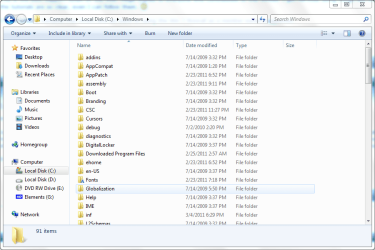
Just looked at my Windows folders/files. Some are dated 7/13/2009, 7/14/2009, 8/26/2009 and many files that reflect the recent install date of 2/28/2011. However, there is one file, explorer.exe, with a date of 10/31/2009. Its size is 2.803 Kb but on Task Manager the Memory column shows 56,752 K. There is also a previous version of explorers.exe dated 7/13/2009, which makes sense. No other file has a date of 10/31/2009 so it makes me suspicious.

Do I have a problem?
 

My Computer My Computer

Computer type
Laptop
Computer Manufacturer/Model Number
HP Pavilion x360
OS
Windows 10 Home
CPU
Intel i5-8250u
Memory
8.0 Gb
Graphics Card(s)
Intel UHD Graphics 620
Sound Card
Realtek
Screen Resolution
1920x1080
Hard Drives
SanDisk SSD 128 Gb
Keyboard
Standard PS/2 Keyboard
Mouse
Logitech M310
Antivirus
Avast Free
Browser
Chrome
Nope, you're all good to go.

Just some proof to ease your mind.
 

Attachments

  • Capture 7.PNG
    Capture 7.PNG
    40.5 KB · Views: 24

My Computer My Computer

Computer Manufacturer/Model Number
Toshiba P300
OS
Windows 8 Pro
CPU
Intel Centrino Dual Core P7450 2.13GHz
Memory
4gb
Graphics Card(s)
ATI Mobility Raedon HD3650
Hard Drives
Toshiba MK3252GSX ATA
Internet Speed
Wish it were faster
Back
Top