
I am instructed that before starting a new thread, I should please read and follow these instructions:
For Windows Update problems - Windows Update Posting Instructions. I click on it.
Those posting instructions take me to another sevenforums page where I'm further instructed to click on System Update Readiness Tool fixes Windows Update errors in Windows 8, Windows 7, Windows Vista, Windows Server 2008 R2, and Windows Server 2008.
Clicking on that does take me to a Microsoft page headed Fix Windows Update errors by using the DISM or System Update Readiness tool.
When I scroll down that page I find For Windows 7, Windows Vista, Windows Server 2008 R2 or Windows Server 2008 (this is becoming exhausting). Scrolling to the second item x64-based (64-bit) versions of Windows 7 SP1 and Windows 7 I am (finally) presented with the option to Download the package now.
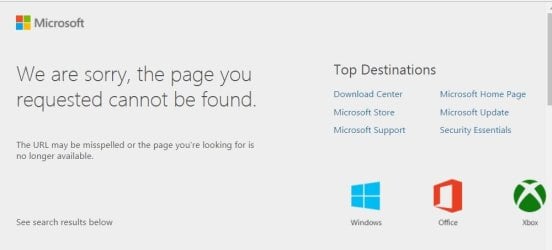
Unfortunately, on 2 different computers I get the following:
For Windows Update problems - Windows Update Posting Instructions. I click on it.
Those posting instructions take me to another sevenforums page where I'm further instructed to click on System Update Readiness Tool fixes Windows Update errors in Windows 8, Windows 7, Windows Vista, Windows Server 2008 R2, and Windows Server 2008.
Clicking on that does take me to a Microsoft page headed Fix Windows Update errors by using the DISM or System Update Readiness tool.
When I scroll down that page I find For Windows 7, Windows Vista, Windows Server 2008 R2 or Windows Server 2008 (this is becoming exhausting). Scrolling to the second item x64-based (64-bit) versions of Windows 7 SP1 and Windows 7 I am (finally) presented with the option to Download the package now.
Unfortunately, on 2 different computers I get the following:
Attachments
My Computer
- Computer type
- Laptop
- OS
- Windows 7 home premium 64 bit
- CPU
- AMD K10
- Motherboard
- Hewlett-Packard 1444 (Socket S1G4)
- Memory
- 3.00GB Dual-Channel DDR3 @ 532MHz
- Graphics Card(s)
- ATI AMD M880G with ATI Mobility Radeon HD 4250 (HP)
- Sound Card
- Realtek
- Screen Resolution
- 1366 x 768
- Hard Drives
- 465GB Western Digital
- Antivirus
- MSE


