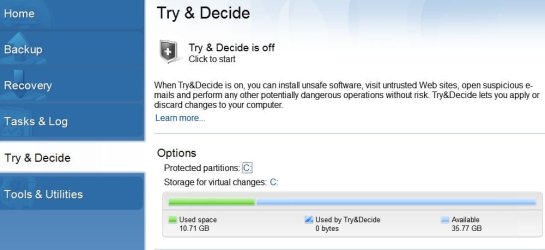
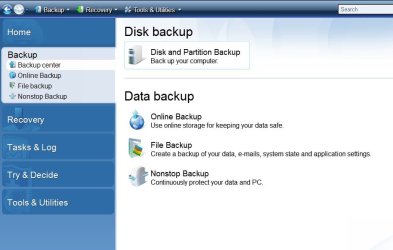
Acronis True Image Home 2010 / SSD / Try and Decide

stereo

New member
Member
VIP
Local time
6:18 PM
Messages
541
Hello.
I want to ask you some questions about ATI 2010 / SSD compatibility / Try and Decide option
My OS is Windows 7 / 32 bit. I have a new SSD, OCZ Vertex2 and 2 more HDD's
The SSD is for the C partition, and the other 2 HDD's are only for storage. When i used to have C on HDD, i never had problems with the option Try and Decide, but now, with the SSD as OS partition, almost everytime when i test a program, i enable Try and Decide and can test whatever i want, with no fear of viruses or whatever.
But after i reboot, i have there 2 options : Continue in the Mode and Stop and Discard changes ( something like that )
When i press Stop and Discard changes,Windows starts up, etc .... Mozilla Firefox 5, my default browser is messed up.
A lot of changes / options / settings from Mozilla, are up side down. I don't understand how comes, but it's true. :party: :party: :party:
Every other programs / settings are okay after i use Try and Decide, except Mozilla Firefox.
I never used System Restore from Windows 7, and i don't wanna use it. I wish i could restore my backup image, often, but i heard is not recommended for SSD ( life time - shorter, etc )
I mention that i didn't created the Acronis Secure Zone. Could that be the reason ?
But when i used the HDD as C partition, some time before, i didn't have those problems, and i never created Acronis Secure Zone.
Could be, maybe, some compatibility between ATI Home 2010 and SSD ?
Please give me some tips, i really need / like / use a lot / Acronis, i don't wanna change this program
Thanks in advance.
 

My Computer My Computer

At a glance

Windows 7 Ultimate x64Intel7 4790K8 GB DDR3GTX 980Ti G1
Computer type
PC/Desktop
OS
Windows 7 Ultimate x64
CPU
Intel7 4790K
Motherboard
Gigabyte GA-Z97X UD5H
Memory
8 GB DDR3
Graphics Card(s)
GTX 980Ti G1
Sound Card
SoundBlaster X-FI XtremeGamer
Monitor(s) Displays
Samsung UE40JU6550 UHD
Screen Resolution
3840 X 2160
Hard Drives
1 SSD Intel 330
2 x Western Digital 6400 AAKS
1 x Western Digital 3200 AAKS
PSU
Corsair 750W
Case
Cooler Master HAF 922
It may be a good idea to have your Try and Decide partition on a seperate Hard Drive (other than with the OS) , but it doesnt have to be ASZ, unless you prefer it to be.
Same for any other type of backup.


As far as restoring Images go, it will not hurt the SSD.
Ive done so many full disc restores to my SSD I couldn't possibly count them all. Its fine.

From what you have said, your SSD contains only Windows and Apps, correct? App DATA is located elsewhere?

I would just doing a Full disc image of the SSD, and restoring it in that same manner, rather than by partition. Although that would work fine as well, a full image is easiest IMHO.
 

My Computer My Computer

At a glance

Windows 7 Home Premium 64bitIntel Core i7 2700k8GB Mushkin Redline Ridgebacks @1866EVGA GTX570 SC
Computer Manufacturer/Model Number
Custom (Self Build)
OS
Windows 7 Home Premium 64bit
CPU
Intel Core i7 2700k
Motherboard
eVGA P67 SLI
Memory
8GB Mushkin Redline Ridgebacks @1866
Graphics Card(s)
EVGA GTX570 SC
Sound Card
XiFi Titanium HD
Monitor(s) Displays
LG W2453V
Screen Resolution
1920x1080
Hard Drives
Intel 320 80GB -- Intel X25-V 40GB --WD Black 1TB x2 -- WD Blue 640GB
PSU
Seasonic x750
Case
Corsair 600T SE White
Cooling
eVGA Superclocked CPU Cooler
Keyboard
Saitek Cyborg
Antivirus
Kaspersky
Browser
IE
Other Info
LG BD/DVD
It may be a good idea to have your Try and Decide partition on a seperate Hard Drive (other than with the OS) , but it doesnt have to be ASZ, unless you prefer it to be.
Same for any other type of backup.


As far as restoring Images go, it will not hurt the SSD.
Ive done so many full disc restores to my SSD I couldn't possibly count them all. Its fine.

From what you have said, your SSD contains only Windows and Apps, correct? App DATA is located elsewhere?

I would just doing a Full disc image of the SSD, and restoring it in that same manner, rather than by partition. Although that would work fine as well, a full image is easiest IMHO.
Wishmaster, i think you saved me :thumbsup:
Let's take it step by step:
first of all, i don't really know what Acronis Try and Decide is doing, i mean the way is working.
Let's give an example : i want to test the software X, okay ? Before i install X, i activate Try and Decide.
After that, i install X. What happent with this program X ? Where is X installed ?
On this " Try and Decide private partition" ??? If Try And Decide would be on D ( HDD ) the program X would be installed on D ? :D Sorry, i don't know how to ask.
Okay, and now the second part : i never did a Full disc image, only partition image.
What's the difference, actually ?
About my SSD - C partition, yes, it contains only only Windows and Apps.
App DATA is located on C / Users / my username / AppData
Is that wrong ? I only removed My Documents to D ( HDD ) because there are a lot of folders "saved games" and i wanna keep them in D partition.
And about restoring the backup image often, i heard that's very bad for SSD.
After 4 days of using my new SSD, i have ( SSD Life soft ) about :
DATA READ 320 GB
DATA WRITTEN 192 GB
Is that not to much, after 4 days ? :D :D
Would you explain it to me, please, about Full disc image - backup and recovery ?
Thanks a million.
 

My Computer My Computer

At a glance

Windows 7 Ultimate x64Intel7 4790K8 GB DDR3GTX 980Ti G1
Computer type
PC/Desktop
OS
Windows 7 Ultimate x64
CPU
Intel7 4790K
Motherboard
Gigabyte GA-Z97X UD5H
Memory
8 GB DDR3
Graphics Card(s)
GTX 980Ti G1
Sound Card
SoundBlaster X-FI XtremeGamer
Monitor(s) Displays
Samsung UE40JU6550 UHD
Screen Resolution
3840 X 2160
Hard Drives
1 SSD Intel 330
2 x Western Digital 6400 AAKS
1 x Western Digital 3200 AAKS
PSU
Corsair 750W
Case
Cooler Master HAF 922
Confused

Try and decide is mounted to a virtual disk not one of your "real" disks. I am running both 2010 and 2011 on (different machines) from SSD's with no problems. If I understand your post you have another problem.
 

My Computer My Computer

At a glance

win 7 X64 Ultimate SP1I3770KG Skill F3-14900CL9-4GBXL x 4NVIDIA GeForce GTX670 + Intel 4000
Computer Manufacturer/Model Number
BGC (Bob's Garage Crew)
OS
win 7 X64 Ultimate SP1
CPU
I3770K
Motherboard
Asus P8Z77-V Deluxe
Memory
G Skill F3-14900CL9-4GBXL x 4
Graphics Card(s)
NVIDIA GeForce GTX670 + Intel 4000
Sound Card
Realtek HD 5.1 (MOB)
Monitor(s) Displays
Asus VW224T (1)
Screen Resolution
1920 x 1080
Hard Drives
SATA Corsair Force GT 2.5" 180GB (System) Sata 3
OCZ Vertex3 120GB
OCZ Vertex 2 120GB 2.5" SATA II
ST31000524AS 1000.2GB
WD15EARS (External)
PSU
CoolerMaster 1000 Watt
Case
CoolerMaster HAF X
Cooling
CPU -- CoolerMaster 520N
Keyboard
MS Wireless 3000 V2
Mouse
MS Wireless 3000 V2
Internet Speed
Cable
Antivirus
Norton Internet Security
Browser
IE9
Other Info
AMI Bios 1805
OC'd 3%
Try and decide is mounted to a virtual disk not one of your "real" disks. I am running both 2010 and 2011 on (different machines) from SSD's with no problems. If I understand your post you have another problem.
ATI 2010 it's okay, only the option Try and Decide doesen't work 100 % :p
If i put Try and Decide on D partition ( HDD ) would be okay 20 GB allocated space ?
I ask that, because it could happent that i install / try / VirtualBox and with 2-3 Linux OS inside, which is a lot of used space, for Try and Decide.
It's just an example, of course.
So, whatever i install when Try and Decide is ON, the installed program is on that mounted virtual disk ?
Offtopic : Did you use often restore image on your SSD ?
I heard that's harmful for SSD's
Thank you.
 

My Computer My Computer

At a glance

Windows 7 Ultimate x64Intel7 4790K8 GB DDR3GTX 980Ti G1
Computer type
PC/Desktop
OS
Windows 7 Ultimate x64
CPU
Intel7 4790K
Motherboard
Gigabyte GA-Z97X UD5H
Memory
8 GB DDR3
Graphics Card(s)
GTX 980Ti G1
Sound Card
SoundBlaster X-FI XtremeGamer
Monitor(s) Displays
Samsung UE40JU6550 UHD
Screen Resolution
3840 X 2160
Hard Drives
1 SSD Intel 330
2 x Western Digital 6400 AAKS
1 x Western Digital 3200 AAKS
PSU
Corsair 750W
Case
Cooler Master HAF 922
Try and Decide

Try and Decide is part of your ATI software it is installed where ever you installed ATI. When ever you invoke it it starts a virtual disk and assigns a drive letter that is not being used.

This virtual disk will not harm any hardware of your machine that includes your SSD. Where ever you picked up that info they are misinformed.

The intent of Try and decide is for you to make changes, add programs etc. In this virtual environment to see if there is any negative impact or just for you try out new software.

The copy of your OS in the virtual environment has every thing that you need operate while using the virtual disk. Nothing is written (data, any changes) until you close try and decide. Then you can save or discard changes. If you save it is written to disk. If you have installed a program for instance it wil be written to the destination that you chose when installing. If you discard, everything just "evaporates".
 

My Computer My Computer

At a glance

win 7 X64 Ultimate SP1I3770KG Skill F3-14900CL9-4GBXL x 4NVIDIA GeForce GTX670 + Intel 4000
Computer Manufacturer/Model Number
BGC (Bob's Garage Crew)
OS
win 7 X64 Ultimate SP1
CPU
I3770K
Motherboard
Asus P8Z77-V Deluxe
Memory
G Skill F3-14900CL9-4GBXL x 4
Graphics Card(s)
NVIDIA GeForce GTX670 + Intel 4000
Sound Card
Realtek HD 5.1 (MOB)
Monitor(s) Displays
Asus VW224T (1)
Screen Resolution
1920 x 1080
Hard Drives
SATA Corsair Force GT 2.5" 180GB (System) Sata 3
OCZ Vertex3 120GB
OCZ Vertex 2 120GB 2.5" SATA II
ST31000524AS 1000.2GB
WD15EARS (External)
PSU
CoolerMaster 1000 Watt
Case
CoolerMaster HAF X
Cooling
CPU -- CoolerMaster 520N
Keyboard
MS Wireless 3000 V2
Mouse
MS Wireless 3000 V2
Internet Speed
Cable
Antivirus
Norton Internet Security
Browser
IE9
Other Info
AMI Bios 1805
OC'd 3%
But, i think that's not a very good if i have Try and Decide on D ( HDD ) partition.
Let's say i try one program. I like it. I wanna apply changes, so the program should remain / be installed
This program which i just tested, would be installed on D , if Try and Decide is on D ?
I think so... and unfortunately i don't wanna install programs ( except games ) on D
:(

You said "Try and Decide is part of your ATI software it is installed where ever you installed ATI. When ever you invoke it it starts a virtual disk and assigns a drive letter that is not being used"
I know that Try and Decide is part of Acronis True Image. But as you said, i can create Try and Decide
( Storage for virtual changes ) on D or E .....

LE : sorry, i didn't read careful this part
"If you have installed a program for instance it wil be written to the destination that you chose when installing"
Hmmm, if i move Try and Decide to D, and i wanna test some program, can i choice C / Program Files ?
If i choice this destination, what's the point about Try and Decide to D ?
That makes me confuse, because i don't know if i wanna keep or not this program.
 

My Computer My Computer

At a glance

Windows 7 Ultimate x64Intel7 4790K8 GB DDR3GTX 980Ti G1
Computer type
PC/Desktop
OS
Windows 7 Ultimate x64
CPU
Intel7 4790K
Motherboard
Gigabyte GA-Z97X UD5H
Memory
8 GB DDR3
Graphics Card(s)
GTX 980Ti G1
Sound Card
SoundBlaster X-FI XtremeGamer
Monitor(s) Displays
Samsung UE40JU6550 UHD
Screen Resolution
3840 X 2160
Hard Drives
1 SSD Intel 330
2 x Western Digital 6400 AAKS
1 x Western Digital 3200 AAKS
PSU
Corsair 750W
Case
Cooler Master HAF 922
Disk Imaging

With Ati you can write a disk image of your entire disk at the time the job is initiated. You can save it to a location of your choice. USB stick for instance or to an external disk. With the latter is my preference but I also keep one image on a USB stick. When ever I deem a restore is needed to my OS I can use these images to restore from. It can be initiated from within windows or you can use the ATI boot disk that you should have created.
 

My Computer My Computer

At a glance

win 7 X64 Ultimate SP1I3770KG Skill F3-14900CL9-4GBXL x 4NVIDIA GeForce GTX670 + Intel 4000
Computer Manufacturer/Model Number
BGC (Bob's Garage Crew)
OS
win 7 X64 Ultimate SP1
CPU
I3770K
Motherboard
Asus P8Z77-V Deluxe
Memory
G Skill F3-14900CL9-4GBXL x 4
Graphics Card(s)
NVIDIA GeForce GTX670 + Intel 4000
Sound Card
Realtek HD 5.1 (MOB)
Monitor(s) Displays
Asus VW224T (1)
Screen Resolution
1920 x 1080
Hard Drives
SATA Corsair Force GT 2.5" 180GB (System) Sata 3
OCZ Vertex3 120GB
OCZ Vertex 2 120GB 2.5" SATA II
ST31000524AS 1000.2GB
WD15EARS (External)
PSU
CoolerMaster 1000 Watt
Case
CoolerMaster HAF X
Cooling
CPU -- CoolerMaster 520N
Keyboard
MS Wireless 3000 V2
Mouse
MS Wireless 3000 V2
Internet Speed
Cable
Antivirus
Norton Internet Security
Browser
IE9
Other Info
AMI Bios 1805
OC'd 3%
c: or D:?

You don't need to assign a size to the Virtual disk it is in ram and ATI will decide what size.
 

My Computer My Computer

At a glance

win 7 X64 Ultimate SP1I3770KG Skill F3-14900CL9-4GBXL x 4NVIDIA GeForce GTX670 + Intel 4000
Computer Manufacturer/Model Number
BGC (Bob's Garage Crew)
OS
win 7 X64 Ultimate SP1
CPU
I3770K
Motherboard
Asus P8Z77-V Deluxe
Memory
G Skill F3-14900CL9-4GBXL x 4
Graphics Card(s)
NVIDIA GeForce GTX670 + Intel 4000
Sound Card
Realtek HD 5.1 (MOB)
Monitor(s) Displays
Asus VW224T (1)
Screen Resolution
1920 x 1080
Hard Drives
SATA Corsair Force GT 2.5" 180GB (System) Sata 3
OCZ Vertex3 120GB
OCZ Vertex 2 120GB 2.5" SATA II
ST31000524AS 1000.2GB
WD15EARS (External)
PSU
CoolerMaster 1000 Watt
Case
CoolerMaster HAF X
Cooling
CPU -- CoolerMaster 520N
Keyboard
MS Wireless 3000 V2
Mouse
MS Wireless 3000 V2
Internet Speed
Cable
Antivirus
Norton Internet Security
Browser
IE9
Other Info
AMI Bios 1805
OC'd 3%
With Ati you can write a disk image of your entire disk at the time the job is initiated. You can save it to a location of your choice. USB stick for instance or to an external disk. With the latter is my preference but I also keep one image on a USB stick. When ever I deem a restore is needed to my OS I can use these images to restore from. It can be initiated from within windows or you can use the ATI boot disk that you should have created.
That's 100 % the way i do with the backup image
:)
That's why i asked where is the difference between full disc backup and image ( C partition ) backup
 

My Computer My Computer

At a glance

Windows 7 Ultimate x64Intel7 4790K8 GB DDR3GTX 980Ti G1
Computer type
PC/Desktop
OS
Windows 7 Ultimate x64
CPU
Intel7 4790K
Motherboard
Gigabyte GA-Z97X UD5H
Memory
8 GB DDR3
Graphics Card(s)
GTX 980Ti G1
Sound Card
SoundBlaster X-FI XtremeGamer
Monitor(s) Displays
Samsung UE40JU6550 UHD
Screen Resolution
3840 X 2160
Hard Drives
1 SSD Intel 330
2 x Western Digital 6400 AAKS
1 x Western Digital 3200 AAKS
PSU
Corsair 750W
Case
Cooler Master HAF 922
You don't need to assign a size to the Virtual disk it is in ram and ATI will decide what size.
Okay, i'll give it a try, now
Be right back
LE : Here i have 2 options to modify C
Do i have to change them, both, to D ? Would be better ?
Thanks
 

Attachments

  • ATI.jpg
    ATI.jpg
    43 KB · Views: 8

My Computer My Computer

At a glance

Windows 7 Ultimate x64Intel7 4790K8 GB DDR3GTX 980Ti G1
Computer type
PC/Desktop
OS
Windows 7 Ultimate x64
CPU
Intel7 4790K
Motherboard
Gigabyte GA-Z97X UD5H
Memory
8 GB DDR3
Graphics Card(s)
GTX 980Ti G1
Sound Card
SoundBlaster X-FI XtremeGamer
Monitor(s) Displays
Samsung UE40JU6550 UHD
Screen Resolution
3840 X 2160
Hard Drives
1 SSD Intel 330
2 x Western Digital 6400 AAKS
1 x Western Digital 3200 AAKS
PSU
Corsair 750W
Case
Cooler Master HAF 922
Misconceptions

Let the software assign the disk letter. None of the data goes to your "real" disks until your choose save. The virtual disk will operate just as if you were on your boot disk. (The virtual disk is in ram not on a physical disk)
Example: Try and Decide working and I install fubar software. The installation asks me where to install. I pick D:\programs\fubar and everything progresses. I try out fubar and i decide to keep the changes. So I do a save when I close Try and Decide. Fubar will be written to D: disk as I designated. My registry will be updated and the software shows up as if I had never heard of Try and Decide. But lets say I didn't like the new software. So I do a discard when I close Try and Decide. AtI dismounts the virtual disk and does not save any changes (The changes are in ram). My disks are now in the same state they were before I tried out the new software.
 

My Computer My Computer

At a glance

win 7 X64 Ultimate SP1I3770KG Skill F3-14900CL9-4GBXL x 4NVIDIA GeForce GTX670 + Intel 4000
Computer Manufacturer/Model Number
BGC (Bob's Garage Crew)
OS
win 7 X64 Ultimate SP1
CPU
I3770K
Motherboard
Asus P8Z77-V Deluxe
Memory
G Skill F3-14900CL9-4GBXL x 4
Graphics Card(s)
NVIDIA GeForce GTX670 + Intel 4000
Sound Card
Realtek HD 5.1 (MOB)
Monitor(s) Displays
Asus VW224T (1)
Screen Resolution
1920 x 1080
Hard Drives
SATA Corsair Force GT 2.5" 180GB (System) Sata 3
OCZ Vertex3 120GB
OCZ Vertex 2 120GB 2.5" SATA II
ST31000524AS 1000.2GB
WD15EARS (External)
PSU
CoolerMaster 1000 Watt
Case
CoolerMaster HAF X
Cooling
CPU -- CoolerMaster 520N
Keyboard
MS Wireless 3000 V2
Mouse
MS Wireless 3000 V2
Internet Speed
Cable
Antivirus
Norton Internet Security
Browser
IE9
Other Info
AMI Bios 1805
OC'd 3%
Let the software assign the disk letter. None of the data goes to your "real" disks until your choose save. The virtual disk will operate just as if you were on your boot disk. (The virtual disk is in ram not on a physical disk)
Example: Try and Decide working and I install fubar software. The installation asks me where to install. I pick D:\programs\fubar and everything progresses. I try out fubar and i decide to keep the changes. So I do a save when I close Try and Decide. Fubar will be written to D: disk as I designated. My registry will be updated and the software shows up as if I had never heard of Try and Decide. But lets say I didn't like the new software. So I do a discard when I close Try and Decide. AtI dismounts the virtual disk and does not save any changes (The changes are in ram). My disks are now in the same state they were before I tried out the new software.
I understand perfect :) But i don't want ( in case i wanna keep Fubar ) installed on D

" The installation asks me where to install. I pick D:\programs\fubar and everything progresses. I try out fubar and i decide to keep the changes. So I do a save when I close Try and Decide. Fubar will be written to D: disk as I designated "
 

My Computer My Computer

At a glance

Windows 7 Ultimate x64Intel7 4790K8 GB DDR3GTX 980Ti G1
Computer type
PC/Desktop
OS
Windows 7 Ultimate x64
CPU
Intel7 4790K
Motherboard
Gigabyte GA-Z97X UD5H
Memory
8 GB DDR3
Graphics Card(s)
GTX 980Ti G1
Sound Card
SoundBlaster X-FI XtremeGamer
Monitor(s) Displays
Samsung UE40JU6550 UHD
Screen Resolution
3840 X 2160
Hard Drives
1 SSD Intel 330
2 x Western Digital 6400 AAKS
1 x Western Digital 3200 AAKS
PSU
Corsair 750W
Case
Cooler Master HAF 922
Screen Snip

I see what maybe causing some confusion. Contrary to what I said about ram T&D might use some space temporarily on your boot disk. But I stress it is temporary.

View attachment 163542
 
Last edited:

My Computer My Computer

At a glance

win 7 X64 Ultimate SP1I3770KG Skill F3-14900CL9-4GBXL x 4NVIDIA GeForce GTX670 + Intel 4000
Computer Manufacturer/Model Number
BGC (Bob's Garage Crew)
OS
win 7 X64 Ultimate SP1
CPU
I3770K
Motherboard
Asus P8Z77-V Deluxe
Memory
G Skill F3-14900CL9-4GBXL x 4
Graphics Card(s)
NVIDIA GeForce GTX670 + Intel 4000
Sound Card
Realtek HD 5.1 (MOB)
Monitor(s) Displays
Asus VW224T (1)
Screen Resolution
1920 x 1080
Hard Drives
SATA Corsair Force GT 2.5" 180GB (System) Sata 3
OCZ Vertex3 120GB
OCZ Vertex 2 120GB 2.5" SATA II
ST31000524AS 1000.2GB
WD15EARS (External)
PSU
CoolerMaster 1000 Watt
Case
CoolerMaster HAF X
Cooling
CPU -- CoolerMaster 520N
Keyboard
MS Wireless 3000 V2
Mouse
MS Wireless 3000 V2
Internet Speed
Cable
Antivirus
Norton Internet Security
Browser
IE9
Other Info
AMI Bios 1805
OC'd 3%
Install Location

Your the boss install to Q:\ if you like. Just pick an existing real location.
 

My Computer My Computer

At a glance

win 7 X64 Ultimate SP1I3770KG Skill F3-14900CL9-4GBXL x 4NVIDIA GeForce GTX670 + Intel 4000
Computer Manufacturer/Model Number
BGC (Bob's Garage Crew)
OS
win 7 X64 Ultimate SP1
CPU
I3770K
Motherboard
Asus P8Z77-V Deluxe
Memory
G Skill F3-14900CL9-4GBXL x 4
Graphics Card(s)
NVIDIA GeForce GTX670 + Intel 4000
Sound Card
Realtek HD 5.1 (MOB)
Monitor(s) Displays
Asus VW224T (1)
Screen Resolution
1920 x 1080
Hard Drives
SATA Corsair Force GT 2.5" 180GB (System) Sata 3
OCZ Vertex3 120GB
OCZ Vertex 2 120GB 2.5" SATA II
ST31000524AS 1000.2GB
WD15EARS (External)
PSU
CoolerMaster 1000 Watt
Case
CoolerMaster HAF X
Cooling
CPU -- CoolerMaster 520N
Keyboard
MS Wireless 3000 V2
Mouse
MS Wireless 3000 V2
Internet Speed
Cable
Antivirus
Norton Internet Security
Browser
IE9
Other Info
AMI Bios 1805
OC'd 3%
Your the boss install to Q:\ if you like. Just pick an existing real location.
I'll try it right now.
Be right back.
Okay.
I changed C on Try and Decide, picked up D.
After that i installed Mozilla Firefox 8 Nightly Alpha 1 on D:\ Try and Decide \ Mozilla test
Reboot - discard changes
Mozilla Firefox 8 Nightly Alpha 1 is not there anymore :) So far, so good.
If i wanted to save changes, Mozilla Firefox 8 Nightly Alpha 1 would be installed on D, which is not recomended.
If i would choice to install Mozilla Firefox 8 Nightly Alpha 1 on C:\Mozilla test, after Reboot - discard changes, Mozilla Firefox 8 Nightly Alpha 1 would be still on C, which is NOT good :)
Now, let me ask you something else about Acronis restore / SSD /
Is that true that is not recomended to restore the backup image, often, because SSD's are very "tender" ?
:)
 

My Computer My Computer

At a glance

Windows 7 Ultimate x64Intel7 4790K8 GB DDR3GTX 980Ti G1
Computer type
PC/Desktop
OS
Windows 7 Ultimate x64
CPU
Intel7 4790K
Motherboard
Gigabyte GA-Z97X UD5H
Memory
8 GB DDR3
Graphics Card(s)
GTX 980Ti G1
Sound Card
SoundBlaster X-FI XtremeGamer
Monitor(s) Displays
Samsung UE40JU6550 UHD
Screen Resolution
3840 X 2160
Hard Drives
1 SSD Intel 330
2 x Western Digital 6400 AAKS
1 x Western Digital 3200 AAKS
PSU
Corsair 750W
Case
Cooler Master HAF 922
SSD

SSD has a calcualted life. It will withstand so many reads and writes. Using T&D results in reads and writes. Booting up your computer results in reads and writes. Downloading and reading email results in reads and writes. Creating and saving a text file results in reads and writes. It is like breathing. There is nothing unusual about T&D it results in reads and writes. You could unhook the disk and put it in the closet on a shelf and it might last longer.
 

My Computer My Computer

At a glance

win 7 X64 Ultimate SP1I3770KG Skill F3-14900CL9-4GBXL x 4NVIDIA GeForce GTX670 + Intel 4000
Computer Manufacturer/Model Number
BGC (Bob's Garage Crew)
OS
win 7 X64 Ultimate SP1
CPU
I3770K
Motherboard
Asus P8Z77-V Deluxe
Memory
G Skill F3-14900CL9-4GBXL x 4
Graphics Card(s)
NVIDIA GeForce GTX670 + Intel 4000
Sound Card
Realtek HD 5.1 (MOB)
Monitor(s) Displays
Asus VW224T (1)
Screen Resolution
1920 x 1080
Hard Drives
SATA Corsair Force GT 2.5" 180GB (System) Sata 3
OCZ Vertex3 120GB
OCZ Vertex 2 120GB 2.5" SATA II
ST31000524AS 1000.2GB
WD15EARS (External)
PSU
CoolerMaster 1000 Watt
Case
CoolerMaster HAF X
Cooling
CPU -- CoolerMaster 520N
Keyboard
MS Wireless 3000 V2
Mouse
MS Wireless 3000 V2
Internet Speed
Cable
Antivirus
Norton Internet Security
Browser
IE9
Other Info
AMI Bios 1805
OC'd 3%
The only reason I recommended keeping your temporary space on another drive other than your C drive, was simply to prevent any slowdowns.

As mentioned, once try and Decide is activated, any change what-so-ever will be stored in the virtual space assigned to it.
No changes are actually made to your installation.

Things may run a bit slower while its active, since its keeping track of/and writting all new DATA to the virtual Enviroment.
This may not be that noticeable with a SSD, but it will speed the process of discarding or applying changes.
 

My Computer My Computer

At a glance

Windows 7 Home Premium 64bitIntel Core i7 2700k8GB Mushkin Redline Ridgebacks @1866EVGA GTX570 SC
Computer Manufacturer/Model Number
Custom (Self Build)
OS
Windows 7 Home Premium 64bit
CPU
Intel Core i7 2700k
Motherboard
eVGA P67 SLI
Memory
8GB Mushkin Redline Ridgebacks @1866
Graphics Card(s)
EVGA GTX570 SC
Sound Card
XiFi Titanium HD
Monitor(s) Displays
LG W2453V
Screen Resolution
1920x1080
Hard Drives
Intel 320 80GB -- Intel X25-V 40GB --WD Black 1TB x2 -- WD Blue 640GB
PSU
Seasonic x750
Case
Corsair 600T SE White
Cooling
eVGA Superclocked CPU Cooler
Keyboard
Saitek Cyborg
Antivirus
Kaspersky
Browser
IE
Other Info
LG BD/DVD
I would just doing a Full disc image of the SSD, and restoring it in that same manner, rather than by partition. Although that would work fine as well, a full image is easiest IMHO.
Can you tell me how to do that, please ?
What option do you choice, like in the picture ?
Thank you.
 

Attachments

  • Acronis TI.jpg
    Acronis TI.jpg
    47.6 KB · Views: 2

My Computer My Computer

At a glance

Windows 7 Ultimate x64Intel7 4790K8 GB DDR3GTX 980Ti G1
Computer type
PC/Desktop
OS
Windows 7 Ultimate x64
CPU
Intel7 4790K
Motherboard
Gigabyte GA-Z97X UD5H
Memory
8 GB DDR3
Graphics Card(s)
GTX 980Ti G1
Sound Card
SoundBlaster X-FI XtremeGamer
Monitor(s) Displays
Samsung UE40JU6550 UHD
Screen Resolution
3840 X 2160
Hard Drives
1 SSD Intel 330
2 x Western Digital 6400 AAKS
1 x Western Digital 3200 AAKS
PSU
Corsair 750W
Case
Cooler Master HAF 922
SSD has a calcualted life. It will withstand so many reads and writes. Using T&D results in reads and writes. Booting up your computer results in reads and writes. Downloading and reading email results in reads and writes. Creating and saving a text file results in reads and writes. It is like breathing. There is nothing unusual about T&D it results in reads and writes. You could unhook the disk and put it in the closet on a shelf and it might last longer.
I didn't mean to keep my SSD on the shelf.
That's why i buy it, to use the SSD... but i don't wanna buy another one, in 10-12 months
:D
 

My Computer My Computer

At a glance

Windows 7 Ultimate x64Intel7 4790K8 GB DDR3GTX 980Ti G1
Computer type
PC/Desktop
OS
Windows 7 Ultimate x64
CPU
Intel7 4790K
Motherboard
Gigabyte GA-Z97X UD5H
Memory
8 GB DDR3
Graphics Card(s)
GTX 980Ti G1
Sound Card
SoundBlaster X-FI XtremeGamer
Monitor(s) Displays
Samsung UE40JU6550 UHD
Screen Resolution
3840 X 2160
Hard Drives
1 SSD Intel 330
2 x Western Digital 6400 AAKS
1 x Western Digital 3200 AAKS
PSU
Corsair 750W
Case
Cooler Master HAF 922
Back
Top