Sony Vaio VGN-AR730E drivers help!!

prodigy803

New member
Local time
1:59 AM
Messages
9
I purchased an upgrade to Win7 Professional a few months ago and I re-installed Vista because I could not get the drivers to work. So I started researching again after the downgrade and decided to re-install Win7 again. Since it has been a while since I researched I can't find the forum that I was looking at with the answer.

My main issue is my multimedia function keys, volume, eject, mute, S1, S2 and the FN button to change brightness do not work. It recognizes all the devices even the CD drive but I cannot get it to eject properly without the whole bobby pin trick. I remember that I have to downloadl the old drivers for vista but will it work?

I installed the Shared Library and the Utilities but the only thing I got to work was the volume and mute buttons. Unforunately I started getting error messages about my battery not being compatible with my laptop, I don't know why because it's the OEM battery. Is there certain ones I have to download and any certain order? I saw a couple other forums ( not the one I was originally planning to follow) but they were for Win XP. Any help would be greatly appreciated.
 

My Computer

Computer Manufacturer/Model Number
Sony Vaio
OS
Windows 7
Sony eSupport - VGN-AR730E - Software Updates & Drivers On the sony site it has a full list of vista drivers for your laptop. They however don't denote if they are for 32 or 64 bit. My suggestion would be to try installing the drivers off the site in vista compatibility mode http://www.sevenforums.com/tutorials/316-compatibility-mode.html And see from their what hardware your still having trouble with. Their are plenty of threads with issues with these laptops and the function keys We can address one at a time once we see what success you have with the vista drivers first, Welcome to seven forums you've come to the best place to try and resolve these issues their are a lot of very intelligent members that can help. Fabe
 

My Computer

Computer Manufacturer/Model Number
Self Built
OS
Windows 7 ultimate 64 bit / XP Home sp3
CPU
intel Core 2 Duo E8400 3.0ghz
Motherboard
Asus P5ND bios 1401
Memory
8 gigs 1066 OCZ Fata1ty
Graphics Card(s)
EVGA GTX 580 Call of Duty Black Ops Edition
Sound Card
Creative Soundblaster Audigy 2zs
Monitor(s) Displays
Asus 24in LCD's 2MS X2
Screen Resolution
1920x1080p @60Hz
Hard Drives
WD Caviar 500 Black/ WD Caviar 200 Blue
PSU
OCZ 700W GameXtreme
Case
NZXT Apollo
Cooling
Corsair H50 CPU/120mm x3 /60mm x2 /Corsair Dominator Ram
Keyboard
Logitech Bluetooth Wireless MX5000
Mouse
Logitech Bluetooth Wireless MX1000
Internet Speed
Download 19.83 Upload 0.97
Other Info
Logitech Z2300 Speakers/ Bose Noise Cancelling Headphones/Avermedia PCI-e Hybrid TV Bravo/Epson NX415 all in one/ 4 Port Powered USB Hub/ LG 10x Bluray Burner /TSST Corp DVDRW External
Is there certain ones I have to download and any certain order?

1. Sony Shared library

2. Setting utility series

3. Vaio Event service

4. Vaio Control center

You can get the from here - ftp://ftp.vaio-link.com/PUB/VAIO/WIN7UPGRADE/

Make sure to uninstall what you have on now, install in the above order, and reboot as required. It worked for me on mine, so may for you on yours.
 

My Computer

Computer Manufacturer/Model Number
Sony Vaio FZ21Z
OS
Windows 7 Ultimate x64 ®™
CPU
Intel Core 2 Duo (2.2 GHz)
Motherboard
Sony (Intel Chipset)
Memory
2x 2GB Corsair (667 MHz)
Graphics Card(s)
NVIDIA 8600M GS (256MB)
Sound Card
Sigmatel
Monitor(s) Displays
15.4" TFT X-Black
Screen Resolution
1280x800
Hard Drives
Western Digital 300GB Scorpio Black (7200rpm)
Mouse
Logitech Anywhere MX
Internet Speed
Sky 5MB
How do you un-install these drivers? In Vista you could see them in the Install/Uninstall programs window but on windows 7 (well mine anyway, not sure about anyone else) it doesn't show up. I'm trying to scour the files in the C drive but I don't know what to delete. I want to delete the old one so there isn't any clashing with the other version. Do I need to be in safe mode also? Thanks.
 

My Computer

Computer Manufacturer/Model Number
Sony Vaio
OS
Windows 7
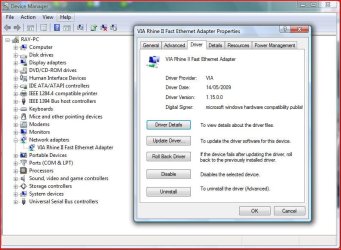
Go to Device Manager.
 

Attachments

  • Capture6.JPG
    Capture6.JPG
    78.3 KB · Views: 251

My Computer

OS
ME/XP/Vista/Win7
I must sound like an idiot but which ones do I delete? I'm not sure how to identify which drivers go with which devices. I don't want to guess and just delete random ones. I've been going through each one and I have no idea how you can tell.
 

My Computer

Computer Manufacturer/Model Number
Sony Vaio
OS
Windows 7
The only one really you shouldn't see is the shared library, you said you can't see the others in control panel which sounds strange, as they showed for me, but if not, just run the installers, as they may uninstall the previous versions, and reboot when required.
 

My Computer

Computer Manufacturer/Model Number
Sony Vaio FZ21Z
OS
Windows 7 Ultimate x64 ®™
CPU
Intel Core 2 Duo (2.2 GHz)
Motherboard
Sony (Intel Chipset)
Memory
2x 2GB Corsair (667 MHz)
Graphics Card(s)
NVIDIA 8600M GS (256MB)
Sound Card
Sigmatel
Monitor(s) Displays
15.4" TFT X-Black
Screen Resolution
1280x800
Hard Drives
Western Digital 300GB Scorpio Black (7200rpm)
Mouse
Logitech Anywhere MX
Internet Speed
Sky 5MB
I've been trying to get it to work but every time I try to install the Shared Library it goes through the installation but the progress bar disappears. It doesn't give a completed window or a status of wth is going on. It just adds a couple of icons on my desktop. After, I try to install a couple things but it still doesn't eject anything. the sound works though. I suppose it's because the shared lib didnt install correctly.

I installed them all using the compatibility mode without un-installing because I dont know which drivers to uninstall... It doesn't really say shared lib on it so wth am I suppose to do? I also didn't check any of the boxes in the properties tab. If that helps any...
 

My Computer

Computer Manufacturer/Model Number
Sony Vaio
OS
Windows 7
It just adds a couple of icons on my desktop.
Shared library shouldn't do that.

I installed them all using the compatibility mode
If you downloaded them from ftp://ftp.vaio-link.com/PUB/VAIO/WIN7UPGRADE/, there's no need to use compatibility mode, as they are Windows 7 drivers.

If that helps any...
Not really, because if you installed them you should be able to see them in add/remove programs, except for shared library. It's a bit of a mess to be honest, so bar a "clean install", not sure how to advise you.
 

My Computer

Computer Manufacturer/Model Number
Sony Vaio FZ21Z
OS
Windows 7 Ultimate x64 ®™
CPU
Intel Core 2 Duo (2.2 GHz)
Motherboard
Sony (Intel Chipset)
Memory
2x 2GB Corsair (667 MHz)
Graphics Card(s)
NVIDIA 8600M GS (256MB)
Sound Card
Sigmatel
Monitor(s) Displays
15.4" TFT X-Black
Screen Resolution
1280x800
Hard Drives
Western Digital 300GB Scorpio Black (7200rpm)
Mouse
Logitech Anywhere MX
Internet Speed
Sky 5MB
Not to sure myself. I did do a clean install and the only thing different that I did was clicking important updates only instead of recommended settings... would that be why my drivers wont show up in the install/uninstall window?

Im just trying to sort out my options w.o. having to reinstall again...
 

My Computer

Computer Manufacturer/Model Number
Sony Vaio
OS
Windows 7
If you have a load of updates for the OS, then I would install them. But those Sony programs should show, except for shared library. Do you not have a Sony folder in your programs folder?
 

My Computer

Computer Manufacturer/Model Number
Sony Vaio FZ21Z
OS
Windows 7 Ultimate x64 ®™
CPU
Intel Core 2 Duo (2.2 GHz)
Motherboard
Sony (Intel Chipset)
Memory
2x 2GB Corsair (667 MHz)
Graphics Card(s)
NVIDIA 8600M GS (256MB)
Sound Card
Sigmatel
Monitor(s) Displays
15.4" TFT X-Black
Screen Resolution
1280x800
Hard Drives
Western Digital 300GB Scorpio Black (7200rpm)
Mouse
Logitech Anywhere MX
Internet Speed
Sky 5MB
I do have a Sony folder in the Programs folder. Is that what I have to delete? The way these other forums show is that the physical driver is either in Device manager or the Install/Uninstall option in the Control Panel.
 

My Computer

Computer Manufacturer/Model Number
Sony Vaio
OS
Windows 7
Is there anything in it?
 

My Computer

Computer Manufacturer/Model Number
Sony Vaio FZ21Z
OS
Windows 7 Ultimate x64 ®™
CPU
Intel Core 2 Duo (2.2 GHz)
Motherboard
Sony (Intel Chipset)
Memory
2x 2GB Corsair (667 MHz)
Graphics Card(s)
NVIDIA 8600M GS (256MB)
Sound Card
Sigmatel
Monitor(s) Displays
15.4" TFT X-Black
Screen Resolution
1280x800
Hard Drives
Western Digital 300GB Scorpio Black (7200rpm)
Mouse
Logitech Anywhere MX
Internet Speed
Sky 5MB
I've also got a Sony VGN-AR730E, and all I need at this point is the NVIDIA drivers. NVIDIA sends me to Sony saying it's their deal, Sony doesn't seem to care and only has Vista drivers. At this point I can't even run multiple monitors, let alone do any video editing or games at decent speeds.

I tried installing the NVIDIA driver for Vista off Sony's site and running it in compatibility mode, but it quickly pops up with the "This program might not have installed correctly" message.

What are my options?
 

My Computer

OS
Windows 7

My Computer

Computer Manufacturer/Model Number
Sony Vaio FZ21Z
OS
Windows 7 Ultimate x64 ®™
CPU
Intel Core 2 Duo (2.2 GHz)
Motherboard
Sony (Intel Chipset)
Memory
2x 2GB Corsair (667 MHz)
Graphics Card(s)
NVIDIA 8600M GS (256MB)
Sound Card
Sigmatel
Monitor(s) Displays
15.4" TFT X-Black
Screen Resolution
1280x800
Hard Drives
Western Digital 300GB Scorpio Black (7200rpm)
Mouse
Logitech Anywhere MX
Internet Speed
Sky 5MB

Thanks for the heads-up. Using laptopvideo2go.com's driver search it's given me two options -- 190.40 and 186.24 -- for DEV_0426, SUBSYS_9016104D, and win7x86. Using the driver and modified INF, the driver won't install. After running setup.exe and it goes through the process, it informs me that "The system has not been modified. To install this program at a later time, run the installation again." I'd make a post on their forums, but due to some issues they can't take registrations at this time.
 

My Computer

OS
Windows 7
You need to uninstall the current driver, and REBOOT, so your card in device manager is shown as a VGA device, then install it. Try that and report back.
 

My Computer

Computer Manufacturer/Model Number
Sony Vaio FZ21Z
OS
Windows 7 Ultimate x64 ®™
CPU
Intel Core 2 Duo (2.2 GHz)
Motherboard
Sony (Intel Chipset)
Memory
2x 2GB Corsair (667 MHz)
Graphics Card(s)
NVIDIA 8600M GS (256MB)
Sound Card
Sigmatel
Monitor(s) Displays
15.4" TFT X-Black
Screen Resolution
1280x800
Hard Drives
Western Digital 300GB Scorpio Black (7200rpm)
Mouse
Logitech Anywhere MX
Internet Speed
Sky 5MB
It was listed as a Standard VGA Graphics Adapter before I tried installing drivers from laptopvideo2go. I uninstalled it, rebooted, and it came back listed as the same thing. I tried installing the modified drivers with the same results.
 

My Computer

OS
Windows 7
Are you 32 or 64bit?
 

My Computer

Computer Manufacturer/Model Number
Sony Vaio FZ21Z
OS
Windows 7 Ultimate x64 ®™
CPU
Intel Core 2 Duo (2.2 GHz)
Motherboard
Sony (Intel Chipset)
Memory
2x 2GB Corsair (667 MHz)
Graphics Card(s)
NVIDIA 8600M GS (256MB)
Sound Card
Sigmatel
Monitor(s) Displays
15.4" TFT X-Black
Screen Resolution
1280x800
Hard Drives
Western Digital 300GB Scorpio Black (7200rpm)
Mouse
Logitech Anywhere MX
Internet Speed
Sky 5MB
Back
Top