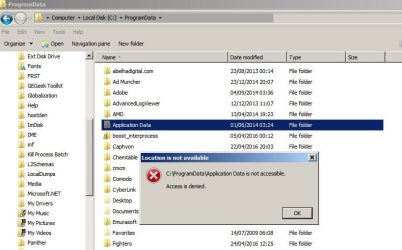
I searched for a file and when I found it I got WAY too many hits so I went to the file location and saw this . . .

For some reason I don't think it's suppose to do this.
And it's not the first time I've seen something like this.
Anyone have a clue what's causing it?
Edit: I can see they are mostly just shortcuts but Explorer acts like there are actually that many files - when I highlight them the byte count goes up. I deleted the second iteration of "Application Data" and looked in the recycle bin and it was a 0 KB folder and none of the files under it are listed as deleted files.
For some reason I don't think it's suppose to do this.
And it's not the first time I've seen something like this.
Anyone have a clue what's causing it?
Edit: I can see they are mostly just shortcuts but Explorer acts like there are actually that many files - when I highlight them the byte count goes up. I deleted the second iteration of "Application Data" and looked in the recycle bin and it was a 0 KB folder and none of the files under it are listed as deleted files.
My Computer
At a glance
Win-7 32bit. 64bit, Win-10 and XPi5-3570K 3.40Ghz16 GBNVIDIA GeForce 1050
- Computer type
- PC/Desktop
- Computer Manufacturer/Model Number
- Custom built
- OS
- Win-7 32bit. 64bit, Win-10 and XP
- CPU
- i5-3570K 3.40Ghz
- Motherboard
- GA-Z77-HD3
- Memory
- 16 GB
- Graphics Card(s)
- NVIDIA GeForce 1050
- Sound Card
- On Motherboard
- Monitor(s) Displays
- Asus VP278H-P
- Screen Resolution
- 1920x1080
- Hard Drives
- Samsung 840 EVO 120GB SSD
Samsung 840 EVO 250GB SSD
Samsung 850 PRO 256GB SSD
WDC_WD1001FALS-00E8B0
- PSU
- EVGA 550W
- Case
- Gigabyte
- Keyboard
- Fujitsu FKB70D (dont laugh)
- Internet Speed
- 15
- Antivirus
- Windows Defender
- Browser
- Mostly Fire Fox