- Local time
- 11:14 AM
- Messages
- 108
Hi,
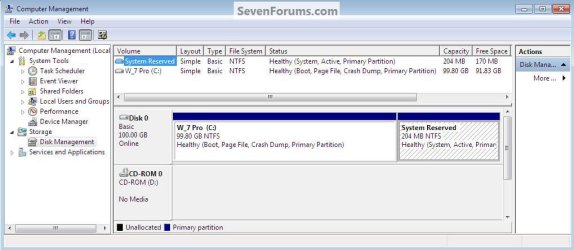
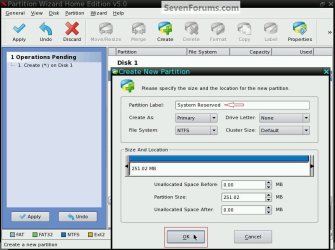
Just read a tutorial on here about optimising hdd performance in w7. It talks about doing a disk wipe and then creating a boot partition using diskpart so you don't end up with the 'dreaded' 100mb (or was it gb) boot partition
My question really is what was so dreadful about this boot partition. Due to being a little naive - I'm not even sure what problems this tutorial is solving! Thanks
Matt
Just read a tutorial on here about optimising hdd performance in w7. It talks about doing a disk wipe and then creating a boot partition using diskpart so you don't end up with the 'dreaded' 100mb (or was it gb) boot partition
My question really is what was so dreadful about this boot partition. Due to being a little naive - I'm not even sure what problems this tutorial is solving! Thanks
Matt
My Computer
At a glance
W7 Home Prem, Vista home PremIntel E8600 3.3GHz dual core4 GbNvidia - GForce GTX 280 - 1Gb
- Computer Manufacturer/Model Number
- Manufacturer: Me
- OS
- W7 Home Prem, Vista home Prem
- CPU
- Intel E8600 3.3GHz dual core
- Motherboard
- Asus (need to find model)
- Memory
- 4 Gb
- Graphics Card(s)
- Nvidia - GForce GTX 280 - 1Gb
- Sound Card
- Xonar Dx 5.1
- Monitor(s) Displays
- Hazro flatscreen
- Screen Resolution
- 1920 x 1200
- Hard Drives
- 1 x Samsung Spinpoint F1 300 gb
1 x Samsung Spinpoint F1 1 Tb
1 x Samsung Spinpoint F3 1 Tb
- PSU
- Later
- Case
- Infiniti Midi tower
- Cooling
- later
- Keyboard
- Logitech G11
- Mouse
- Logitech G9 Laser
- Internet Speed
- 3mb/s - awful
- Other Info
- I built this three years ago. It was very fast at the time. Now it's about average but still runs any game I throw at it at max detail.
Currently