DeFraggler vs Win7 defrag?

Bushman5

New member
my thoughts on both:

Defraggler (by Piriform): FAST, more detailed defragging, awesome GUI

win7 defrag: SLOOOOOOOOOW to analyze, SLOOOOOW to defrag, no GUI......

both are easy to use, but i find the Win 7 defrag so bloody slow its annoying.

thoughts ?
 

My Computer

Computer Manufacturer/Model Number
homebuilt
OS
WIN7 Ultimate, 64bit OEM
CPU
i5-750 quad core
Motherboard
MSI P55-GD55 (MS-7589) (CPU1)
Memory
8GB dual channel DDR3 @ 668MHZ (9-9-9-24) 4 x 2GB each
Graphics Card(s)
ATI Radeon HD5750
Sound Card
onboard
Monitor(s) Displays
LG widescreen LCD 1920 x 1080 FLATRON
Hard Drives
2 x WD 500 GB SATA drives, room for 8 more in the drive bays. 1 WD USB 320 GB used for backup the system.
PSU
SEASONIC M-12D 850 watt sli ready
Case
ANTEC DARK FLEET (biggest one they make)
Cooling
case: 6 x 120mm fans 2 x 140mm fans, CPU: Corsair H50
Keyboard
generic
Mouse
microsoft wireless
Internet Speed
bloody slow thanks to Canadian ISP's throttling our net
Other Info
soon to have a ZALMAN RESERATOR just for the GPU...also dedicated 500 GB of virtual memory for paging file,caching
also, i have noticed that if i defrag with Win7 built in defrag, THEN run DeFraggler, the system is STILL defragmented......(after win 7 defrag)
 

My Computer

Computer Manufacturer/Model Number
homebuilt
OS
WIN7 Ultimate, 64bit OEM
CPU
i5-750 quad core
Motherboard
MSI P55-GD55 (MS-7589) (CPU1)
Memory
8GB dual channel DDR3 @ 668MHZ (9-9-9-24) 4 x 2GB each
Graphics Card(s)
ATI Radeon HD5750
Sound Card
onboard
Monitor(s) Displays
LG widescreen LCD 1920 x 1080 FLATRON
Hard Drives
2 x WD 500 GB SATA drives, room for 8 more in the drive bays. 1 WD USB 320 GB used for backup the system.
PSU
SEASONIC M-12D 850 watt sli ready
Case
ANTEC DARK FLEET (biggest one they make)
Cooling
case: 6 x 120mm fans 2 x 140mm fans, CPU: Corsair H50
Keyboard
generic
Mouse
microsoft wireless
Internet Speed
bloody slow thanks to Canadian ISP's throttling our net
Other Info
soon to have a ZALMAN RESERATOR just for the GPU...also dedicated 500 GB of virtual memory for paging file,caching

My Computer

Computer type
PC/Desktop
Computer Manufacturer/Model Number
Custom Built
OS
Windows 7 Ultimate x64
CPU
Intel(R) Core(TM) 2 Quad Q8200 @ 2.33 GHz
Motherboard
Asus P5KPL-AM SE Motherboard
Memory
2x2GB Kingston DDR2
Graphics Card(s)
1GB AMD Radeon HD 5450
Sound Card
VIA Technologies High Definition Audio Device
Monitor(s) Displays
Samsung SyncMaster 733NW
Screen Resolution
1440x900
Hard Drives
SEAGATE 320GB Barracuda® 7200.12, SATA 3 Gb/s, 7200 RPM, 16MB cache x 2
Case
Custom Casing
Cooling
Ice cubes from the freezer ;)
Keyboard
Generic Plug & Play Keyboard
Mouse
Optical Mouse
Internet Speed
Very slow
There are some that say defrag is not necessary any longer, any truth to that?
 

My Computer

OS
Win 7 Home premium

My Computer

Computer type
PC/Desktop
Computer Manufacturer/Model Number
Custom Build
OS
Windows 10 Pro x64, Arch Linux
CPU
Intel Core 2 Quad Q8200 OC'd 3.08GHz
Motherboard
Asus Rampage formula LGA775
Memory
8GB DDR2 900Mhz
Graphics Card(s)
MSI GT730 2GB GDDR5 (Kepler)
Sound Card
Supreme FX2
Monitor(s) Displays
Samsung LS22F350 LED
Screen Resolution
1080P
Hard Drives
Kingston SSDNow UV400 120GB, 500GB Hitachi, 2TB Samsung, 500GB Seagate FreeAgent, 640GB Samsung, 160GB Toshiba (Arch)
PSU
AeroCool 500W Bronze
Cooling
Cooler Master V6 + 3X fans
Keyboard
Prolink keyboard
Mouse
Logitech M705
Internet Speed
1MiB/s
Browser
Chrome Beta

My Computer

Computer type
PC/Desktop
Computer Manufacturer/Model Number
Custom Built
OS
Windows 7 Ultimate x64
CPU
Intel(R) Core(TM) 2 Quad Q8200 @ 2.33 GHz
Motherboard
Asus P5KPL-AM SE Motherboard
Memory
2x2GB Kingston DDR2
Graphics Card(s)
1GB AMD Radeon HD 5450
Sound Card
VIA Technologies High Definition Audio Device
Monitor(s) Displays
Samsung SyncMaster 733NW
Screen Resolution
1440x900
Hard Drives
SEAGATE 320GB Barracuda® 7200.12, SATA 3 Gb/s, 7200 RPM, 16MB cache x 2
Case
Custom Casing
Cooling
Ice cubes from the freezer ;)
Keyboard
Generic Plug & Play Keyboard
Mouse
Optical Mouse
Internet Speed
Very slow
Has anyone compared Defraggler to Auslogics defragger? Both are top notch companies in tech world. Piriform makes CCleaner which is perhaps the most respected tool in all of tech.

I have used Auslogics Disk and Reg defraggers for over 10 years following CCleaning to keep HD's perfectly cleaned and ordered on hundreds of installs. Every owner has kept them and insisted on installing them again at reinstalls.

I try to do it monthly but sometimes it can go 2-3 months. If it takes awhile for any of the three then I know I've waited too long.
 
I use CONTIG from the SysInternals people.

I run contig until it tells me that there is nothing that needs defragging.

I run contig as CONTIG C: -s -q which says start at C, include subfolders and run quietly.

Contig
 

My Computer

Computer Manufacturer/Model Number
Toshiba Satellite S875D-S7239 laptop
OS
MS Windows 7 Ultimate SP1 64-bit
CPU
AMD A10-4600M
Motherboard
AMD Pumori (Socket FT1)
Memory
6.00 GB Dual-Channel DDR3 @ 798MHz (11-11-12-28)
Graphics Card(s)
AMD Radeon HD 7660G
Sound Card
High Definition Audio Device
Monitor(s) Displays
Generic PnP Monitor (1600x900@60Hz)
Screen Resolution
1600x900@60Hz
Hard Drives
SSD 119GB Corsair CSSD-V128GB2 ATA Device
Keyboard
Standard PS/2 Keyboard
Mouse
HP Wireless Optical Mobile Mouse Model FHA-3410
Internet Speed
What the local pub, local coffee shop offers.
Other Info
Optical Drive:MATSHITA BD-CMB UJ160B ATA Device


Also have an Asus ha1002xp netbook with Win 7 Ultimate installed.
91d54c47.jpg


In addition to thurough defrafmentation Defraggler also renders a detailed listing of all fragmented files and a map of exactly where they are located on the HDD.

~Maxx~
.
da59fa57.png
 

My Computer

Computer Manufacturer/Model Number
HP HPE 270f
OS
Windows 7 x64 Home Premium
CPU
Intel Core i7 930 @ 2.8 Ghz Socket 1366 LGA
Motherboard
Pegatron Truckee v1.04E41
Memory
8 GB 1366 Mhz DDR3 (PC3-10700) RAM
Graphics Card(s)
ATI Radeon 5770 1 GB DDR5 RAM
Sound Card
Realtech High Definition
Monitor(s) Displays
32" Sony Bravia
Screen Resolution
1366 X 768
Hard Drives
Intel 25nm 120 GB Series 320 SSD HD Tune- 265 MBps Read/ 130 MBps Write

LaCie 1TB + 1TB RAID 0 eSATA Drive HD Tune- 160 MBps Read/ 90 MBps Write
Keyboard
Logitech Illuminated
Mouse
Logitech MX Revolution
Internet Speed
36.4 Mbps Maximum on a 37 Mbps Motorola SB501 Modem
There are some that say defrag is not necessary any longer, any truth to that?
No, you should defrag your HDD regularly
I've heard some say that, as long as the rest of your system is clean, a HDD could be as much as 50% fragmented and the performance decrease would be barely noticeable.
With that, I defrag at 5%
 

My Computer

Computer Manufacturer/Model Number
Custom Build
OS
Windows 7 Pro/32 Academic. Build 7600
CPU
Intel 2.3 Duo core
Motherboard
EliteGroup G31T-M
Memory
4 GB DDR
Graphics Card(s)
Nvidia GeForce 9500 GT
Sound Card
Built in
Monitor(s) Displays
Viewsonic 15" 4:3
Screen Resolution
1280 x 1024
Hard Drives
WD Caviar Black 750 GB
WD 250 GB External
PSU
Antec 450w
Keyboard
Standard windows
Mouse
Logitech USB
Internet Speed
Bellsouth DSL 6.0
With nowadays harddrive speeds I believe your defragmentation level could even be higher than 50% before you notice anything.
7200 rpm that means the next block to read passes the head 120 times per second. Ive never seen a defrag improving anything. With that being said, I stick to W7 defrag which runs automatically every Wednesday night (or so) and if I check manually it tells me it's all good

-DG
 

My Computer

Computer Manufacturer/Model Number
HP m8000n
OS
Windows 7 Ultimate x86
CPU
DualCore AMD Athlon 64 X2, 2600 MHz 5200+
Motherboard
Asus M2N68-LA (Narra)
Memory
Samsung 2GB DDR2
Graphics Card(s)
Onboard NVIDIA GeForce 6150SE nForce 430
Sound Card
Onboard nVIDIA nForce 6100-430 (MCP61P)
Monitor(s) Displays
Westinghouse 19" LED
Screen Resolution
1280x1024
Hard Drives
SATA II Seagate Barracuda 500GB
USB II WD Elements 500GB
USB II WD My Book 1TB
USB II WD My Book 2TB
PSU
Stock (HP)
Case
Stock (HP)
Cooling
Stock
Keyboard
Logitech Classic KB 200
Mouse
Standard HP opticle USB mouse
defraggler is not Volume Shadow Copy (VSS) Safe like the Windows 7 Defragger. If you are using the volume shadow copy service (restore points) it may result in increasing the disk space used by VSS until your restore points are wiped out. I would avoid any defragger that doesn't play well with VSS.

Google "defraggler and hard disk space decreasing" or "defraggler and VSS"

Piriform - Windows Vista and volume shadow copies

Bottom line - if you value your restore points use the Windows 7 defragmenter. It is slower but for a reason.


Gene
 
Last edited:

My Computer

Computer type
PC/Desktop
Computer Manufacturer/Model Number
Home built (GeneO industries)/Model 4
OS
Windows 10 Pro. EFI boot partition, full EFI boot
CPU
i7 4770k 4.4GHz (44-44-43-43 turbo) @ 1.248V
Motherboard
ASUS Maximus VI Hero
Memory
16GB (8GBx2) @2200 MHz G.skill Sniper 10-11-10-30-1, 1.6V
Graphics Card(s)
MSI GTX 970 Gaming 4G
Sound Card
Onboard SupremeFX Audio
Monitor(s) Displays
NEC Spectraview 2490WUXi-SV
Screen Resolution
1920 x 1200
Hard Drives
Samsung 850 Pro 256GB (OS), Samsung 2x 128GB 840 Pro SSD in RAID0, 3x WD Blue 6Gb/s 1TB RAID0, WD 2TB Black external USB 3.0, 2TB WD20EARS Green external USB 3.0, 2x 500GB Seagate and 1 750 GB external USB, 1x 350GB external USB3
PSU
Seasonic X-850 (2012 KM3 model)
Case
Fractal Design Define R4
Cooling
NH-D14, NF-F12, NF-A15; NF-P14, NF-P12,NF-A14, S12A PWM
Keyboard
Cooler Master Storm Quickfire Rapid - Brown
Mouse
Logitech G602
Internet Speed
126.4 Mb/s down, 24.3 Mb/s up
Other Info
USB 3.0 x8 , SATA III x8, eSATA, USB 2.0 x6. Samsung DVD R/W drive.

WEI: CPU 7.8, Memory 7.9, Graphics 7.9, Disk 7.9
You should give mydefrag a try too. It's easy to use and efficient. :)

And on top of that, it's freeware (like defraggler).
 

My Computer

OS
Windows 7 Ultimate 32 bit
CPU
Intel Core2Duo E8400 2.7 Ghz
Motherboard
Gigabyte G31M-ES2C
Memory
Corsair 3 GB DDR2 PC6400
Graphics Card(s)
XFX Radeon 4850 512 MB
Sound Card
Onboard
Monitor(s) Displays
GTC 16'
Screen Resolution
1024x768
Hard Drives
SATA Western Digital 750 GB
PSU
Simbadda 500w
Case
Generic
Keyboard
Logitech Keyboard
Mouse
Logitech USB
Internet Speed
2 mbps adsl
I tried Defraggler but it slowed down my boot and application launch times. Then I ran built-in defrag program couple of times, and boot + application launch times are back to normal.
 

My Computer

Computer Manufacturer/Model Number
Toshiba Satellite U500
OS
Windows 7 Home Premium x64 SP1
CPU
Intel Core i3 M330 @ 2.13GHz
Memory
4 GB
Graphics Card(s)
NVidia GeForce 310M
Screen Resolution
1280x800
how often do you have to use a defragger before you spend more time defragging than actually save by having a defragged drive?

i mainly do it just before (or after if i forget) i anticipate a big new software install. i clean out my temp folder and caches that i don't need, move stuff off of the desktop to more permanent storage if i want to keep it, then have a good old defrag.

i've been trying out mydefrag recently, and it seems ok - it's so hard to judge the benefits compared to other software.

as far as i'm aware, hdd's still need defragging from time to time, whereas ssd's don't.
 

My Computer

Computer Manufacturer/Model Number
mickey megabyte 1234
OS
ultimate 64 sp1
CPU
i5 2500K [email protected]
Motherboard
MSI P67A-GD53
Memory
8 gigs GSkill Ripjaws 1600
Graphics Card(s)
amd hd6950
Sound Card
creative x-fi gamer
Monitor(s) Displays
samsung 24"
Screen Resolution
1920x1080
Hard Drives
ocz vertex 2e 60 gig, samsung f3 1tb, buffalo 2tb ext
PSU
antec 550
Case
antec three hundred
Cooling
i'm a cooling fan
Keyboard
saitek eclipse ii
Mouse
logitech g3
Internet Speed
about 4 Mbps
Other Info
i love win7
I just let Windows 7 defragger run automatically in the background and have had no issues at all.
 

My Computer

Computer type
PC/Desktop
Computer Manufacturer/Model Number
Custom Built
OS
Windows 10 Pro x64, Windows 8.1 Pro x64, Windows 7 Ultimate x64 SP1,
CPU
INTEL i9-7920X LGA 2066
Motherboard
Gigabyte X299-WU8 F3
Memory
64 GB (4 X 16 GB) G-Skill V Series DDR4 3200 Quad Channel
Graphics Card(s)
EVGA GTX 1060 SC 3 GB
Sound Card
Realtek Onboard ALC1220
Monitor(s) Displays
2 x Samsung S27E310
Screen Resolution
1920x1080
Hard Drives
Samsung 2 x 970 EVO Plus 500 GB NVMe
1 x 6TB WD 6003FZBX SATA
1 x 6TB WD 60EFRX SATA
12 x 3TB WD 30EFRX SATA
PSU
Seasonic X-1050
Case
Thermaltake Armor+
Cooling
Corsair H80i V2 Liquid AOI Cooler
Keyboard
Logitech G510s
Mouse
Logitech MX Master 2S
Internet Speed
200 Mb/s
Antivirus
ESET NOD32 13.1
Browser
EDGE (Dev, Canary, Beta), Chrome
Other Info
ASUS RT-AC68U router
Malwarebytes 4.0.4
I've heard some say that, as long as the rest of your system is clean, a HDD could be as much as 50% fragmented and the performance decrease would be barely noticeable.
With that, I defrag at 5%

Good thing because the reader in your HDD would get quite a workout operating at 50% fragmentation!

~Maxx~
.
da59fa57.png
 
Last edited:

My Computer

Computer Manufacturer/Model Number
HP HPE 270f
OS
Windows 7 x64 Home Premium
CPU
Intel Core i7 930 @ 2.8 Ghz Socket 1366 LGA
Motherboard
Pegatron Truckee v1.04E41
Memory
8 GB 1366 Mhz DDR3 (PC3-10700) RAM
Graphics Card(s)
ATI Radeon 5770 1 GB DDR5 RAM
Sound Card
Realtech High Definition
Monitor(s) Displays
32" Sony Bravia
Screen Resolution
1366 X 768
Hard Drives
Intel 25nm 120 GB Series 320 SSD HD Tune- 265 MBps Read/ 130 MBps Write

LaCie 1TB + 1TB RAID 0 eSATA Drive HD Tune- 160 MBps Read/ 90 MBps Write
Keyboard
Logitech Illuminated
Mouse
Logitech MX Revolution
Internet Speed
36.4 Mbps Maximum on a 37 Mbps Motorola SB501 Modem
optical?

magnetic, surely.
 

My Computer

Computer Manufacturer/Model Number
mickey megabyte 1234
OS
ultimate 64 sp1
CPU
i5 2500K [email protected]
Motherboard
MSI P67A-GD53
Memory
8 gigs GSkill Ripjaws 1600
Graphics Card(s)
amd hd6950
Sound Card
creative x-fi gamer
Monitor(s) Displays
samsung 24"
Screen Resolution
1920x1080
Hard Drives
ocz vertex 2e 60 gig, samsung f3 1tb, buffalo 2tb ext
PSU
antec 550
Case
antec three hundred
Cooling
i'm a cooling fan
Keyboard
saitek eclipse ii
Mouse
logitech g3
Internet Speed
about 4 Mbps
Other Info
i love win7
optical?

magnetic, surely.

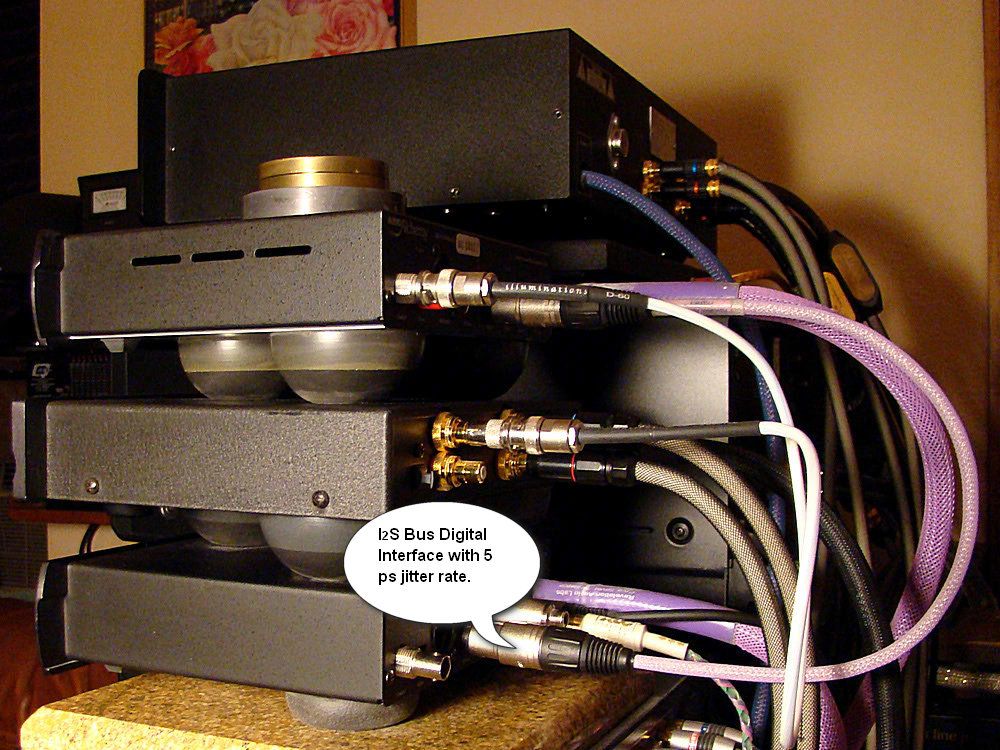
Woops, my bad. I must have flashed back to when I was optimizing the low jitter (5ps) Digital Audio Transport for my Vacuum Tube Audio System which is interfaced to the Digital processing with Fused Silica Optical Glass Toslink...

55569f8c.jpg


7204bc33.jpg


~Maxx~
.
da59fa57.png
 

My Computer

Computer Manufacturer/Model Number
HP HPE 270f
OS
Windows 7 x64 Home Premium
CPU
Intel Core i7 930 @ 2.8 Ghz Socket 1366 LGA
Motherboard
Pegatron Truckee v1.04E41
Memory
8 GB 1366 Mhz DDR3 (PC3-10700) RAM
Graphics Card(s)
ATI Radeon 5770 1 GB DDR5 RAM
Sound Card
Realtech High Definition
Monitor(s) Displays
32" Sony Bravia
Screen Resolution
1366 X 768
Hard Drives
Intel 25nm 120 GB Series 320 SSD HD Tune- 265 MBps Read/ 130 MBps Write

LaCie 1TB + 1TB RAID 0 eSATA Drive HD Tune- 160 MBps Read/ 90 MBps Write
Keyboard
Logitech Illuminated
Mouse
Logitech MX Revolution
Internet Speed
36.4 Mbps Maximum on a 37 Mbps Motorola SB501 Modem
Internal Windows 7 (scheduled) defrag is what you need. It will keep fragmentation below 10% forever. Runs in background at low pri (hence it seems sloooow).
Forget once and for all about manual maintainance with these repetitive tasks since XP days!

About the new defrag in Vista (enhanced in 7):
http://support.microsoft.com/kb/942092/en-us
 

My Computer

Computer type
Laptop
Computer Manufacturer/Model Number
MSI GX660-262it
OS
Windows 7 Home Premium x64 SP1
CPU
Intel Core i7 840QM
Memory
8GB DDR3 1333MHz
Graphics Card(s)
ATI Mobility HD 7970M 2GB DDR5
Screen Resolution
1920x1080
Hard Drives
Intel SSDSA2CT040G3
Hybrid ST750LX0ST750LX003
Antivirus
360 Internet Security
Browser
IE10
Back
Top