

JMH
Banned
- Local time
- 9:06 PM
- Messages
- 6,448
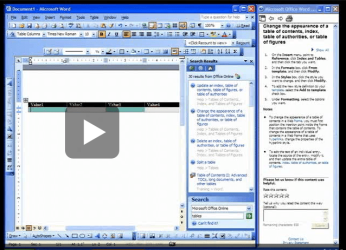
More -A new resource available for download from Microsoft is designed to let customers upgrading from Office 2003 or earlier to Office 2010, get familiarized with the redesign of the look and feel of the Word components of the product. The Word 2010: Interactive menu to ribbon guide can be grabbed free of charge through the Microsoft Download Center, and as the label implies, users will get a “visual, interactive reference guide to help you find the new location of commands in Word 2010,” according to Microsoft. “Use this interactive tutorial to find the location of commands in Word 2010. The guide is a simulation of the old menu version of Word. Click a command in the guide to learn its new location in Word 2010.”
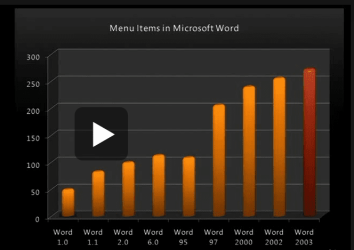
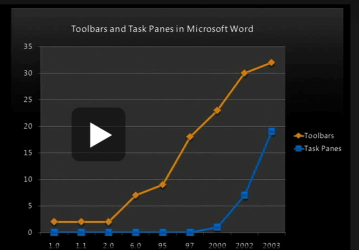
With the advent of Office 2007, Microsoft dramatically overhauled the graphical user interface for its productivity suite. The evolution of the new Ribbon/Fluent GUI continued with Office 2010, which brings to the table a perfected variant of the user interface, widening the gap between the new design and the old File menu that was the default in Office 2003 and earlier.
While Ribbon is immensely superior to the old Office UI, it takes a little time to get accustomed to it. As with everything new there’s a learning curve, but fact is that some users might not get over the initial shock of having to work with a completely overhauled UI. It’s human nature to seek as much comfort as possible, and while the Office 2003 UI might feel extremely comfortable the new users interface of Office 2010 will appear to be strange and extremely different.
Free Word 2010 Ribbon/Fluent UI Guide Available - For download from Microsoft - Softpedia
My Computer
At a glance
Win 7 Ultimate 64-bit. SP1.Intel i7 -720QM.[1.6GHz Turbo Boost 2.8GHz. 6...8 DDR 3 RAM. 1066MHZATI 1024 MB. DDR3. Radeon HD5650
- Computer Manufacturer/Model Number
- LAPTOP. HP Pavilion dv7-4010TX .
- OS
- Win 7 Ultimate 64-bit. SP1.
- CPU
- Intel i7 -720QM.[1.6GHz Turbo Boost 2.8GHz. 6MB Cache.]
- Memory
- 8 DDR 3 RAM. 1066MHZ
- Graphics Card(s)
- ATI 1024 MB. DDR3. Radeon HD5650
- Monitor(s) Displays
- 17.3" High Definition Brightview LCD. LED Backlit.
- Screen Resolution
- 1600 x 900.
- Hard Drives
- 640GB
- Case
- Laptop / notebook.
- Mouse
- Logitech Anywhere mouse. MX.
- Internet Speed
- ADSL [ but too slow ]




 I expressed mirth in a clearly audible manner.

