Struggling7User
New member
- Local time
- 1:52 AM
- Messages
- 3
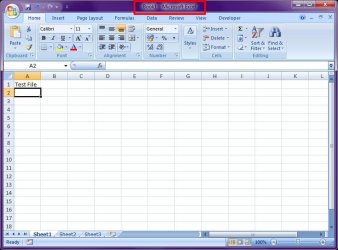
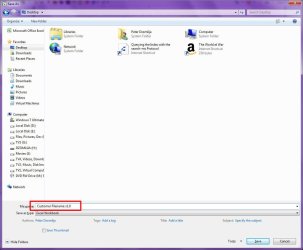
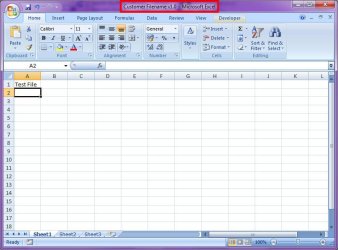
I've recently upgraded to Windows 7. My company uses files that have version numbering such as "Customer Filename v1.0.xlsx" In previous versions of Windows (Vista and XP), there's no problem with this. But with Windows 7, the filename keeps getting truncated to "Customer Filename v1", which means each time i need to go into Explorer to rename the file.
I've already turned off the "Hide extensions for known file types" but this still happens. Any idea how to get around this?
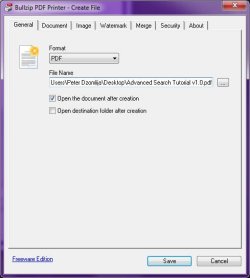
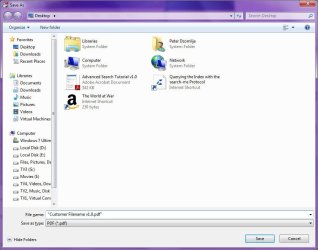
An example of when this happens is.. when printing a file to PDF, instead of saving a file named "Customer Filename v1.0.pdf", I get instead "Customer Filename v1.pdf"
Help??
I've already turned off the "Hide extensions for known file types" but this still happens. Any idea how to get around this?
An example of when this happens is.. when printing a file to PDF, instead of saving a file named "Customer Filename v1.0.pdf", I get instead "Customer Filename v1.pdf"
Help??
My Computer
At a glance
Windows 7 Enterprise x32Core2Duo T7500 2.20GHz4GBNVidia Quadro FX1600M
- Computer Manufacturer/Model Number
- HP 8710w
- OS
- Windows 7 Enterprise x32
- CPU
- Core2Duo T7500 2.20GHz
- Memory
- 4GB
- Graphics Card(s)
- NVidia Quadro FX1600M
- Sound Card
- SoundMAX Integrated Digital HD Audio
- Monitor(s) Displays
- HP LP2465 x2
- Hard Drives
- Western Digital 500GB SATA