Intel and AMD sign death warrant for VGA port

good riddance. Might as well be using a rotary telephone.
 

My Computer My Computer

At a glance

Black Label 7 x64AMD Phenom II X6 1055t8GB Corsair XMS3Radeon HD 6790
Computer Manufacturer/Model Number
Colonel Travis 5000
OS
Black Label 7 x64
CPU
AMD Phenom II X6 1055t
Motherboard
GA-890FXA-UD5
Memory
8GB Corsair XMS3
Graphics Card(s)
Radeon HD 6790
Sound Card
X-FI Titanium Fatal1ty Pro
Monitor(s) Displays
Acer AJ15
Screen Resolution
1600x900
Hard Drives
OCZ Agility 3 SSD 120GB |
Corsair Force GT SSD 120 GB |
Barracuda 7200 SATA 300GB |
WD Caviar Green SATA 500GB
PSU
OCZ ModXStream 700W
Cooling
50 billion case fans
Internet Speed
35Mbps/35Mbps
Monitors are chicken feed compared to projectors. Like many other companies we have more than a dozen here and I would describe them as exactly the opposite of cheap. If PCs aren't going to have any VGA-outs anymore then each and every single one of those several-thousand-dollar projectors are going to be rendered into very expensive paperweights.
 

My Computer My Computer

At a glance

Win7 Pro x64Koa i5-2550K8 GBSapphire ATI 6870 1GB GDDR5
Computer Manufacturer/Model Number
Self-built rig
OS
Win7 Pro x64
CPU
Koa i5-2550K
Memory
8 GB
Graphics Card(s)
Sapphire ATI 6870 1GB GDDR5
Sound Card
RealTek HD Audio / ATI HDMI Audio
Monitor(s) Displays
Samsung HDTV Monitor T23A350
Screen Resolution
1920 x 1080
Hard Drives
- SSD (C:)
- HDD (D:)
- BD-ROM (E:)
Keyboard
Logitech G110
Internet Speed
Unifi home (5mbps)

My Computer My Computer

At a glance

Win 7 & 10 x64Intel(R) Core(TM)2 Quad CPU Q8400 @ 2.66GHz (...8GB DDR2HD 6970 2 GB
Computer type
PC/Desktop
Computer Manufacturer/Model Number
Acer M802
OS
Win 7 & 10 x64
CPU
Intel(R) Core(TM)2 Quad CPU Q8400 @ 2.66GHz (4 CPUs), ~2.7GH
Motherboard
MB.SCQ07.002 MB KIT G43 ICH10R HMII EUPLOT6 ECS R
Memory
8GB DDR2
Graphics Card(s)
HD 6970 2 GB
Sound Card
Realtek ALC 888s
Monitor(s) Displays
AOC
Screen Resolution
1920x1080 60hz
Hard Drives
WD Black 1 TB

WD My Book Essential 1 TB external HDD
PSU
Corsair TX650m
Case
CM 690 II Advanced mid tower
Cooling
fan
Correct me if am wrong DVI is an analog signal whilst HDMI uses a digital signal, thus it provides audio. I cannot see a quality difference at all between VGA, DVI and HDMI. VGA is not dead to me but does seem out dated not having hdcp support.

I may be wrong but that's what I have read in the past
 

My Computer My Computer

At a glance

Windows 7 Professional (x64/SP1) /Linux Mint 16Intel i5-3570k 3.40 GHz @ 4.6 GHz8GB (2133MHz) DDR3Asus GTX560 Ti (Nvidia)
Computer type
PC/Desktop
Computer Manufacturer/Model Number
GIGABYTE Rig (Custom)
OS
Windows 7 Professional (x64/SP1) /Linux Mint 16
CPU
Intel i5-3570k 3.40 GHz @ 4.6 GHz
Motherboard
GIGABYTE Z77X-D3H
Memory
8GB (2133MHz) DDR3
Graphics Card(s)
Asus GTX560 Ti (Nvidia)
Monitor(s) Displays
HP 23", Acer 19" and a Dell 17"
Screen Resolution
1080p, 1440x900 and 1280x1024
Hard Drives
Sandisk Extreme 120GB (SSD), WD 2TB green and 4 other HDDs
PSU
Antec 620w High Current Gamer
Case
Corsair Obsidian 600D
Cooling
CPU - Antec KÜHLER H₂O 920
Keyboard
Steelseries 6Gv2
Mouse
Roccat LUA
Internet Speed
4 - 6mb/s
Antivirus
ESET NOD32
Browser
Chrome/Firefox
Other Info
Intel Gigabit CT (PCIE NIC) and Thinkpad T61p,
Correct me if am wrong DVI is an analog signal whilst HDMI uses a digital signal, thus it provides audio. I cannot see a quality difference at all between VGA, DVI and HDMI. VGA is not dead to me but does seem out dated not having hdcp support.

I may be wrong but that's what I have read in the past

DVi stands for Digital Visual Interface
 

My Computer My Computer

At a glance

Win 7 & 10 x64Intel(R) Core(TM)2 Quad CPU Q8400 @ 2.66GHz (...8GB DDR2HD 6970 2 GB
Computer type
PC/Desktop
Computer Manufacturer/Model Number
Acer M802
OS
Win 7 & 10 x64
CPU
Intel(R) Core(TM)2 Quad CPU Q8400 @ 2.66GHz (4 CPUs), ~2.7GH
Motherboard
MB.SCQ07.002 MB KIT G43 ICH10R HMII EUPLOT6 ECS R
Memory
8GB DDR2
Graphics Card(s)
HD 6970 2 GB
Sound Card
Realtek ALC 888s
Monitor(s) Displays
AOC
Screen Resolution
1920x1080 60hz
Hard Drives
WD Black 1 TB

WD My Book Essential 1 TB external HDD
PSU
Corsair TX650m
Case
CM 690 II Advanced mid tower
Cooling
fan
Correct me if am wrong DVI is an analog signal whilst HDMI uses a digital signal, thus it provides audio. I cannot see a quality difference at all between VGA, DVI and HDMI. VGA is not dead to me but does seem out dated not having hdcp support.

I may be wrong but that's what I have read in the past

DVI and HDMI are practically the same, just HDMI supports audio as well. I'm all for phasing out analogue and having digital. Even though DVI isn't mentioned, I don't think they're going to phase that out. Though if they do, then a simple HDMI-to-DVI converter is all that's needed. Not so simple doing VGA-to-HDMI as HDMI doesn't support analogue at all, unlike DVI.
 

My Computer My Computer

At a glance

Windows 8.1 Pro x64Intel Core i7 4790k8GB Corsair Dominator 1600MHzMSI TwinFrozr GeForce GTX770
Computer type
PC/Desktop
Computer Manufacturer/Model Number
Custom Built
OS
Windows 8.1 Pro x64
CPU
Intel Core i7 4790k
Motherboard
MSI Z97S Krait Edition
Memory
8GB Corsair Dominator 1600MHz
Graphics Card(s)
MSI TwinFrozr GeForce GTX770
Sound Card
ASUS Xonar DX/XD 7.1
Monitor(s) Displays
Dell 24" S2409W + Dell 20" E207WFP
Screen Resolution
1920x1080 + 1680x1050
Hard Drives
1x 120GB OCZ Agility 3, 1x 750GB Western Digital Caviar Black, 1x 1TB Western Digital Caviar Blue
PSU
Corsair HX850 modular
Case
Fractal Design Define R4
Cooling
Corsair H60 w/ twin Corsair SP120 fans
Keyboard
Logitech G510S Keyboard
Mouse
Logitech G500S Laser Mouse
Internet Speed
40Mbps
Antivirus
Microsoft Security Essentials
Browser
Google Chrome
Other Info
LG Blu-Ray player
Correct me if am wrong DVI is an analog signal whilst HDMI uses a digital signal, thus it provides audio. I cannot see a quality difference at all between VGA, DVI and HDMI. VGA is not dead to me but does seem out dated not having hdcp support.

I may be wrong but that's what I have read in the past

DVi stands for Digital Visual Interface

Thanks, I knew that.
 

My Computer My Computer

At a glance

Windows 7 Professional (x64/SP1) /Linux Mint 16Intel i5-3570k 3.40 GHz @ 4.6 GHz8GB (2133MHz) DDR3Asus GTX560 Ti (Nvidia)
Computer type
PC/Desktop
Computer Manufacturer/Model Number
GIGABYTE Rig (Custom)
OS
Windows 7 Professional (x64/SP1) /Linux Mint 16
CPU
Intel i5-3570k 3.40 GHz @ 4.6 GHz
Motherboard
GIGABYTE Z77X-D3H
Memory
8GB (2133MHz) DDR3
Graphics Card(s)
Asus GTX560 Ti (Nvidia)
Monitor(s) Displays
HP 23", Acer 19" and a Dell 17"
Screen Resolution
1080p, 1440x900 and 1280x1024
Hard Drives
Sandisk Extreme 120GB (SSD), WD 2TB green and 4 other HDDs
PSU
Antec 620w High Current Gamer
Case
Corsair Obsidian 600D
Cooling
CPU - Antec KÜHLER H₂O 920
Keyboard
Steelseries 6Gv2
Mouse
Roccat LUA
Internet Speed
4 - 6mb/s
Antivirus
ESET NOD32
Browser
Chrome/Firefox
Other Info
Intel Gigabit CT (PCIE NIC) and Thinkpad T61p,
Am I the only one that pictures 3 guys in a dark room, one wearing an Intel shirt, one a AMD shirt, and the third guy handing them a paper saying KILL VGA?

~Lordbob
 

My Computer My Computer

At a glance

Windows 7 Ultimate x64, Mint 9Intel i5-2500k2x 4Gb Corsair VENGEANCE DDR3-1600NVidia GeForce N260GTX Twin Frozr
Computer Manufacturer/Model Number
Hera
OS
Windows 7 Ultimate x64, Mint 9
CPU
Intel i5-2500k
Motherboard
ASUS P8P67 Pro
Memory
2x 4Gb Corsair VENGEANCE DDR3-1600
Graphics Card(s)
NVidia GeForce N260GTX Twin Frozr
Sound Card
Realtek HD OnBoard Audio
Monitor(s) Displays
ASUS 24" Monitor
Screen Resolution
1920x1080
Hard Drives
G.SKILL Phoenix Series 60GB SATA II MLC Internal Solid State Drive (SSD)
SAMSUNG Spinpoint F3R 1TB 7200 RPM 32MB Cache SATA II
PSU
Cooler Master Real Power Pro 750W
Case
Cooler Master Haf 932
Cooling
Fans
Keyboard
Razer Tarantula
Mouse
Razer Lachesis
Internet Speed
not fast enough
Correct me if am wrong DVI is an analog signal whilst HDMI uses a digital signal, thus it provides audio. I cannot see a quality difference at all between VGA, DVI and HDMI. VGA is not dead to me but does seem out dated not having hdcp support.

I may be wrong but that's what I have read in the past

DVI can provide digital and analog signals, thats why you can use a DVI to VGA adapter on some video cards. There is DVI-I, integrated, analog and digital. DVI-D, digital only. And DVI-A, analog signal only. You won't see many DVI-A, analog only connectors. Up until recently most video cards had DVI-I outputs, and the monitors have a DVI-D and maybe a VGA input.
 

My Computer My Computer

At a glance

Windows 10 Education 64 bitAMD Phenom II X4 980 Black Edition Deneb 3.7GHz8GB 4GBx2 Kingston PC10600 DDR3 1333 MemoryZotac NVIDIA Geforce GT640 2 Gig DDR3 PCIe
Computer type
PC/Desktop
Computer Manufacturer/Model Number
Home Built
OS
Windows 10 Education 64 bit
CPU
AMD Phenom II X4 980 Black Edition Deneb 3.7GHz
Motherboard
Asus M4N68T-M V2 µATX Motherboard
Memory
8GB 4GBx2 Kingston PC10600 DDR3 1333 Memory
Graphics Card(s)
Zotac NVIDIA Geforce GT640 2 Gig DDR3 PCIe
Sound Card
VIA VT1708s High Definition Audio 8-channel Onboard
Monitor(s) Displays
22" LG E2242 1080p and 2 19" I-INC AG191D
Screen Resolution
1280x1024 - 1920x1080 - 1280x1024
Hard Drives
Crucial M100 256 GB SSD and 500 GB WD Blue SATA
PSU
Thermaltake TR 620
Case
Power Up Black ATX Mid-Tower Case
Cooling
Stock heatsink and fan
Keyboard
Logitech Wireless K350 Wave
Mouse
Logitech Wireless M570 Trackman Wheel
Internet Speed
80 Mbps Down 30 Mbps Up
Antivirus
Windows Defender
Browser
Internet Explorer 11
Other Info
HP DVD1040e Lightscribe - External USB2
I personally hate the way HDMI looks on HDTV. It looks... Off. I don't know, but I don't like it.

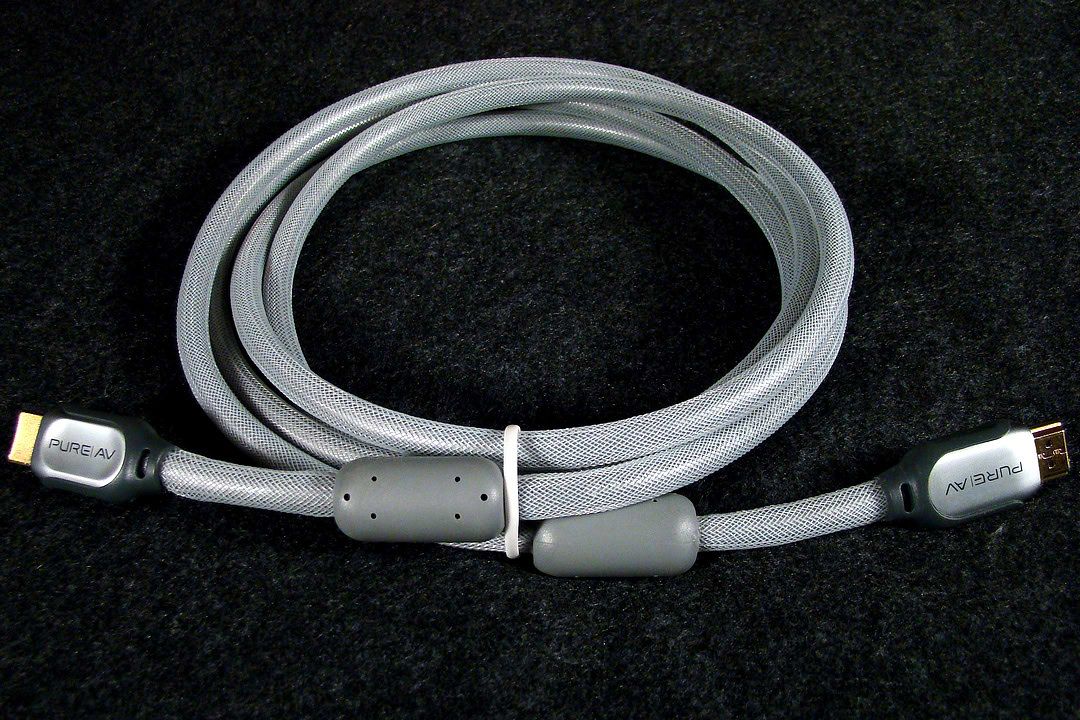
When I got my new Win 7 computer I was looking forward to using HDMI with my 32" Sony Bravia and so I bought a new high quality Belkin Pure AV Silver Series HDMI cable, but I was in for a big surprise!

When I connected my computer to the Bravia using the HDMI cable the image was so severely overscanned that I could barely even see the window controls in the upper right hand corner of the screen and no matter how I adjusted my AMD 5570 graphics card to return to the 1366 X 768 screen size the Bravia displayed hard to read text and distortion artifacts across the entire display. What I later discovered was that HDMI has been mandated to output only 720 or 1080 lines of resolution and correcting the overscannresultec in distortions that appeared no matter what method I used to adjust the resolution to to fit the 768 line screen resolution of the Bravia.

This distortion of the adjusted screen resolution manifests itself not only in difficult to read text, but also in a matrix of lines which look like cracks in the surface of every picture. I went back to using a DVI to VGA converter and now have a perfect 768 lines of resolution without the overscanning or the very distracting distortions created by using the mandated 720 line resolution of HDMI.

That said, if anyone has a solution for converting HDMI's manditory 720 line resolution HDMI into 768 distortion free lines of resolution that perfectly fits the screen using the Bravia's HDMI port I'd be more than happy to hear about how to do it because that fine Belkin Pure AV HDMI cable is currently just lying around unused...

Belkin_HDMI.jpg


~Maxx~
.
Win7_50.png
 
Last edited:

My Computer My Computer

At a glance

Windows 7 x64 Home PremiumIntel Core i7 930 @ 2.8 Ghz Socket 1366 LGA8 GB 1366 Mhz DDR3 (PC3-10700) RAMATI Radeon 5770 1 GB DDR5 RAM
Computer Manufacturer/Model Number
HP HPE 270f
OS
Windows 7 x64 Home Premium
CPU
Intel Core i7 930 @ 2.8 Ghz Socket 1366 LGA
Motherboard
Pegatron Truckee v1.04E41
Memory
8 GB 1366 Mhz DDR3 (PC3-10700) RAM
Graphics Card(s)
ATI Radeon 5770 1 GB DDR5 RAM
Sound Card
Realtech High Definition
Monitor(s) Displays
32" Sony Bravia
Screen Resolution
1366 X 768
Hard Drives
Intel 25nm 120 GB Series 320 SSD HD Tune- 265 MBps Read/ 130 MBps Write

LaCie 1TB + 1TB RAID 0 eSATA Drive HD Tune- 160 MBps Read/ 90 MBps Write
Keyboard
Logitech Illuminated
Mouse
Logitech MX Revolution
Internet Speed
36.4 Mbps Maximum on a 37 Mbps Motorola SB501 Modem
Nice information Lee, looks like most people will need to stay away from the VGA only monitors that will be on sale.

you can still use DP to VGA adapters to drive a VGA only monitor.

I sure hope so because while I have this old Dell monitor from like the early 2000 era, it gets 1600X1200 max resolution and looks friggin awesome while doing it even though its rather bulky, not even my uncle's 1650X1050 LCD monitor looks that good.
 

My Computer My Computer

At a glance

Windows 7 Ultimate x86 SP1Intel Celeron E1200 @ 1.60GHz2.5GB Dual-Channel DDR2 @ 333MHz (5-5-5-15)512MB Radeon X1600/X1650 Series (ATI)
Computer Manufacturer/Model Number
Emachine W3653
OS
Windows 7 Ultimate x86 SP1
CPU
Intel Celeron E1200 @ 1.60GHz
Motherboard
ELITEGROUP 945GCT-M3 (Socket 775)
Memory
2.5GB Dual-Channel DDR2 @ 333MHz (5-5-5-15)
Graphics Card(s)
512MB Radeon X1600/X1650 Series (ATI)
Sound Card
Creative Audigy Audio Processor
Monitor(s) Displays
DELL M781p @ 1600x1200
Screen Resolution
1600X1200
Hard Drives
313GB Western Digital WDC WD3200AAJS-22B4A0 ATA Device
PSU
Unknown
Case
Emachine W3653 Case (Modified a little bit)
Cooling
Fan
Keyboard
Micro Innovations Turbo-Trak Keyboard KB400i
Mouse
Logitech USB MouseMan Wheel
Internet Speed
56K Dial-up Modem
Other Info
Let's just start by saying this computer is a bit of a hodge-podge machine. Hardly any of its parts are standard these days, ever since i got it I've tweaked and tuned it into something that while its not as powerful as other computers it will certainly catch your attention and is rather memorable, hopefully not for the wrong reasons.
I don't really use VGA anymore and I don't recommend it to people I help with pcs.. however I do use/recommend DVI
 

My Computer My Computer

At a glance

Windows 7 Ultimate 64 RetailI7-9604 X 4 GB Kingston DDR3-1600Gigabyte GTX670
Computer type
PC/Desktop
Computer Manufacturer/Model Number
Black Trooper Rampage
OS
Windows 7 Ultimate 64 Retail
CPU
I7-960
Motherboard
Asus Rampage III Extreme
Memory
4 X 4 GB Kingston DDR3-1600
Graphics Card(s)
Gigabyte GTX670
Sound Card
X-Fi Titanium Fatality Champion
Monitor(s) Displays
Dell U2412M
Screen Resolution
1920 X 1200
Hard Drives
2 X Samsung 830 256 GB
Velociraptor 1TB
2 x 2 TB WD Caviar Black
Seagate Barrcuda 2 TB
PSU
Cooler Master Silent Pro Gold 1000 W
Case
Cooler Master Trooper
Keyboard
Logitech G19
Mouse
Logitech G9x
Internet Speed
30 MBPS +/- VDSL
My current video card, a GT220, has a DVI and a VGA. My two 19 inch LCD's each have a DVI and a VGA connector. So I'm running one on DVI and the other on VGA. I think I'll be upgrading to a video card with dual DVI before too long. I'll grab one while they are still around. I likely won't upgrade to display port until I build a replacement for my current PC.
 

My Computer My Computer

At a glance

Windows 10 Education 64 bitAMD Phenom II X4 980 Black Edition Deneb 3.7GHz8GB 4GBx2 Kingston PC10600 DDR3 1333 MemoryZotac NVIDIA Geforce GT640 2 Gig DDR3 PCIe
Computer type
PC/Desktop
Computer Manufacturer/Model Number
Home Built
OS
Windows 10 Education 64 bit
CPU
AMD Phenom II X4 980 Black Edition Deneb 3.7GHz
Motherboard
Asus M4N68T-M V2 µATX Motherboard
Memory
8GB 4GBx2 Kingston PC10600 DDR3 1333 Memory
Graphics Card(s)
Zotac NVIDIA Geforce GT640 2 Gig DDR3 PCIe
Sound Card
VIA VT1708s High Definition Audio 8-channel Onboard
Monitor(s) Displays
22" LG E2242 1080p and 2 19" I-INC AG191D
Screen Resolution
1280x1024 - 1920x1080 - 1280x1024
Hard Drives
Crucial M100 256 GB SSD and 500 GB WD Blue SATA
PSU
Thermaltake TR 620
Case
Power Up Black ATX Mid-Tower Case
Cooling
Stock heatsink and fan
Keyboard
Logitech Wireless K350 Wave
Mouse
Logitech Wireless M570 Trackman Wheel
Internet Speed
80 Mbps Down 30 Mbps Up
Antivirus
Windows Defender
Browser
Internet Explorer 11
Other Info
HP DVD1040e Lightscribe - External USB2
There is still a huge # of people/organizations that still use devices that only have VGA ports. The automotive service industry being one of them. All the diagnostic tools, monitors, etc all have just that only port.

90% of all the Federal, State and Local Police use Panasonic Toughbooks that only have VGA. The latest fully rugged model has HDMI but they don't turn these laptops over every 2 or 3 years. They are made to last and some are still using 6 to 8 year old Toughbooks. They are not built to be the fastest computers with all the latest greatest options. Thier built for dependability & durability.

This is going to be a much larger problem than some people realize I believe.
 

My Computer My Computer

At a glance

W7 ProIntel Core i-5300U16Gb DDR3Intel HD Graphics 5500
Computer type
Laptop
Computer Manufacturer/Model Number
Panasonic Toughbook CF54
OS
W7 Pro
CPU
Intel Core i-5300U
Motherboard
America MegaTrends
Memory
16Gb DDR3
Graphics Card(s)
Intel HD Graphics 5500
Sound Card
SoundMax
Monitor(s) Displays
DFP W/CircularPolarization 1000 Nit Touch
Screen Resolution
1920X1080
Hard Drives
Samsung SSD 850 Pro 512Gb
PSU
N/A
Case
Magnesium
Cooling
Passive
Keyboard
Emissive
Internet Speed
U-Verse Extreme 21MBPS,
Antivirus
MSE, Malwarebytes Professional
From what I have seen its already happening. I'm seeing less and less "new" video cards with VGA connectors on them. There is still some old stock of the low end video cards with them though. Seems to be the same deal with monitors. If you buy an inexpensive small screen LCD you may get a VGA connector. Odds are that will be the only input on it. Buy any decent sized good quality LCD and your odds of it having one go way down. Its only logical when you think about it. Screen prices are coming down so people are buying bigger screens with big resolutions. Plus if you go totally digital and ditch the VGA hardware on both ends, the video card and the monitor. I would think though that it will be years and years before VGA video cards etc, totally dry up. lol, at some point you'll probably pay a premium just to get one.
 

My Computer My Computer

At a glance

Windows 10 Education 64 bitAMD Phenom II X4 980 Black Edition Deneb 3.7GHz8GB 4GBx2 Kingston PC10600 DDR3 1333 MemoryZotac NVIDIA Geforce GT640 2 Gig DDR3 PCIe
Computer type
PC/Desktop
Computer Manufacturer/Model Number
Home Built
OS
Windows 10 Education 64 bit
CPU
AMD Phenom II X4 980 Black Edition Deneb 3.7GHz
Motherboard
Asus M4N68T-M V2 µATX Motherboard
Memory
8GB 4GBx2 Kingston PC10600 DDR3 1333 Memory
Graphics Card(s)
Zotac NVIDIA Geforce GT640 2 Gig DDR3 PCIe
Sound Card
VIA VT1708s High Definition Audio 8-channel Onboard
Monitor(s) Displays
22" LG E2242 1080p and 2 19" I-INC AG191D
Screen Resolution
1280x1024 - 1920x1080 - 1280x1024
Hard Drives
Crucial M100 256 GB SSD and 500 GB WD Blue SATA
PSU
Thermaltake TR 620
Case
Power Up Black ATX Mid-Tower Case
Cooling
Stock heatsink and fan
Keyboard
Logitech Wireless K350 Wave
Mouse
Logitech Wireless M570 Trackman Wheel
Internet Speed
80 Mbps Down 30 Mbps Up
Antivirus
Windows Defender
Browser
Internet Explorer 11
Other Info
HP DVD1040e Lightscribe - External USB2
I was just reading a review on a new top dollar 26" monitor and it had all 4.
 

My Computer My Computer

At a glance

W7 ProIntel Core i-5300U16Gb DDR3Intel HD Graphics 5500
Computer type
Laptop
Computer Manufacturer/Model Number
Panasonic Toughbook CF54
OS
W7 Pro
CPU
Intel Core i-5300U
Motherboard
America MegaTrends
Memory
16Gb DDR3
Graphics Card(s)
Intel HD Graphics 5500
Sound Card
SoundMax
Monitor(s) Displays
DFP W/CircularPolarization 1000 Nit Touch
Screen Resolution
1920X1080
Hard Drives
Samsung SSD 850 Pro 512Gb
PSU
N/A
Case
Magnesium
Cooling
Passive
Keyboard
Emissive
Internet Speed
U-Verse Extreme 21MBPS,
Antivirus
MSE, Malwarebytes Professional
I personally hate the way HDMI looks on HDTV. It looks... Off. I don't know, but I don't like it.

When I got my new Win 7 computer I was looking forward to using HDMI with my 32" Sony Bravia and so I bought a new high quality Belkin Pure AV Silver Series HDMI cable, but I was in for a big surprise!

When I connected my computer to the Bravia using the HDMI cable the image was so severely overscanned that I could barely even see the window controls in the upper right hand corner of the screen and no matter how I adjusted my AMD 5570 graphics card to return to the 1366 X 768 screen size the Bravia displayed hard to read text and distortion artifacts across the entire display. What I later discovered was that HDMI has been mandated to output only 720 or 1080 lines of resolution and correcting the overscannresultec in distortions that appeared no matter what method I used to adjust the resolution to to fit the 768 line screen resolution of the Bravia.

This distortion of the adjusted screen resolution manifests itself not only in difficult to read text, but also in a matrix of lines which look like cracks in the surface of every picture. I went back to using a DVI to VGA converter and now have a perfect 768 lines of resolution without the overscanning or the very distracting distortions created by using the mandated 720 line resolution of HDMI.

That said, if anyone has a solution for converting HDMI's manditory 720 line resolution HDMI into 768 distortion free lines of resolution that perfectly fits the screen using the Bravia's HDMI port I'd be more than happy to hear about how to do it because that fine Belkin Pure AV HDMI cable is currently just lying around unused...

Belkin_HDMI.jpg


~Maxx~
.
Win7_50.png

For my Bravia 52 inch I just had to go into the Nvidia drivers and selected HDMI and it worked perfectly, no other adjustments required. It looks much better than using the DVI. Although it may be different because of the bigger screen, it seems like the drivers should be able to make this adjustment.
 

My Computer My Computer

At a glance

Windows 7 Ult, Windows 8.1 Pro,Q9650-4.275GHz, E8600 4.5GHz, E6750-3.8GHzG.Skill PC2 9600 1200Mhz 5 5 5 15 2TGTX480
Computer type
PC/Desktop
Computer Manufacturer/Model Number
Home built
OS
Windows 7 Ult, Windows 8.1 Pro,
CPU
Q9650-4.275GHz, E8600 4.5GHz, E6750-3.8GHz
Motherboard
Evga 780i FTW
Memory
G.Skill PC2 9600 1200Mhz 5 5 5 15 2T
Graphics Card(s)
GTX480
Sound Card
Asus Xonar D2
Monitor(s) Displays
HannsG
Screen Resolution
1680X1050
Hard Drives
GSkill Phoenix Pro 120GB SSD
PSU
ThermalTake Toughpower 1000Watt modular
Case
ThermalTake XaserV
Cooling
Xigmatek S1283
Keyboard
Logitech G15
Mouse
Logitech G9
Internet Speed
T1
chev65- What is the screen resolution of your Bravia 52 inch? Did you need to compensate for overscan if it is not exactly 1080 lines of resolution when using resolution mandated HDMI?

~Maxx~
.
Win7_50.png
 

My Computer My Computer

At a glance

Windows 7 x64 Home PremiumIntel Core i7 930 @ 2.8 Ghz Socket 1366 LGA8 GB 1366 Mhz DDR3 (PC3-10700) RAMATI Radeon 5770 1 GB DDR5 RAM
Computer Manufacturer/Model Number
HP HPE 270f
OS
Windows 7 x64 Home Premium
CPU
Intel Core i7 930 @ 2.8 Ghz Socket 1366 LGA
Motherboard
Pegatron Truckee v1.04E41
Memory
8 GB 1366 Mhz DDR3 (PC3-10700) RAM
Graphics Card(s)
ATI Radeon 5770 1 GB DDR5 RAM
Sound Card
Realtech High Definition
Monitor(s) Displays
32" Sony Bravia
Screen Resolution
1366 X 768
Hard Drives
Intel 25nm 120 GB Series 320 SSD HD Tune- 265 MBps Read/ 130 MBps Write

LaCie 1TB + 1TB RAID 0 eSATA Drive HD Tune- 160 MBps Read/ 90 MBps Write
Keyboard
Logitech Illuminated
Mouse
Logitech MX Revolution
Internet Speed
36.4 Mbps Maximum on a 37 Mbps Motorola SB501 Modem
There is still a huge # of people/organizations that still use devices that only have VGA ports. The automotive service industry being one of them. All the diagnostic tools, monitors, etc all have just that only port.

90% of all the Federal, State and Local Police use Panasonic Toughbooks that only have VGA. The latest fully rugged model has HDMI but they don't turn these laptops over every 2 or 3 years. They are made to last and some are still using 6 to 8 year old Toughbooks. They are not built to be the fastest computers with all the latest greatest options. Thier built for dependability & durability.

This is going to be a much larger problem than some people realize I believe.

Your point is well made, albeit change is always just around the corner. I remember when USB first arrived on the scene everyone said it would never replace the parallel port. It did and it was a great move. Another simple was user ports for game controllers; USB replaced those. So business that are behind the bell will just had to break down and play catch up.
 

My Computer My Computer

At a glance

Win 7 Pro x64, VM Win XP, Win7 Pro Sandbox, K...AMD Athlon(tm) II X4 640 @ 3.0 Gbz12GB 1066MHz DDR3 SDRAM - 2x4GB, 2x2GBATI Radeon HD 4350 HD Graphics/Audio with 512MB
Computer Manufacturer/Model Number
HP Pavilion a4302f
OS
Win 7 Pro x64, VM Win XP, Win7 Pro Sandbox, Kubuntu 11
CPU
AMD Athlon(tm) II X4 640 @ 3.0 Gbz
Memory
12GB 1066MHz DDR3 SDRAM - 2x4GB, 2x2GB
Graphics Card(s)
ATI Radeon HD 4350 HD Graphics/Audio with 512MB
Sound Card
Realtek High Definition Audio
Monitor(s) Displays
1. Dell 23" SP2307, 2. Mitsublishi 40" HDTV, Hannspree 25"
Screen Resolution
1. 2048x1152, 2. 1920-1080, 3. 1920x1200
Hard Drives
Int: 1 120 Gig SSD i
1 - 2.5" 500 USB External HDD
1 -1 Tb USB External HDD
Case
Mid Tower
Cooling
Standard Fans - 5 fans (very quiet)
Keyboard
Microsoft Wireless 2000
Mouse
Microsoft Wireless Mouse 5000
Internet Speed
10 Mbit (realistically 500 Kbit - 1.2 Mbit)
Other Info
Speakers - Bose Desktop (Excellent Sound)
1 external CD|DVD\Blue-ray Recorders/Players (Sony)
chev65- What is the screen resolution of your Bravia 52 inch? Did you need to compensate for overscan if it is not exactly 1080 lines of resolution when using resolution mandated HDMI?

~Maxx~
.
Win7_50.png

It's 1920x1080 so that might be the reason why it works with no adjustments required. I'm using the built in HDMI on my Intel board, I forgot that I took out the Nvidia card as it was only needed to boot up the board until I got the Intel drivers installed

It seems to me that if you are using the mini HDMI out from your ATI card that there should be a HDMI setting that should work.
 

My Computer My Computer

At a glance

Windows 7 Ult, Windows 8.1 Pro,Q9650-4.275GHz, E8600 4.5GHz, E6750-3.8GHzG.Skill PC2 9600 1200Mhz 5 5 5 15 2TGTX480
Computer type
PC/Desktop
Computer Manufacturer/Model Number
Home built
OS
Windows 7 Ult, Windows 8.1 Pro,
CPU
Q9650-4.275GHz, E8600 4.5GHz, E6750-3.8GHz
Motherboard
Evga 780i FTW
Memory
G.Skill PC2 9600 1200Mhz 5 5 5 15 2T
Graphics Card(s)
GTX480
Sound Card
Asus Xonar D2
Monitor(s) Displays
HannsG
Screen Resolution
1680X1050
Hard Drives
GSkill Phoenix Pro 120GB SSD
PSU
ThermalTake Toughpower 1000Watt modular
Case
ThermalTake XaserV
Cooling
Xigmatek S1283
Keyboard
Logitech G15
Mouse
Logitech G9
Internet Speed
T1
Back
Top