
Graphics Card/Onboard Graphics for Media Centre PC

yeah, an LCD should have better picture quality :p
I originally thought that HDMI connection with a graphics card was easy, but when reading the instruction manual for my 8400GS, there seemed to be an extra connection that needed making with the motherboard for HDMI to work. However, I hope that that was just that card needing it.

Onto the RAM, the computer I had that died had 2GB RAM, a 64MB graphics card (that seemed to be a huge fluke of a card, as it could support aero and the sims 3 despite only being 64MB) and a single core 3.06GHz Intel Celeron D (known to be an awful processor :p). It managed to run the sims 2 fine (well, on the highest settings it was a bit slow and buildings flickered going flat), was fine at running rollercoaster tycoon 2 and 3 and could run the sims 3 on rather low settings without a speed problem. It wasn't great at playing 720p HD videos in VLC (no audio for first five seconds and often juttery playback, however the laptop in my specs plays 720p video in vlc perfectly, so i'm guessing it was just the card) but it ran XBMC quite well (slow at bits, but playback etc was fine). It was also quite slow with WMC.
Unfortunately, I never managed to try my 512MB 8400GS as my case wasn't long enough to fit a more powerful PSU in without sacrificing the optical drive :p. I did try, but the fan on the graphics card didn't run, it got incredibly hot and was stuck in an awfully small (600x800) resolution.
This means that I never really got to find out how much graphical load a better card could take away, so I'm not fully sure about if 2GB of RAM would be enough. It seemed that it would be, as a friend of mine has a 2GB machine with an intel graphics chip that was better at running games.
So, I would suggest that we find a good graphics card for you, one that's reasonably priced and has a decent amount of video RAM (I guess 1GB to 1.5GB) and then see how the machine copes. If it doesn't perform as well as you hope, then adding another GB of RAM shouldn't hurt :D
 

My Computer My Computer

At a glance

Windows 7 Home Premium 64bitAMD Phenom II X6 1035T @2.6GHz (hexacore) (=1...6GB DDR3-1333 (running at 1066)NVIDIA/MSI GeForce GTX 770 (2GB)
Computer type
PC/Desktop
Computer Manufacturer/Model Number
HP Pavilion p6565uk
OS
Windows 7 Home Premium 64bit
CPU
AMD Phenom II X6 1035T @2.6GHz (hexacore) (=15.6GHz)
Motherboard
FOXCONN (2AA9)
Memory
6GB DDR3-1333 (running at 1066)
Graphics Card(s)
NVIDIA/MSI GeForce GTX 770 (2GB)
Sound Card
Realtek HD Audio (with 5.1 surround sound always on)
Monitor(s) Displays
HP 2311x (secondary-workspace), Sharp LL-T1620-H (primary)
Screen Resolution
1924x1080
Hard Drives
480GB Crucial M500 SSD
1TB internal WD Caviar Black
3TB Seagate Barracude 7200rpm (for media storage)
4TB Seagate Desktop drive (mirrored backup)
2TB Apple AirPort Time Capsule
1TB Seagate FreeAgent Desk
500GB Seagate External Desktop Drive
PSU
XCase Dolphin, 700W
Case
Stock HP one that came with it, mid-size ATX
Cooling
Stock fans, they're fairly quiet.
Keyboard
Microsoft Wireless Keyboard 2000+ HP Media Centre Remote
Mouse
Microsoft Wireless Mouse 2000
Internet Speed
20 Mbps down, 50 Mbps up
Antivirus
MSE
Browser
Chrome Beta
Other Info
Also:
- 13" Apple MacBook Air, 2013, i7 @ 1.7GHz, 8GB DDR3, 256GB SSD
- HP Deskjet 3050A
- Two HP ZV5000 laptops (the better of the two recently broke)
- A Compaq Evo D310 (has 2GB RAM and a 2.53GHz P4 but is curiously extremely slow)
- A desk fan - this weather is warm ;)
- A fair few retro consoles
- Too many cables behind the desk, probably a fire hazard.
Funnily enough, I was having problems watching TV in Windows Media Centre and tried loads of different things to sort it out. Thought it was the aerial, so got out a beast and tried that to no avail.

Then started looking aroun the internet and found the solution was to adjust visual effects to run for performance, which has meant going back to XP-esque graphics unfortunately (no aero). This did resolve the jittery playback, but certainly makes me reconsider the importance of a more powerful GPU (although it could be a combination of GPU/RAM)

Unfortunately, I am running a 400W PSU at the moment so I'm not sure what kind of GPU it will take.

What are your initial thoughts about the most appropriate GPU and whether RAM might also make the difference here?
 

My Computer My Computer

At a glance

Windows 72GB
Computer Manufacturer/Model Number
HP 530
OS
Windows 7
Memory
2GB
Hard Drives
120GB
I think a ram upgrade would help the operation of your entire system. I don't know what graphics you are using now but this card is not overly expensive for a GPU card and will play most any game out there,

Sapphire Radeon HD 5830. You'll have to investigate the power requirements.
 

My Computers My Computers

  • At a glance

    Windows 11 ProRyzen 9 5900X32GB G Skill DDR4-3600EVGA RTX 3080 FTW 3 Ultra
    Computer type
    PC/Desktop
    Computer Manufacturer/Model Number
    ALWAYS UNDER CONSTRUCTION
    OS
    Windows 11 Pro
    CPU
    Ryzen 9 5900X
    Motherboard
    Asus X570 Crosshair Viii Hero
    Memory
    32GB G Skill DDR4-3600
    Graphics Card(s)
    EVGA RTX 3080 FTW 3 Ultra
    Sound Card
    On Board/Sennheiser PC37X Headset
    Monitor(s) Displays
    3 X Asus 27"
    Screen Resolution
    2560x1440
    Hard Drives
    2 X 1 TB NVME drives
    PSU
    EVGA 850
    Case
    Phanteks Eclipse P400A
    Cooling
    EVGA 280 AIO
    Keyboard
    Logitech G510s/ Logitech G13
    Mouse
    Logitech G502
    Internet Speed
    24/1
    Antivirus
    ESET/MBAM Pro/SAS Pro
    Browser
    Chrome/ Firefox/ Edge
  • At a glance

    Windows 11 ProIntel Ultra 9 288V32 GB LPDDR5X 8533
    Computer type
    Laptop
    System Manufacturer/Model Number
    Dell 16 Plus
    OS
    Windows 11 Pro
    CPU
    Intel Ultra 9 288V
    Memory
    32 GB LPDDR5X 8533
    Monitor(s) Displays
    16" Mini-LED HDR600 Touch 90 Hz
    Screen Resolution
    2560X1600
    Hard Drives
    1 TB NVME
Hello there, thank you very much for your response. Unfortunately, I couldn't find a seller in the UK. Furthermore, I couldn't find the power requirements. It looks like rather a big card, which I am unsure would fit within the confines of the case I have?

Also, any ideas about the best offers on suitable RAM?
 

My Computer My Computer

At a glance

Windows 72GB
Computer Manufacturer/Model Number
HP 530
OS
Windows 7
Memory
2GB
Hard Drives
120GB
The manual for your HP would be the best place to look for the type of ram for your particular Motherboard, if you don't have it you can surely download a copy from HP website.

The Sapphire is quite a long card I think around 101/2 inches. It is difficult to find because Sapphire is dumping their 5000 serise cards. Why it is cheap though.

I don't know where to look in the UK. But perhaps you can find a card here and look it up in the UK. The 5770 is a fairly good card. The one I have pulls 75W on full power I'm told. and they are not usually as big. Read the feedback section for some good info.
 

My Computers My Computers

  • At a glance

    Windows 11 ProRyzen 9 5900X32GB G Skill DDR4-3600EVGA RTX 3080 FTW 3 Ultra
    Computer type
    PC/Desktop
    Computer Manufacturer/Model Number
    ALWAYS UNDER CONSTRUCTION
    OS
    Windows 11 Pro
    CPU
    Ryzen 9 5900X
    Motherboard
    Asus X570 Crosshair Viii Hero
    Memory
    32GB G Skill DDR4-3600
    Graphics Card(s)
    EVGA RTX 3080 FTW 3 Ultra
    Sound Card
    On Board/Sennheiser PC37X Headset
    Monitor(s) Displays
    3 X Asus 27"
    Screen Resolution
    2560x1440
    Hard Drives
    2 X 1 TB NVME drives
    PSU
    EVGA 850
    Case
    Phanteks Eclipse P400A
    Cooling
    EVGA 280 AIO
    Keyboard
    Logitech G510s/ Logitech G13
    Mouse
    Logitech G502
    Internet Speed
    24/1
    Antivirus
    ESET/MBAM Pro/SAS Pro
    Browser
    Chrome/ Firefox/ Edge
  • At a glance

    Windows 11 ProIntel Ultra 9 288V32 GB LPDDR5X 8533
    Computer type
    Laptop
    System Manufacturer/Model Number
    Dell 16 Plus
    OS
    Windows 11 Pro
    CPU
    Intel Ultra 9 288V
    Memory
    32 GB LPDDR5X 8533
    Monitor(s) Displays
    16" Mini-LED HDR600 Touch 90 Hz
    Screen Resolution
    2560X1600
    Hard Drives
    1 TB NVME
Further suggestion. I don't know about HP, but I have a dell. I can look up my computer on their website and search for upgrades. They will usually show you ram of several types. Pay attention to the frequency, voltage and timings. You can usually go find the exact thing for much less elsewhere. Or, the easy way is download the crucial advisor. Click on scan my computer. you will usually have to download a small program. It will tell you what you have now and recommend several options to choose from. They are good to deal with and have good ram.
 

My Computers My Computers

  • At a glance

    Windows 11 ProRyzen 9 5900X32GB G Skill DDR4-3600EVGA RTX 3080 FTW 3 Ultra
    Computer type
    PC/Desktop
    Computer Manufacturer/Model Number
    ALWAYS UNDER CONSTRUCTION
    OS
    Windows 11 Pro
    CPU
    Ryzen 9 5900X
    Motherboard
    Asus X570 Crosshair Viii Hero
    Memory
    32GB G Skill DDR4-3600
    Graphics Card(s)
    EVGA RTX 3080 FTW 3 Ultra
    Sound Card
    On Board/Sennheiser PC37X Headset
    Monitor(s) Displays
    3 X Asus 27"
    Screen Resolution
    2560x1440
    Hard Drives
    2 X 1 TB NVME drives
    PSU
    EVGA 850
    Case
    Phanteks Eclipse P400A
    Cooling
    EVGA 280 AIO
    Keyboard
    Logitech G510s/ Logitech G13
    Mouse
    Logitech G502
    Internet Speed
    24/1
    Antivirus
    ESET/MBAM Pro/SAS Pro
    Browser
    Chrome/ Firefox/ Edge
  • At a glance

    Windows 11 ProIntel Ultra 9 288V32 GB LPDDR5X 8533
    Computer type
    Laptop
    System Manufacturer/Model Number
    Dell 16 Plus
    OS
    Windows 11 Pro
    CPU
    Intel Ultra 9 288V
    Memory
    32 GB LPDDR5X 8533
    Monitor(s) Displays
    16" Mini-LED HDR600 Touch 90 Hz
    Screen Resolution
    2560X1600
    Hard Drives
    1 TB NVME
the 512MB graphics card with HDMI and a fan that I had said in the manual "minimum 300W PSU". My PSU was the original one from 2001, which could only supply 180W :p
I think 400W will be fine in most cases, unless a seriously powerful huge graphics card is found :p
 

My Computer My Computer

At a glance

Windows 7 Home Premium 64bitAMD Phenom II X6 1035T @2.6GHz (hexacore) (=1...6GB DDR3-1333 (running at 1066)NVIDIA/MSI GeForce GTX 770 (2GB)
Computer type
PC/Desktop
Computer Manufacturer/Model Number
HP Pavilion p6565uk
OS
Windows 7 Home Premium 64bit
CPU
AMD Phenom II X6 1035T @2.6GHz (hexacore) (=15.6GHz)
Motherboard
FOXCONN (2AA9)
Memory
6GB DDR3-1333 (running at 1066)
Graphics Card(s)
NVIDIA/MSI GeForce GTX 770 (2GB)
Sound Card
Realtek HD Audio (with 5.1 surround sound always on)
Monitor(s) Displays
HP 2311x (secondary-workspace), Sharp LL-T1620-H (primary)
Screen Resolution
1924x1080
Hard Drives
480GB Crucial M500 SSD
1TB internal WD Caviar Black
3TB Seagate Barracude 7200rpm (for media storage)
4TB Seagate Desktop drive (mirrored backup)
2TB Apple AirPort Time Capsule
1TB Seagate FreeAgent Desk
500GB Seagate External Desktop Drive
PSU
XCase Dolphin, 700W
Case
Stock HP one that came with it, mid-size ATX
Cooling
Stock fans, they're fairly quiet.
Keyboard
Microsoft Wireless Keyboard 2000+ HP Media Centre Remote
Mouse
Microsoft Wireless Mouse 2000
Internet Speed
20 Mbps down, 50 Mbps up
Antivirus
MSE
Browser
Chrome Beta
Other Info
Also:
- 13" Apple MacBook Air, 2013, i7 @ 1.7GHz, 8GB DDR3, 256GB SSD
- HP Deskjet 3050A
- Two HP ZV5000 laptops (the better of the two recently broke)
- A Compaq Evo D310 (has 2GB RAM and a 2.53GHz P4 but is curiously extremely slow)
- A desk fan - this weather is warm ;)
- A fair few retro consoles
- Too many cables behind the desk, probably a fire hazard.
Hello Essenbe, thank you for your reply. I did quote the specs of my computer, with particular reference to RAM and CPU. I am unsure where you gathered my computer was built by HP? I built it myself, so there isn't an upgrade service available... Problem with building computers (unless you do it on a daily basis or frequently) is that technology changes so quickly and just when you think you understand the best hardware, it changes! Also, finding the right power/price ratio is difficult.

Biggles, sounds as though you have been rather lucky! Don't suppose you have had any luck finding a GPU?

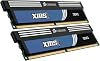
Also, at present I have Corsair TwinX 2GB DDR2 6400 C4 (2GB of RAM overall). Would you suggest I upgrade for improved gmeplay and watching media? If yes, please recommend a few possibilities.

Motherboard details for RAM:
Dual-channel memory architecture
4 x 240-pin DIMM slots support unbuffered ECC and non-ECC DDR2 1066/800/667/533MHz memory modules
Supports up to 8GB system memory
Due to AMD+ CPU limitation, only one DDR2 1066 DIMM is supported per channel. When four DDR2 1066 DIMMs are installed, all DIMMs run at 800MHz frequency by default for system stability.

I am running Windows 7 Professional Edition (32 bit) and AMD Athlon(tm) Dual Core Processor 5050e.
 

My Computer My Computer

At a glance

Windows 72GB
Computer Manufacturer/Model Number
HP 530
OS
Windows 7
Memory
2GB
Hard Drives
120GB
I made the faulty assumption because your system specs say it is an HP 530. If you built it yourself your motherboard manual would be the best place to learn the ram it will accept. The website of your motherboard should have a QVL, (qualified vendors list) of the types of ram they have tested that will be compatible with your board. Technology does change pretty quickly. It makes it difficult for all of us who don't have the time to read constantly. Again I am sorry About thinking you had an HP. But that is why it is important to fill out your system specs as much as possible. It does help if we know what motherboard you have in order to suggest ram. There may be better choices but more of exactly what you have now would help. I would also recommend that all the ram be exactly the same. It can be made to work, but matched ram usually avoids any problems.

I use G Skill ram. I have had experience with their tech support and they are the absolute best. There are other good companies, Corsair is one of them. I would suggest buying from a well known company with a proven track record. Quality is important.
 
Last edited:

My Computers My Computers

  • At a glance

    Windows 11 ProRyzen 9 5900X32GB G Skill DDR4-3600EVGA RTX 3080 FTW 3 Ultra
    Computer type
    PC/Desktop
    Computer Manufacturer/Model Number
    ALWAYS UNDER CONSTRUCTION
    OS
    Windows 11 Pro
    CPU
    Ryzen 9 5900X
    Motherboard
    Asus X570 Crosshair Viii Hero
    Memory
    32GB G Skill DDR4-3600
    Graphics Card(s)
    EVGA RTX 3080 FTW 3 Ultra
    Sound Card
    On Board/Sennheiser PC37X Headset
    Monitor(s) Displays
    3 X Asus 27"
    Screen Resolution
    2560x1440
    Hard Drives
    2 X 1 TB NVME drives
    PSU
    EVGA 850
    Case
    Phanteks Eclipse P400A
    Cooling
    EVGA 280 AIO
    Keyboard
    Logitech G510s/ Logitech G13
    Mouse
    Logitech G502
    Internet Speed
    24/1
    Antivirus
    ESET/MBAM Pro/SAS Pro
    Browser
    Chrome/ Firefox/ Edge
  • At a glance

    Windows 11 ProIntel Ultra 9 288V32 GB LPDDR5X 8533
    Computer type
    Laptop
    System Manufacturer/Model Number
    Dell 16 Plus
    OS
    Windows 11 Pro
    CPU
    Intel Ultra 9 288V
    Memory
    32 GB LPDDR5X 8533
    Monitor(s) Displays
    16" Mini-LED HDR600 Touch 90 Hz
    Screen Resolution
    2560X1600
    Hard Drives
    1 TB NVME
Hello Essenbe, apologies if I came across snappy! The system specs are confused because we have several computers in the house and for a long time I was using my partner's laptop (HP 530).

The acceptable RAM is listed in two posts, the most recent one is above. I realise it would be better to replace the current RAM with a higher spec and remove the older stuff to get the best effect.
 

My Computer My Computer

At a glance

Windows 72GB
Computer Manufacturer/Model Number
HP 530
OS
Windows 7
Memory
2GB
Hard Drives
120GB
No problem, but yes it is important that all of the ram match. I guess it depends on money, but others will disagree, but I prefer the fastest ram my motherboard will take. I just feel that it gives you a better chance of the best performance. You should see a difference in 4GB. With nothing open look at your installed ram and useable ram. I would guess that windows is using about half of your current ram just to run. That does no leave much for you to use on other applications and games. Just as an example. I have 8GB of DDR3-1866 ram. Windows is using about 1600MB (about 1.5GB) which leaves me about 6.5GB to use. If you have integrated graphics it is much worse.
 

My Computers My Computers

  • At a glance

    Windows 11 ProRyzen 9 5900X32GB G Skill DDR4-3600EVGA RTX 3080 FTW 3 Ultra
    Computer type
    PC/Desktop
    Computer Manufacturer/Model Number
    ALWAYS UNDER CONSTRUCTION
    OS
    Windows 11 Pro
    CPU
    Ryzen 9 5900X
    Motherboard
    Asus X570 Crosshair Viii Hero
    Memory
    32GB G Skill DDR4-3600
    Graphics Card(s)
    EVGA RTX 3080 FTW 3 Ultra
    Sound Card
    On Board/Sennheiser PC37X Headset
    Monitor(s) Displays
    3 X Asus 27"
    Screen Resolution
    2560x1440
    Hard Drives
    2 X 1 TB NVME drives
    PSU
    EVGA 850
    Case
    Phanteks Eclipse P400A
    Cooling
    EVGA 280 AIO
    Keyboard
    Logitech G510s/ Logitech G13
    Mouse
    Logitech G502
    Internet Speed
    24/1
    Antivirus
    ESET/MBAM Pro/SAS Pro
    Browser
    Chrome/ Firefox/ Edge
  • At a glance

    Windows 11 ProIntel Ultra 9 288V32 GB LPDDR5X 8533
    Computer type
    Laptop
    System Manufacturer/Model Number
    Dell 16 Plus
    OS
    Windows 11 Pro
    CPU
    Intel Ultra 9 288V
    Memory
    32 GB LPDDR5X 8533
    Monitor(s) Displays
    16" Mini-LED HDR600 Touch 90 Hz
    Screen Resolution
    2560X1600
    Hard Drives
    1 TB NVME
See if this will wotk.
Corsair Twin2X4096-6400C5 It is about $65 US.I think that is pretty much the same as you are using now, just larger size.
 

My Computers My Computers

  • At a glance

    Windows 11 ProRyzen 9 5900X32GB G Skill DDR4-3600EVGA RTX 3080 FTW 3 Ultra
    Computer type
    PC/Desktop
    Computer Manufacturer/Model Number
    ALWAYS UNDER CONSTRUCTION
    OS
    Windows 11 Pro
    CPU
    Ryzen 9 5900X
    Motherboard
    Asus X570 Crosshair Viii Hero
    Memory
    32GB G Skill DDR4-3600
    Graphics Card(s)
    EVGA RTX 3080 FTW 3 Ultra
    Sound Card
    On Board/Sennheiser PC37X Headset
    Monitor(s) Displays
    3 X Asus 27"
    Screen Resolution
    2560x1440
    Hard Drives
    2 X 1 TB NVME drives
    PSU
    EVGA 850
    Case
    Phanteks Eclipse P400A
    Cooling
    EVGA 280 AIO
    Keyboard
    Logitech G510s/ Logitech G13
    Mouse
    Logitech G502
    Internet Speed
    24/1
    Antivirus
    ESET/MBAM Pro/SAS Pro
    Browser
    Chrome/ Firefox/ Edge
  • At a glance

    Windows 11 ProIntel Ultra 9 288V32 GB LPDDR5X 8533
    Computer type
    Laptop
    System Manufacturer/Model Number
    Dell 16 Plus
    OS
    Windows 11 Pro
    CPU
    Intel Ultra 9 288V
    Memory
    32 GB LPDDR5X 8533
    Monitor(s) Displays
    16" Mini-LED HDR600 Touch 90 Hz
    Screen Resolution
    2560X1600
    Hard Drives
    1 TB NVME
Okay, and what about alternative GPUs?
 

My Computer My Computer

At a glance

Windows 72GB
Computer Manufacturer/Model Number
HP 530
OS
Windows 7
Memory
2GB
Hard Drives
120GB
I'll look into some. Just to be clear before I set out on my expedition across the interwebs :p, it's PCI-E, right?? oh, and how much video RAM is optimal? (given what you said you want it for, sims and rollercoaster tycoon etc., 1GB will probably be fine)
 

My Computer My Computer

At a glance

Windows 7 Home Premium 64bitAMD Phenom II X6 1035T @2.6GHz (hexacore) (=1...6GB DDR3-1333 (running at 1066)NVIDIA/MSI GeForce GTX 770 (2GB)
Computer type
PC/Desktop
Computer Manufacturer/Model Number
HP Pavilion p6565uk
OS
Windows 7 Home Premium 64bit
CPU
AMD Phenom II X6 1035T @2.6GHz (hexacore) (=15.6GHz)
Motherboard
FOXCONN (2AA9)
Memory
6GB DDR3-1333 (running at 1066)
Graphics Card(s)
NVIDIA/MSI GeForce GTX 770 (2GB)
Sound Card
Realtek HD Audio (with 5.1 surround sound always on)
Monitor(s) Displays
HP 2311x (secondary-workspace), Sharp LL-T1620-H (primary)
Screen Resolution
1924x1080
Hard Drives
480GB Crucial M500 SSD
1TB internal WD Caviar Black
3TB Seagate Barracude 7200rpm (for media storage)
4TB Seagate Desktop drive (mirrored backup)
2TB Apple AirPort Time Capsule
1TB Seagate FreeAgent Desk
500GB Seagate External Desktop Drive
PSU
XCase Dolphin, 700W
Case
Stock HP one that came with it, mid-size ATX
Cooling
Stock fans, they're fairly quiet.
Keyboard
Microsoft Wireless Keyboard 2000+ HP Media Centre Remote
Mouse
Microsoft Wireless Mouse 2000
Internet Speed
20 Mbps down, 50 Mbps up
Antivirus
MSE
Browser
Chrome Beta
Other Info
Also:
- 13" Apple MacBook Air, 2013, i7 @ 1.7GHz, 8GB DDR3, 256GB SSD
- HP Deskjet 3050A
- Two HP ZV5000 laptops (the better of the two recently broke)
- A Compaq Evo D310 (has 2GB RAM and a 2.53GHz P4 but is curiously extremely slow)
- A desk fan - this weather is warm ;)
- A fair few retro consoles
- Too many cables behind the desk, probably a fire hazard.
Hello again friend! It needs to be PCI-E and powerful enough to run the Total War games on highest settings smoothly.
 

My Computer My Computer

At a glance

Windows 72GB
Computer Manufacturer/Model Number
HP 530
OS
Windows 7
Memory
2GB
Hard Drives
120GB
Having looked at the system specs for Shogun 2 Total War: Shogun 2: Total War System Requirements - PC Game Shogun 2: Total War requirements

I think I am going to need to replace my Athlon 5050e Dual Core with something like
AMD Athlon II X3 450 3.2GHz Socket AM3 95w 1.5MB L2 Cache (AMD Athlon II X3 450 3.2GHz Socket AM3 95w 1.5MB L2.. | Ebuyer.com), which I believe is compatible with my Motherboard: Asus M3A78-CM Motherboard User Manual

I still need to know which GPU is going to be suitable? I want to play using highest settings.

Recommended system requirements:

  • 2nd Generation Intel® Core™i5 processor (or greater), or AMD equivalent
  • 2GB RAM (XP), 4GB RAM (Vista / Windows7)
  • AMD Radeon HD 5000 and 6000 series graphics cards or equivalent DirectX 11 compatible graphics card
I have already purchased and am awaiting delivery of Corsair TWIN2X4096-6400C5C 4GB 800MHz C5 DDR2 Memory Kit
 

My Computer My Computer

At a glance

Windows 72GB
Computer Manufacturer/Model Number
HP 530
OS
Windows 7
Memory
2GB
Hard Drives
120GB
Hello there, any ideas?
 

My Computer My Computer

At a glance

Windows 72GB
Computer Manufacturer/Model Number
HP 530
OS
Windows 7
Memory
2GB
Hard Drives
120GB
yeah, those are some pretty high system requirements for that game :S
so will you now have 6GB of RAM?
I think I'd better start searching higher for graphics cards with 1.5GB of VRAM, if not 2GB. At least there are more of those with HDMI than there were s-video ones :p
also, which would you prefer primarily, ATI or nvidia? (eg. if there are two identical-ish spec cards)
 

My Computer My Computer

At a glance

Windows 7 Home Premium 64bitAMD Phenom II X6 1035T @2.6GHz (hexacore) (=1...6GB DDR3-1333 (running at 1066)NVIDIA/MSI GeForce GTX 770 (2GB)
Computer type
PC/Desktop
Computer Manufacturer/Model Number
HP Pavilion p6565uk
OS
Windows 7 Home Premium 64bit
CPU
AMD Phenom II X6 1035T @2.6GHz (hexacore) (=15.6GHz)
Motherboard
FOXCONN (2AA9)
Memory
6GB DDR3-1333 (running at 1066)
Graphics Card(s)
NVIDIA/MSI GeForce GTX 770 (2GB)
Sound Card
Realtek HD Audio (with 5.1 surround sound always on)
Monitor(s) Displays
HP 2311x (secondary-workspace), Sharp LL-T1620-H (primary)
Screen Resolution
1924x1080
Hard Drives
480GB Crucial M500 SSD
1TB internal WD Caviar Black
3TB Seagate Barracude 7200rpm (for media storage)
4TB Seagate Desktop drive (mirrored backup)
2TB Apple AirPort Time Capsule
1TB Seagate FreeAgent Desk
500GB Seagate External Desktop Drive
PSU
XCase Dolphin, 700W
Case
Stock HP one that came with it, mid-size ATX
Cooling
Stock fans, they're fairly quiet.
Keyboard
Microsoft Wireless Keyboard 2000+ HP Media Centre Remote
Mouse
Microsoft Wireless Mouse 2000
Internet Speed
20 Mbps down, 50 Mbps up
Antivirus
MSE
Browser
Chrome Beta
Other Info
Also:
- 13" Apple MacBook Air, 2013, i7 @ 1.7GHz, 8GB DDR3, 256GB SSD
- HP Deskjet 3050A
- Two HP ZV5000 laptops (the better of the two recently broke)
- A Compaq Evo D310 (has 2GB RAM and a 2.53GHz P4 but is curiously extremely slow)
- A desk fan - this weather is warm ;)
- A fair few retro consoles
- Too many cables behind the desk, probably a fire hazard.
... I am looking for a dirt cheap, Windows 7 suitable graphics card for use with a PC designed for multimedia purposes (watching films, listening to music etc). I would like to be able to use the full visual effects Windows 7 has to offer

Having looked at the system specs for Shogun 2 Total War: Shogun 2: Total War System Requirements - PC Game Shogun 2: Total War requirements

I think I am going to need to replace my Athlon 5050e Dual Core with something like
AMD Athlon II X3 450 3.2GHz Socket AM3 95w 1.5MB L2 Cache (AMD Athlon II X3 450 3.2GHz Socket AM3 95w 1.5MB L2.. | Ebuyer.com), which I believe is compatible with my Motherboard: Asus M3A78-CM Motherboard User Manual

I still need to know which GPU is going to be suitable? I want to play using highest settings.


Recommended system requirements:

  • 2nd Generation Intel® Core™i5 processor (or greater), or AMD equivalent
  • 2GB RAM (XP), 4GB RAM (Vista / Windows7)
  • AMD Radeon HD 5000 and 6000 series graphics cards or equivalent DirectX 11 compatible graphics card
I have already purchased and am awaiting delivery of Corsair TWIN2X4096-6400C5C 4GB 800MHz C5 DDR2 Memory Kit

Since you can't have it both ways, what's the budget? Knowing that in advance would really help the guys nail down the proper card.
 

My Computer My Computer

At a glance

7 Ultimate x64i5-2500k8GB G.Skill Ripjaws X F3-12800CL7D-8GBXH 1866...EVGA GTX 570 SC
OS
7 Ultimate x64
CPU
i5-2500k
Motherboard
Asus P8P67 Pro
Memory
8GB G.Skill Ripjaws X F3-12800CL7D-8GBXH 1866MHz 8-9-8-24
Graphics Card(s)
EVGA GTX 570 SC
Sound Card
X-Fi Titanium Fatality
Monitor(s) Displays
Samsung S27A550H 27" LED
Screen Resolution
1920x1080
Hard Drives
OCZ Vertex 3 120GB.
1TB Samsung F3.
2TB Samsung F4.
PSU
PC Power & Cooling Silencer 760
Case
Lian Li Lancool K62
Cooling
Thermalright Venomous X Black/Scythe S-Flex/Shin-Etsu X23
Keyboard
MS Natural Elite 4000 Ergonomic
Mouse
Logitech G500
Internet Speed
6MB/768
Other Info
Logitech Z-5500 505 watts.
D-Link DGL-4500.
Tripp-Lite Smart Pro 1500.
I'm not sure what you are trying to do. Are you looking to build a new system? As far as those system requirements, there is not an AMD chip thst is equivalent to a 2nd gen. core i5. I have an i5-2500K and came from a PH ii x6. So I have some experience. In 2 weeks rumor has it that Bulldozer is coming out. Wait and see what it is like. With the requirements you listed, you will need a new board to meet them. And bottom line is a 5770 I think. Or look at the 6000 serise for the future. I don't know your budget, but you can get a 6870 for 200.00 US. There are some 5870 cards that are probably better, but it will cost 300-500 US for those. If you are trying to match those specs or come close, I don't think an Athlon will do it. You will need to at least get into the Phenom ii range. Just my opinion.
 

My Computers My Computers

  • At a glance

    Windows 11 ProRyzen 9 5900X32GB G Skill DDR4-3600EVGA RTX 3080 FTW 3 Ultra
    Computer type
    PC/Desktop
    Computer Manufacturer/Model Number
    ALWAYS UNDER CONSTRUCTION
    OS
    Windows 11 Pro
    CPU
    Ryzen 9 5900X
    Motherboard
    Asus X570 Crosshair Viii Hero
    Memory
    32GB G Skill DDR4-3600
    Graphics Card(s)
    EVGA RTX 3080 FTW 3 Ultra
    Sound Card
    On Board/Sennheiser PC37X Headset
    Monitor(s) Displays
    3 X Asus 27"
    Screen Resolution
    2560x1440
    Hard Drives
    2 X 1 TB NVME drives
    PSU
    EVGA 850
    Case
    Phanteks Eclipse P400A
    Cooling
    EVGA 280 AIO
    Keyboard
    Logitech G510s/ Logitech G13
    Mouse
    Logitech G502
    Internet Speed
    24/1
    Antivirus
    ESET/MBAM Pro/SAS Pro
    Browser
    Chrome/ Firefox/ Edge
  • At a glance

    Windows 11 ProIntel Ultra 9 288V32 GB LPDDR5X 8533
    Computer type
    Laptop
    System Manufacturer/Model Number
    Dell 16 Plus
    OS
    Windows 11 Pro
    CPU
    Intel Ultra 9 288V
    Memory
    32 GB LPDDR5X 8533
    Monitor(s) Displays
    16" Mini-LED HDR600 Touch 90 Hz
    Screen Resolution
    2560X1600
    Hard Drives
    1 TB NVME
Back
Top