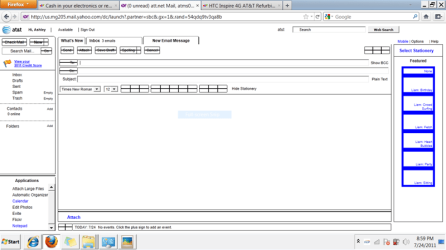
My niece has a laptop that started giving her washed out areas of the browsers, desktop, taskbar, etc... I had her go back and restore as far back as she could incase she got a virus or something weird happened with drivers etc... but it didn't fix anything. She has checked the settings in the control panel for screen settings, themes, etc... and nothing fixes it.
Please see attached images to see what I am talking about!
Any ideas? Would a complete restore help? Has someone clicked on the wrong settings somehow? She does have a 3 year old
Thanks for your help!
Please see attached images to see what I am talking about!
Any ideas? Would a complete restore help? Has someone clicked on the wrong settings somehow? She does have a 3 year old
Thanks for your help!
Attachments

My Computer
At a glance
Windows 7 Ultiimate x64 bitAMD Turion(tm) X2 Dual-Core RM-75 2.20 GHZ4 GB
- Computer Manufacturer/Model Number
- HP dv7-1444us laptop
- OS
- Windows 7 Ultiimate x64 bit
- CPU
- AMD Turion(tm) X2 Dual-Core RM-75 2.20 GHZ
- Memory
- 4 GB
- Monitor(s) Displays
- 17.3"
- Hard Drives
- 320 GB internal
500 GB external Seagate


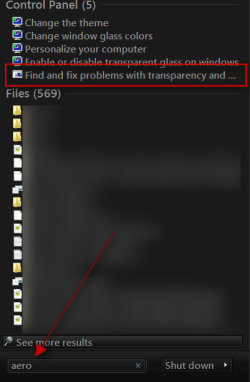
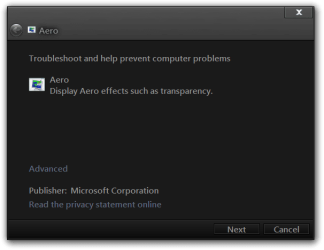
 rb: start button in the search box type Aero and look for Find and fix problems with transparency and check for problems